JavaFX 2.0 and OSGi (Equinox)

If you follow my blog you’ve noticed that I’m currently investing some of my OSS time into JavaFX. The project I’m working on is named e(fx)clipse and until now I’ve been working most of the time on the tooling front but like I promised I don’t only want to provide tooling but also a runtime framework.

So when it comes to runtimes the most important thing for me is that I’m able to use an OSGi-Container (for me equinox is the one with the highest priority) and because JavaFX is NOT shiped with the appropriate OSGi-Metadata it is not as easy to use JavaFX 2.0 in an OSGi-Application.

So I explored multiple different options:

The important things for me are:

  • I don’t want to modify the plain javafx-jar shiped by Oracle – not even sure I would be allowed to do that
  • I’d like to have seemless integration into PDE, so developing an JavaFX-OSGi application should be not different to SWT/Swing
  • I’d like to use the standard export and build tools (Product-Export from IDE, maven-tycho)
  • I’d like to follow OSGi best practices as much possible (e.g. you do a package-import in the client-bundles, let OSGi-wire up stuff at runtime appropriately, …)

In the end I came to the conclusion that using Adapter Hooks is the way to go. So I went ahead and implemented support for this which will make it extremly simple for you to implement JavaFX 2.0 application with Eclipse, Equinox and e(fx)clipse – There are still some glitches in Eclipse to make the PDE-export and JDT happy but I’m going to look into this later on because once you know them they are not really a problem to solve.

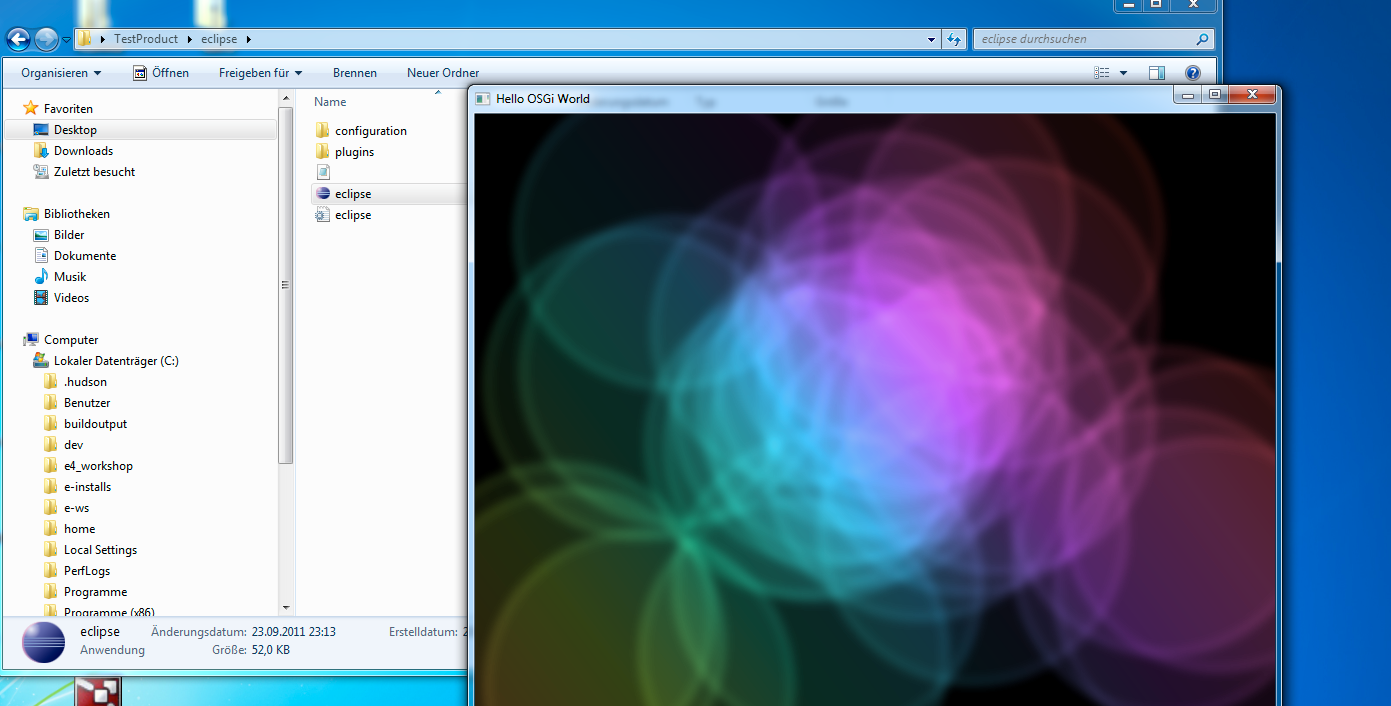
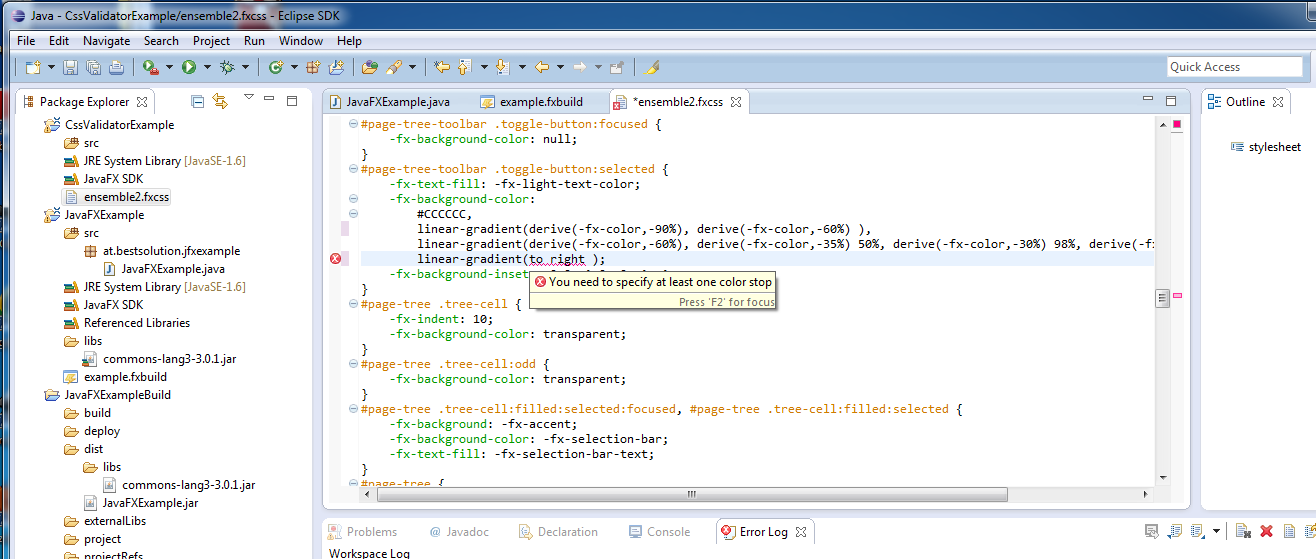
I’ll describe in more detail on how to create an (Equinox)OSGi-enabled JavaFX-Application when I release e(fx)clipse 0.0.6 but here are some screenshots to see that this isn’t a pipedream.

Inside Eclipse it looks like standard OSGi-Project:

And here the exported application:
As always when having problems questions about some OSGi stuff Tom Watson from Equinox helped me to get into the right direction.

For those interested in how I managed to teached Equinox the location of the default JavaFX 2.0 classes can look at my github-repo where I already pushed the code and examples to.
Posted in e(fx)clipse | 22 Comments

e(fx)clipse 0.0.5 released

UPDATE
Please download the latest version from efxclipse.org

So its been less than 1 day after I released 0.0.4 why yet another release within one day?

  1. I got feedback and tracked down some bugs makeing the packaging feature not useable
  2. It looks like the API of the packager changed with b42 and so the build-File didn’t work

Anyways thanks for the feedback I received. Here’s release 0.0.5 that hopefully fixes those problems. It looks like though there’s a bug when using fxml-Files and using the packager which leads to an Exception.

Posted in e(fx)clipse | 9 Comments

e(fx)clipse 0.0.4 released

Update 2011-09-05:

It was reported that the download link does not work it looks like the old upload failed. I’ve reuploaded the file. Sorry for not having tested the upload.

Update 2011-09-05:

The 0.0.4 release is broken because of b42 changes and an internal bug I introduced please use 0.0.5 and provide feedback if you encounter problems

UPDATE
Please download the latest version from efxclipse.org

Original Post:

Release early and often is something I learned opensource projects should do. So I’m trying to follow this scheme and release new version quite frequently.

This release comes with:

  • CSS improvements

    Once more I improved the CSS compability. The feature that took most of my time was support for the new CSS-compatible gradient syntax (the new syntax will get part of one of the next JavaFX-Builds). Currently validation of linear-gradients is supported, radial support will follow in the next release.

  • Support for JavaFX-Packager

    The JavaFX-SDK comes with an ant-extensions that allows developers to easily package and deploy their JavaFX application.

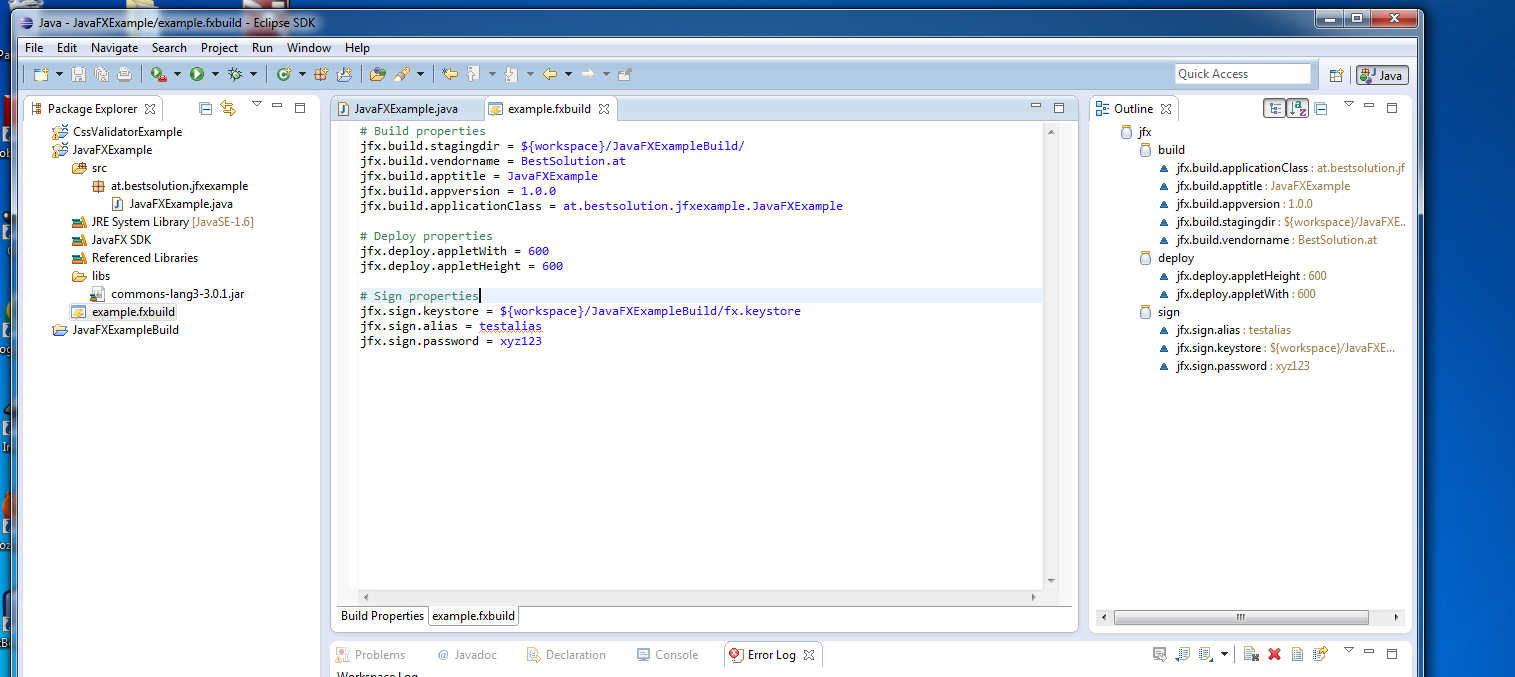
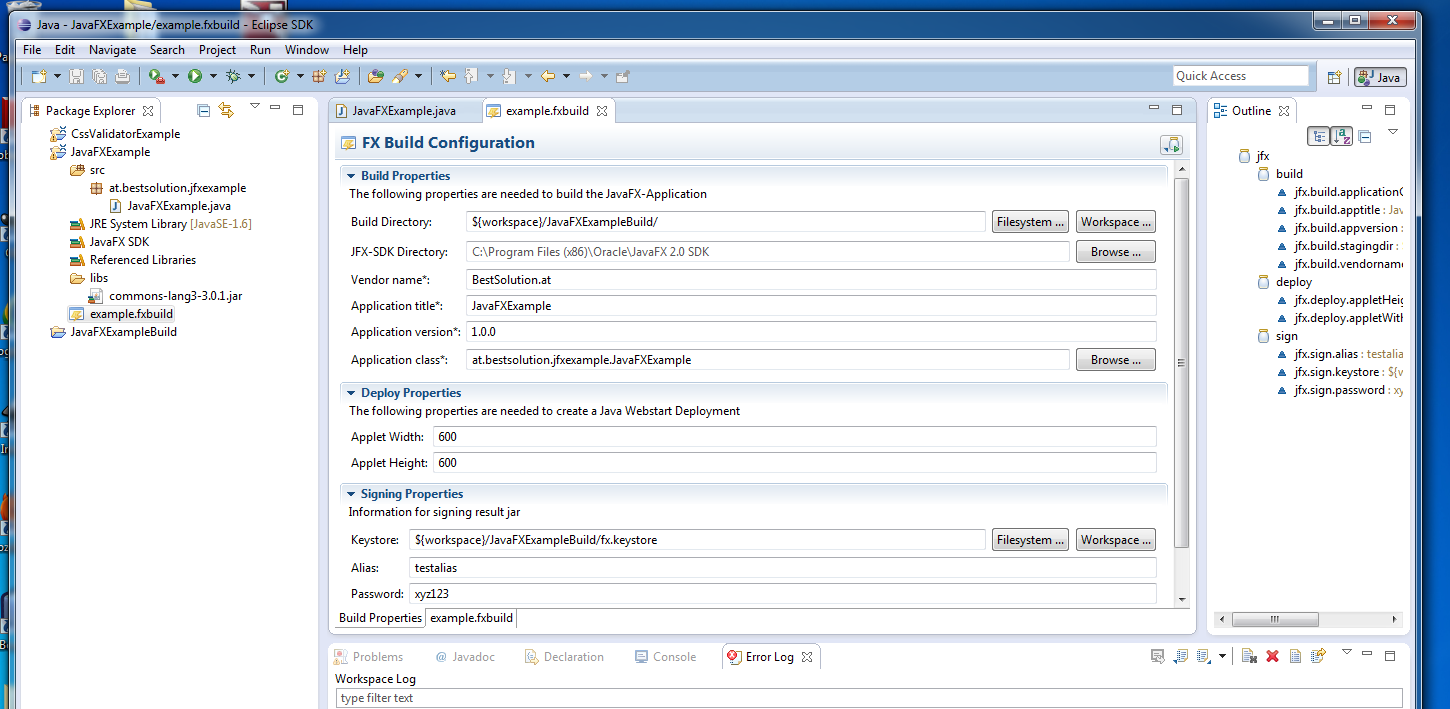
    The 0.0.4 release adds the possibility to define File with the extension fxbuild which can be opened using an formbased editor

    The fxbuild-File is an ordinary .properties-File

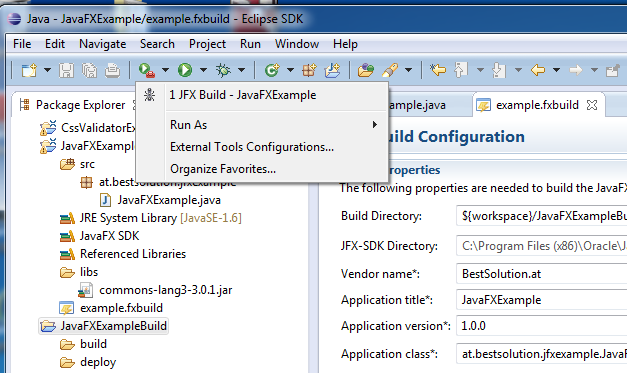
    The Packageing and Build Support integrates itself in the External Tool Launch because internally an ant-Build file is created and launched using the IDE-Support for this

    The build support takes care of classpath dependencies like referenced projects, referenced jars, … and includes them in the generated aretfacts

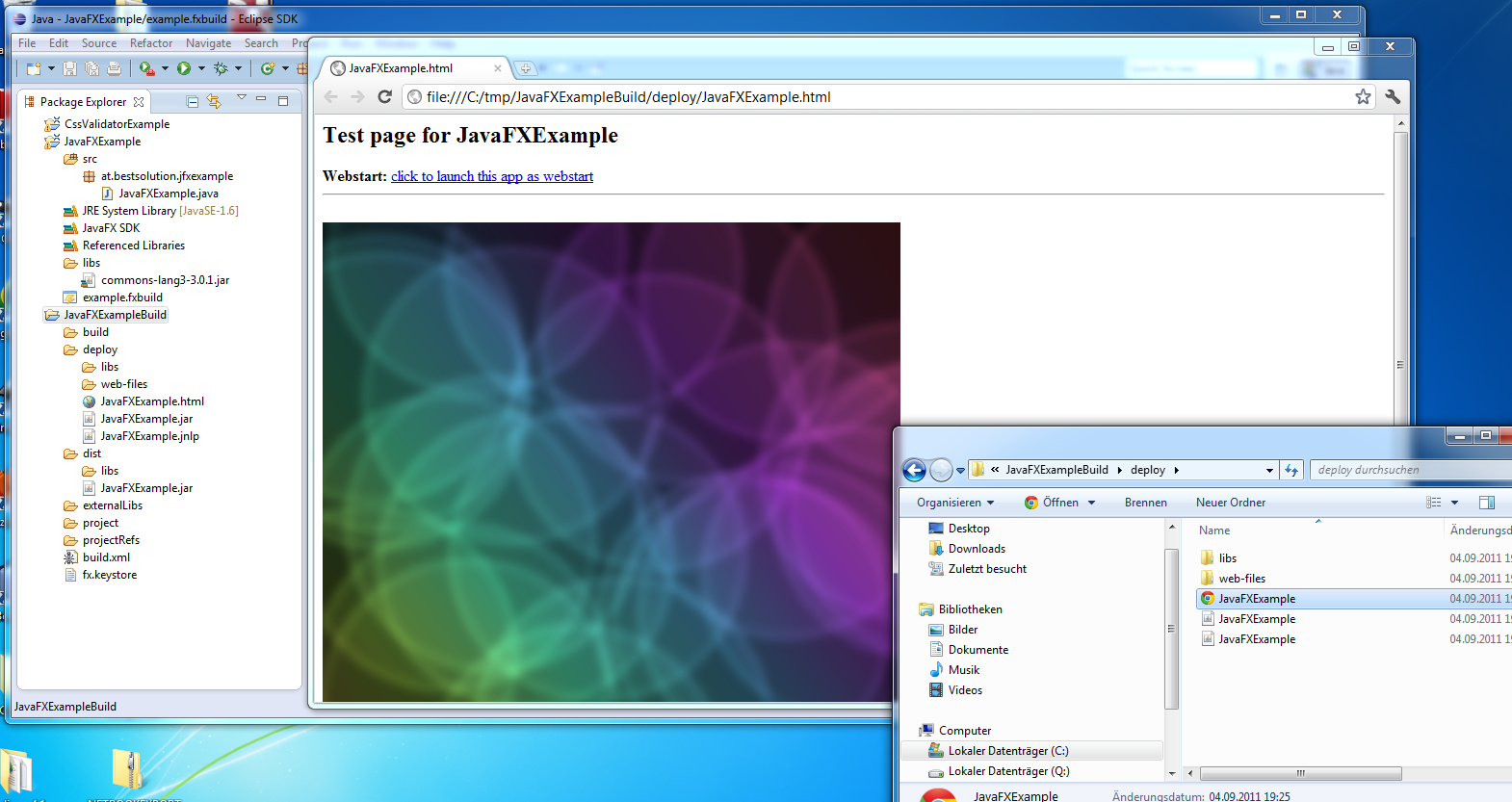
    One can run directly from the Jar (this is supported)

    Or deploy on the web and launch inside the browser

I read somewhere that e(fx)clipse runs only on Eclipse 4.x which is not correct. e(fx)clipse’s tooling part runs on 3.7 and 4.1. Only the runtime part which is going to part of the project leverages the Eclipse 4 Application Platform.

To prove this here is the tooling running in 3.7.0:

You can download the 0.0.4 update-site archive from my git-repository

Posted in e(fx)clipse | 3 Comments

e(x)clipse 0.0.3 released

UPDATE
Please download the latest version from efxclipse.org

Back from holiday a lot of company work I’ve been unable to implement a lot of new things for e(fx)clipse but I’m still making progress improving the current implementation. I’ve improved the validation of css styles, fixed some language definition stuff to improve CSS-compability, … .

The really cool thing about the CSS-Editor is that one can implement ones own validation rules, attributes using OSGi-Services. So one could e.g. write an extension which understands webkit specific features, or one for SWT-CSS.

Still my main focus is support for JavaFX-CSS but here’s the main problem with it: Some of their CSS-Definitions are simply invalid if one takes a close look at the CSS-Definition. What do I mean with that? Look at this example of a linear gradient:

.test {
  -fx-background-color: linear (0%,0%) to (100%,100%) stops (0.0,red) (1.0,black)
}

which is simply invalid because a function call has to have a name which is not the case. While this problem is not fixed at least in a way like this:

.test {
  -fx-background-color: linear (0%,0%) to (100%,100%) stop(0.0,red) stop(1.0,black)
}

It’s impossible to implement a CSS-Compatible tooling – so my hope is that this bug gets fixed though I’m not sure this will happen. And because we are at it definitions made up from many terms like the gradient above makes validation of definitions like this unnecessary hard to implement:

-fx-border-color <paint> | <paint> <paint> <paint> <paint> [ , [<paint> | <paint> <paint> <paint> <paint>] ]*

If you take the example from above this means one could define a CSS like this:

.test {
  -fx-border-color: 
   linear (0%,0%) to (100%,100%) stop(0.0,red) stop(1.0,black)
   linear (0%,0%) to (100%,100%) stop(0.0,red) stop(1.0,black)
   linear (0%,0%) to (100%,100%) stop(0.0,red) stop(1.0,black)
   linear (0%,0%) to (100%,100%) stop(0.0,red) stop(1.0,black),
   linear (0%,0%) to (100%,100%) stop(0.0,red) stop(1.0,black)
   linear (0%,0%) to (100%,100%) stop(0.0,red) stop(1.0,black)
   linear (0%,0%) to (100%,100%) stop(0.0,red) stop(1.0,black)
   linear (0%,0%) to (100%,100%) stop(0.0,red) stop(1.0,black)
}

or even worse

.test {
  -fx-border-color: 
   linear (0%,0%) to (100%,100%) stop(0.0,red) stop(1.0,black)
   radial (25%,25%) , 50% focus (20%,20%) stops (0.0,gray) (0.50,darkgray) (1.0,dimgray) reflect
   linear (0%,0%) to (100%,100%) stop(0.0,red) stop(1.0,black)
   linear (0%,0%) to (100%,100%) stop(0.0,red) stop(1.0,black),
   linear (0%,0%) to (100%,100%) stop(0.0,red) stop(1.0,black)
   linear (0%,0%) to (100%,100%) stop(0.0,red) stop(1.0,black)
   linear (0%,0%) to (100%,100%) stop(0.0,red) stop(1.0,black)
   linear (0%,0%) to (100%,100%) stop(0.0,red) stop(1.0,black)
}

Do you see the “,” in between the radial gradient definition? Argh. I think every value should be a sole function term with subterms and I hope it gets implemented like this.

Anyways I’ve uploaded release 0.0.3 to my git-repo.

Beside working on the CSS front I’ve also started looking into the WindowBuilder sources to understand how one could implement support for the Java-API and fxml but it is going to take a lot of time until I can provide something useful.

Posted in e(fx)clipse | 8 Comments

EclipseCon Europe: Early Bird Submission until August 3rd

If you plan to submit a proposal for EclipseCon Europe 2011 you should consider doing it today so that you are can get part of the Early Bird Selection.

I’m part of the Program Committe this year and so I’m looking forward to your proposals.

Posted in Uncategorized | Leave a comment

e(fx)clipse – validation for css values

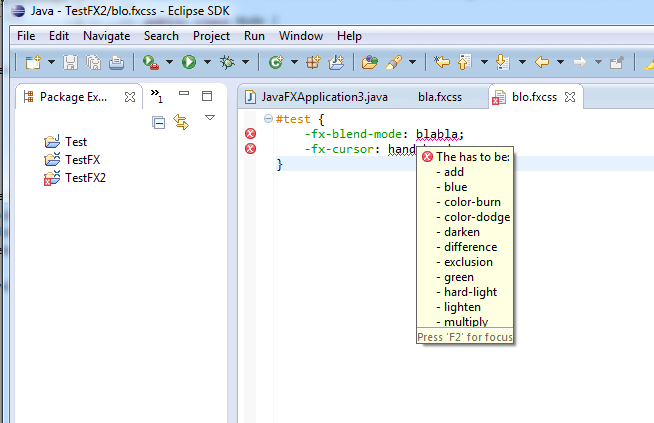
I’ve just pushed the initial support for attribute validations to the e(fx)clipse-repository. Here are the screenshots on how this looks like:

The foundation is there now all I need to implement are the validation rules for the various attributes. I’m going to publish the next release once this work is done which is more or less boring.

Posted in e(fx)clipse | 1 Comment

e(fx)clipse 0.0.2

UPDATE
Please download the latest version from efxclipse.org

On Friday I’m going to be on holiday for about 2 weeks but I wanted to release 0.0.2 before so here it is. The new features are:

  • Improvements for value property proposals

    Further value property improvements will follow in the next release
  • JavaFX-Library

    This will make it easier to share your JavaFX-Projects with other users
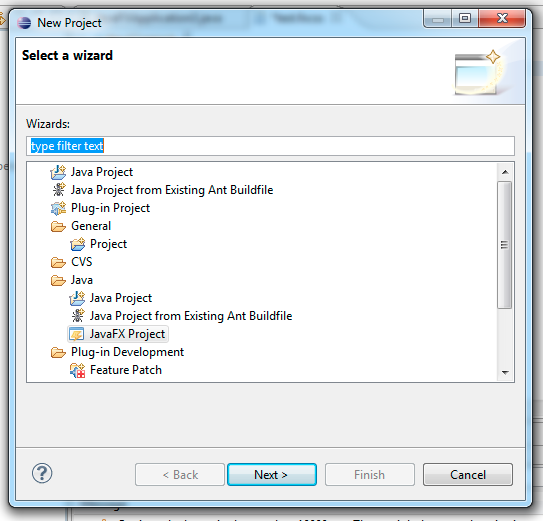
  • JavaFX-Project-Wizard

    This wizard creates a Java-Project and automatically adjusts the Java Build Path to hold the configured JavaFX SDK
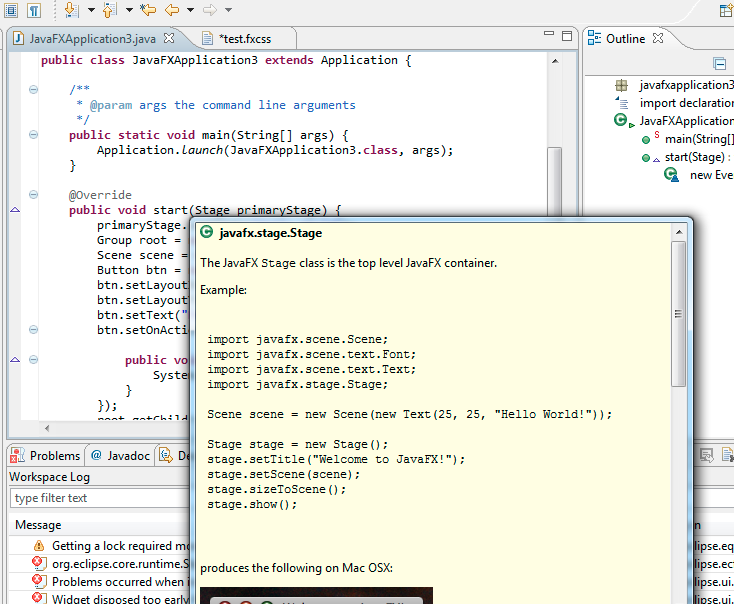
  • Automatic JavaDoc-Integration

You can download the p2-archive from my e(fx)clipse github-repo and install it into you Eclipse SDK using the Install Wizard.

In you have feature ideas, find bugs (highly likely in a 0.0.2 release) please report them here.

Posted in e(fx)clipse | 2 Comments

Interview on e(fx)clipse

Just a short notice. Jaxenter.com has published a short interview with me about my tooling efforts for JavaFX for Eclipse I recently blogged about.

Posted in e(fx)clipse | Leave a comment

Eclipse 4.1: Run your 3.x RCP in 4.1

So there are many 3.x-RCP application and their developers who’d like to run their RCP-Apps ontop of the Eclipse 4.1 RCP (Attention: Don’t mix this up with the Eclipse 4 Application Platform – I’ve blogged about lately).

The Eclipse 4.1 RCP allows you to run your RCP applications unmodified ontop of the Eclipse 4 Application Platform – it is more or less the compat layer provided by Eclipse 4.1 (e.g. to make PDE and JDT run ontop of it).

The component diagram of such an application looks like this:

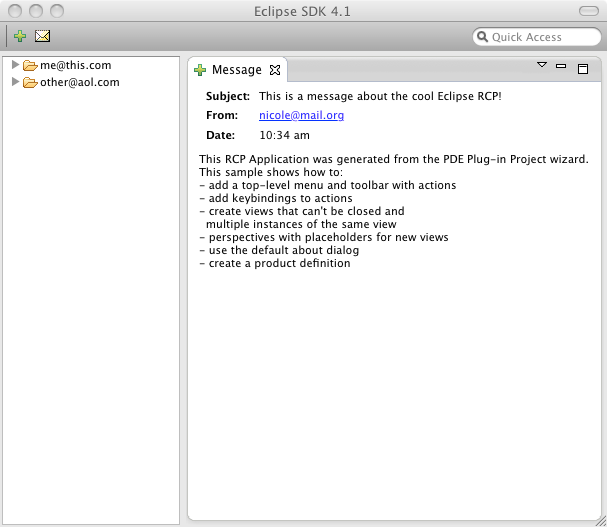
As the standard example I’ll use the RCP Mail Demo generated by PDE:

  • Download a 4.x SDK for your Platform from here (I’d suggest to use the latest I-Build because we are constantly fixing problems)
  • Use the well known PDE-Wizard to create the Mail Demo (I named it “at.bestsolution.rcp.e4mail”) – in case you have an existing RCP Application check it out from your VCS
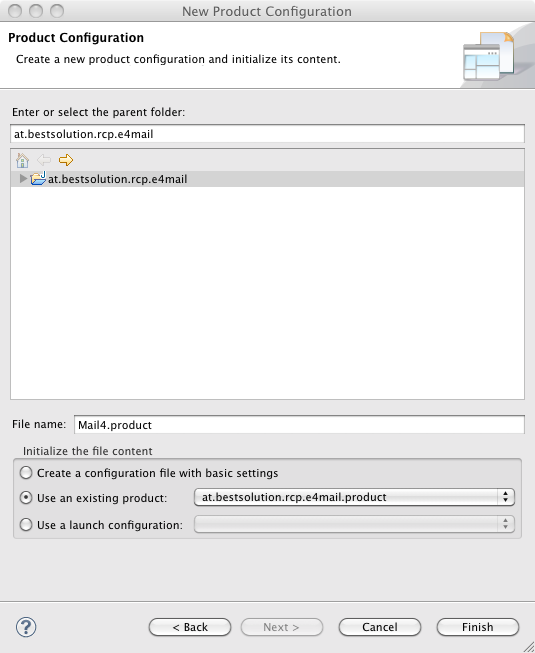
  • Create a new .product-File (Using File > New > Other … > Product Configuration) and select “Use an existing product”
  • Open the plugin.xml and modify the product section to look like this:
           <product
                application="at.bestsolution.rcp.e4mail.application"
                name="RCP Product">
             <property
                   name="aboutText"
                   value="RCP Mail template created by PDE">
             </property>
             <property
                   name="windowImages"
                   value="icons/sample2.gif">
             </property>
             <property
                   name="aboutImage"
                   value="product_lg.gif">
             </property>
             <property
        		   name="applicationXMI"
        		   value="org.eclipse.platform/LegacyIDE.e4xmi">
      		 </property>
      		<property
        		   name="cssTheme"
        		   value="org.eclipse.e4.ui.css.theme.e4_default">
      		</property>
      		<property
        		   name="applicationCSSResources"
        		   value="platform:/plugin/org.eclipse.platform/images/">
      		</property>
        	<property
                   name="appName"
                   value="RCP Product">
        	</property>
          </product>
    
  • Open the .product-File and add the following dependencies:
    • org.eclipse.e4.ui.workbench.addons.swt
    • org.eclipse.equinox.ds
    • org.eclipse.equinox.event
    • org.eclipse.equinox.util
    • org.eclipse.platform
    • org.eclipse.ui.forms
    • org.eclipse.ui.intro
  • Launch it

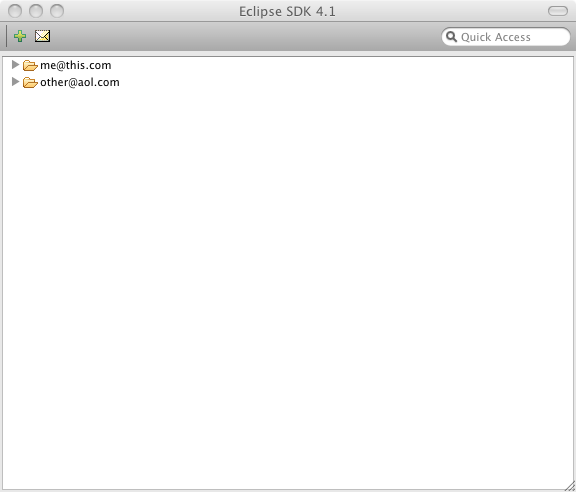
You should now see an application like this:

Obviously not what we’d expect because it should look something like this:

What you are seeing here is a known bug which is fixed in CVS and if you happen to download an I-Build >= I20110630-1005 you should not see the problem any more.

The important question for you is. Why you should at least try this? Here are some possible reasons:

  • Get a more modern L&F by default like Thomas Kratz describes in his blog
  • Provide feedback for things not working to the team so that we can probably even fix them in 4.1.1 so that you can ship your product in autum using Eclipse RCP 4.1.1
  • Use the Workbench ModelTooling to better understand your RCP and interact live with it

I’d like to discuss the live model tooling a bit because I think it is a very interesting feature provided to Eclipse 4 applications. To some extends it replaces the Plugin-Spy used to in the 3.x world when you are interested where things are coming from, … but it provides much more.

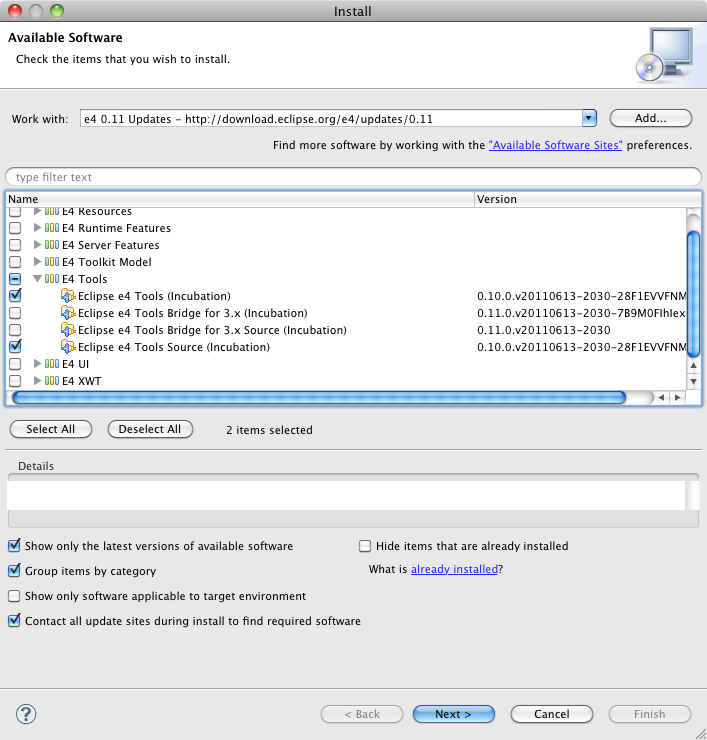
The first thing you need to do get the tooling is to install it from the e4-Update-Site:

If you now add the following bundles to your launch config:

  • org.eclipse.e4.tools.emf.liveeditor
  • org.eclipse.e4.tools.emf.ui
  • org.eclipse.e4.tools.emf.ui.script.js

and hit the “Add Required Plug-ins” and launch the application you can launch the interactive tooling using ALT+SHIFT+F9 which opens an extra dialog like this:

The really interesting thing with the e4 live instance tooling is it not only a passive tool but allows you to interact with the running application instance:

  • Using the UI (moving nodes in the tree on the left, enter new values into the form fields on the right)
  • Using JavaScript
Posted in e4, tutorials | 12 Comments

Introducing e(fx)clipse

UPDATE
Please download the latest version from efxclipse.org

People who’ve read my blog in the last few weeks have seen that I invested some time in getting the Eclipse 4 Application Platform running on top of JavaFX.

One of the key technologies of JavaFX is that one uses CSS to theme the whole application but the default CSS-Editors are not of much help because the properties used are specific to JavaFX (read they are all customized extension starting with -fx).

… and because I decided already some time ago that I had to teach myself how to write my own DSL using Xtext it was the prefect chance to create a CSS-Editor for JavaFX using Xtext.

… and because I was traveling a lot in the last 2 weeks (I’ve been to 3 democamps) I had a lot of spare time to work on something I’d like to call “e(fx)clipse” a start of an Eclipse Tooling for JavaFX.

So what do I have for Release 0.0.1 of the Tooling? Well all I have is a start for a CSS-Editor built using Xtext.

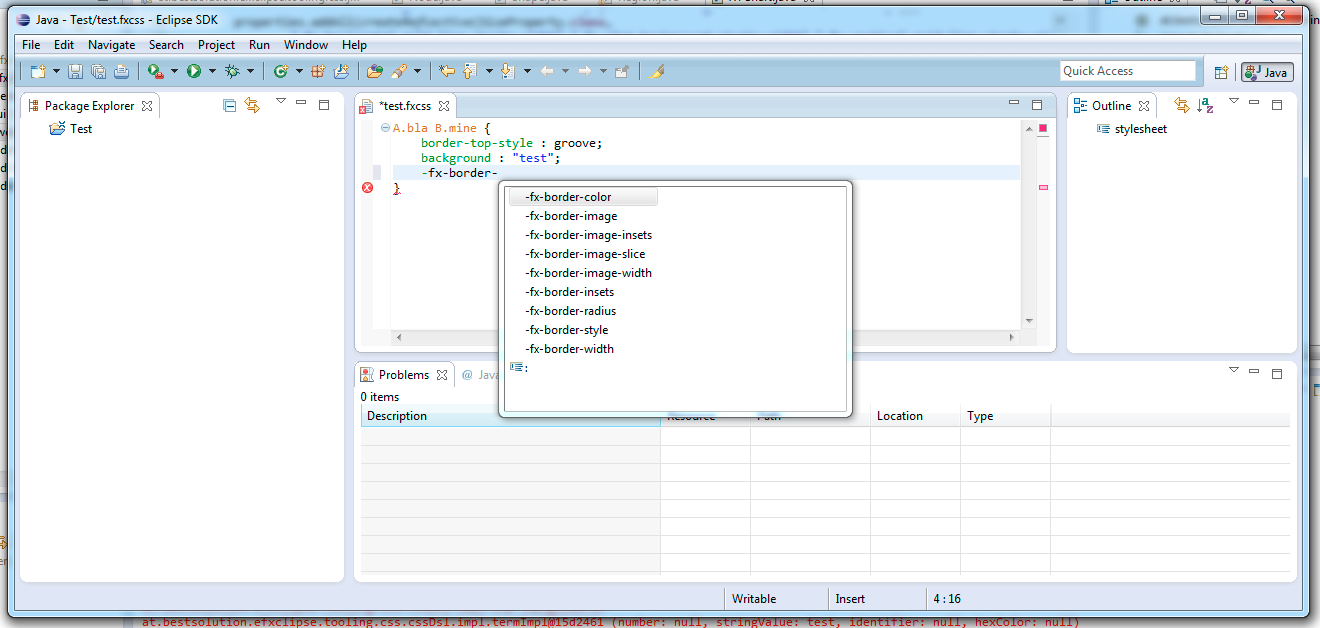
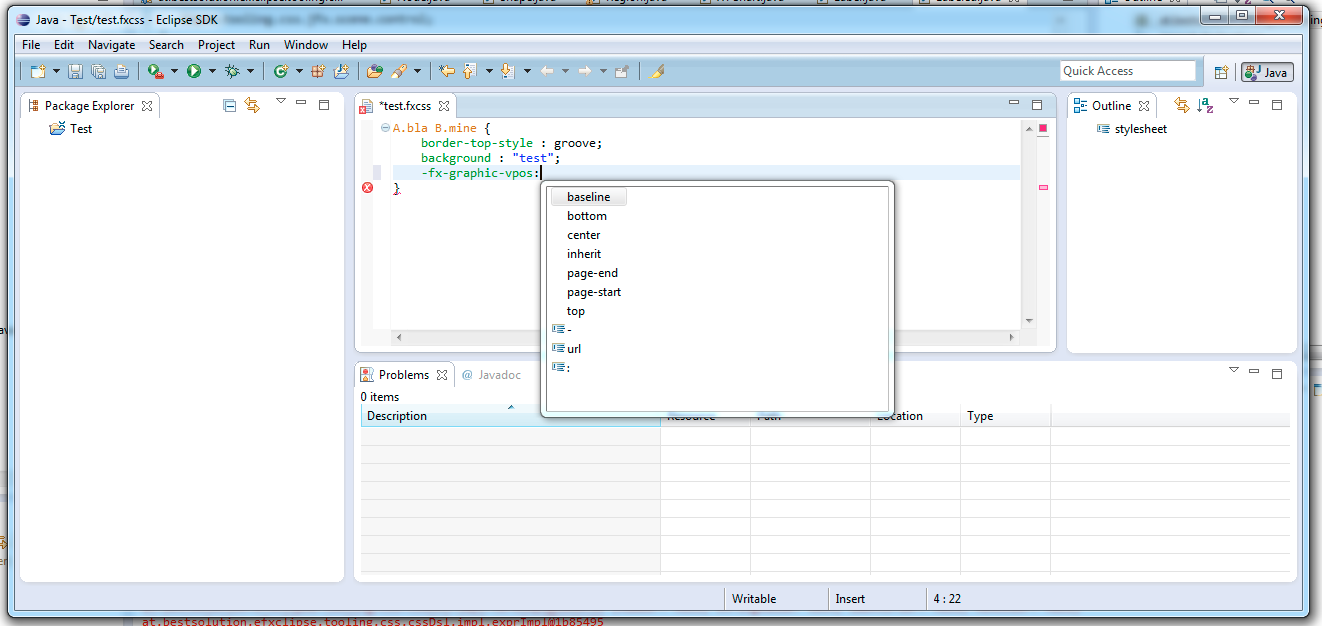
Here are 2 screenshots of the current CSS-Editor running in Eclipse 4.1 (it runs as well in 3.7 naturally).

So as you see the editor has not too many features as of now:

  • Basic Syntax-Highlighting
  • Proposals for CSS-Attributes
  • Support for Attribute value proposals

but I hope to improve the initial features.

BTW one of the main features of the CSS-Editor is that it allows people to plug in their own Property-Rules so e.g. e4 could plug-in their own rules, so one can for mozilla, webkit, … -specific rules.

As of now I have 2 property-sets:

  • CSS 2.1
  • JavaFX

but they are not part of the core plugin but contributed simply as OSGi-Services 🙂

So if you want to give the editor a spin. You can download the p2-repo from my github account. Please note this is a very very early release and the editor currently is only registered for .fxcss-Files.

Update:
There’s one JavaFX syntax not yet support by the editor showing an error marker but the problem is not the CSS-Editor but in reality the CSS-Definition speced by JavaFX. I’ve already filed a Jira-Ticket where I describe the problem and proposed a CSS-2.1 compatible definition:

linear from( <size> , <size> ) to( <size> , <size> ) [ stop( <number> , <color> ) ]+ [ repeat | reflect ]?
radial [ center( <size> , <size> ) , ]? <size> [ focus( <size> , <size> ) ] ? [ stop( <number> , <color> ) ]+ [ repeat | reflect ]?

/* Example */
linear from(0%,0%) to(100%,100%) stop(0.0,red) stop(1.0,black)
radial center(25%,25%) , 50% focus(20%,20%) stop(0.0,gray) stop(0.50,darkgray) stop(1.0,dimgray) reflect 
Posted in Eclipse, EMF | 4 Comments