
Short notice to people reading my blog – just arrived at Heathrow and heading to the city. I’m here for the Bloomberg Eclipse Hackathon on Saturday – it’s not too late to join!
SWTonFX – JavaFX Canvas with many clipping calls == unacceptable slow
Inspired by a twitter discussion started by Andres Almiray if NatTable could be run in JavaFX application I checked out the sources, added some missing API to SWTonFX GC implementation and voila it renders a NatTable sample as the SWT version does
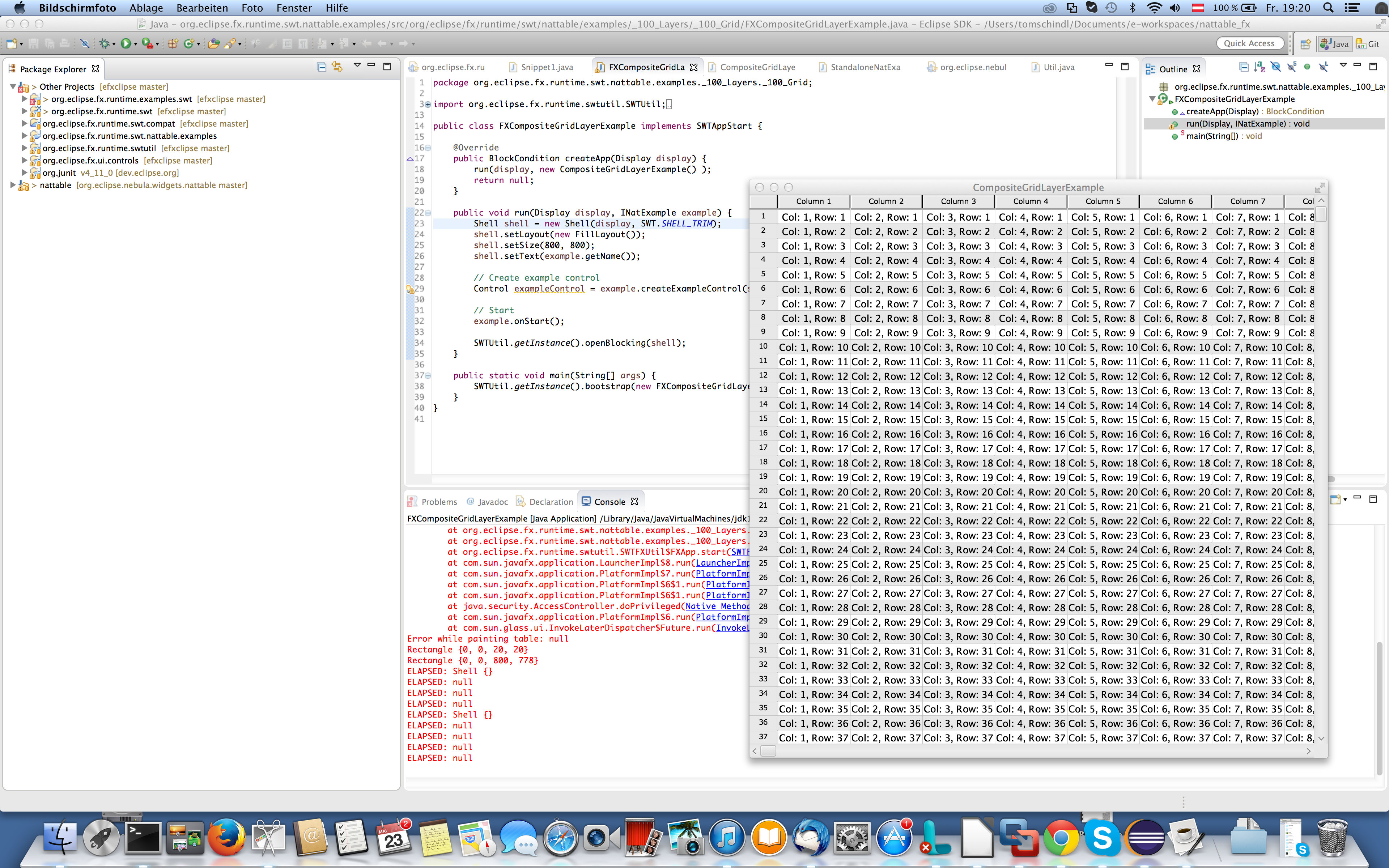
The problem
The “only” problem is it takes an unacceptable time to do – so i fired up JavaMissionControl to see where time is spent but there was no high CPU consumption, hot methods, … nothing really problematic showed up so i started add some System.out.println() into the code and the rendering calls (stroke-line, draw-rect, draw-text, …) themselves finish in no time – that mapped quite good to the output JavaMissionControl showed to me.
I started digging deeper, going through the NatTable rendering code to see what calls they do on the SWT-GC and the only really interesting stuff I found was that they’ll make heavy use of clipping GC#setClipping(Region) – for the NatTable above I counted approximately 1,500 clipping calls who turned out to be the root of the problem.
SWT-Canvas & GC in SWTonFX
Before we proceed with the problem above, it makes sense to understand how the GC is implemented in SWTonFX. By default SWTonFX makes use of the JavaFX SceneGraph whenever possible e.g. to construct controls (frankly we simply use the controls who are part of JavaFX) but if someone attaches a SWT.Paint-Listener we detect that and embed a JavaFX canvas into the control space and provide you a GC implementation which works like this:
public class CanvasGC implements /*Internal API*/ DrawableGC {
   private Canvas canvas;

   public CanvasGC(javafx.scene.canvas.Canvas fxCanvas /* ... */) {
     this.canvas = canvas;
   }

   public void fillRectangle(int x, int y, int width, int height) {
     canvas.getGraphicsContext2D().fillRect(x, y, width, height);
   }

   // ...
}
and when a GC is created it does
public class GC extends Resource {
  private DrawableGC gc;

  public GC(Drawable drawable) {
    // ...
    gc = drawable.internal_new_GC();
  }

  public void fillRectangle(int x, int y, int width, int height) {
    gc.fillRectangle(x,y,width,height);
  }
}
which is implemented e.g. for Composite with:
public class Composite extends Scrollable {
  public DrawableGC internal_new_GC() {
    if( canvas == null ) {
      return super.internal_new_GC();
    } else {
      return new CanvasGC(canvas,
                          getFont(),
                          getBackground(),
			  getForeground());
    }
  }
}
This architecture makes the GC stuff extremely flexible because we can have different GC implementation strategy based on the control.
JavaFX Canvas and clipping
Clipping on JavaFX canvas works a bit differently than on the GC API and the following the code I came up with to implement the behavior:
public class CanvasGC implements /*Internal API*/ DrawableGC {
  // ...

  public void setClipping(Region region) {
    setClipping((PathIterator)(region != null ? region.internal_getNativeObject().getPathIterator(null) : null));
  }

  private void setClipping(PathIterator pathIterator) {
    if( activeClip ) {
      canvas.getGraphicsContext2D().restore();
    }

    if( pathIterator == null ) {
      return;
    }

    activeClip = true;

    float coords[] = new float[6];
    GraphicsContext gc = canvas.getGraphicsContext2D();
    gc.save();
    gc.beginPath();

    float x = 0;
    float y = 0;


    gc.moveTo(0, 0);

    while( ! pathIterator.isDone() ) {
      switch (pathIterator.currentSegment(coords)) {
        case PathIterator.SEG_CLOSE:
          gc.lineTo(x, y);
          break;
        case PathIterator.SEG_CUBICTO:
          gc.bezierCurveTo(coords[0], coords[1], coords[2], coords[3], coords[4], coords[5]);
          break;
        case PathIterator.SEG_LINETO:
          gc.lineTo(coords[0], coords[1]);
          break;
        case PathIterator.SEG_MOVETO:
          gc.moveTo(coords[0], coords[1]);
          x = coords[0];
          y = coords[1];
          break;
        case PathIterator.SEG_QUADTO:
          gc.quadraticCurveTo(coords[0], coords[1], coords[2], coords[3]);
          break;
        default:
          break;
      }
      pathIterator.next();
    }
    gc.clip();
    gc.closePath();
  }
}
Now I don’t know exactly why this is so damn slow in JavaFX but the fact is – on JavaFX8 this makes JavaFX Canvas unusable to implement the GC for SWTonFX – if you know there are going to be many clipping calls. Enough for today – tomorrow I tell you the solution I’m currently targeting.
Posted in e(fx)clipse
2 Comments
e(fx)clipse – All-in-one updated to Luna RC1
I’ve just updated our nightly all-in-one builds to Luna RC1, while you get some platform fixes the most important change for JavaFX devs is that all the JavaDoc holes are now closed and you should see JavaDoc on any property-method you hover (see my post on Luna M7 to see what I’m talking about).
I big thank to Markus Keller from the Eclipse JDT Team for getting in the fix to JDT in RC1 with Bug 434269 – all JavaFX devs working with Eclipse owe you a beer!
Posted in e(fx)clipse
1 Comment
maven-tycho 0.20.0 and java8 source code
People writing e4/OSGi JavaFX application these days will most likely do it using JavaFX8 and probably they then make use of Java8 language features as well.
While the latest milestones of Eclipse 4.4 Luna have Java8 support with it your favorite build tool maven-tycho 0.20.0 for those applications is not yet directly supporting java8 because the compiler packaged with it is from the kepler repositories.
Yet e(fx)clipse which is using Java8 syntax itself is able to build so it must be possible and here’s a short description how we managed to get it work.
Install fresh version of jdt into your local m2 repo
I’m running the following commands on our hudson to get it recognize a newer jdt-version:
# install jdt-core
wget http://download.eclipse.org/eclipse/updates/4.4-I-builds/I20140512-2000/plugins/org.eclipse.jdt.core_3.10.0.v20140512-1116.jar
mvn install:install-file
-Dpackaging=jar -DgroupId=org.eclipse.tycho
-DartifactId=org.eclipse.jdt.core -Dversion=3.10.0.v20140512-1116
-Dfile=org.eclipse.jdt.core_3.10.0.v20140512-1116.jar

# install jdt-apt
wget http://download.eclipse.org/eclipse/updates/4.4-I-builds/I20140512-2000/plugins/org.eclipse.jdt.compiler.apt_1.1.0.v20140509-1235.jar
mvn install:install-file
-Dpackaging=jar -DgroupId=org.eclipse.tycho
-DartifactId=org.eclipse.jdt.compiler.apt -Dversion=1.1.0.v20140509-1235
-Dfile=org.eclipse.jdt.compiler.apt_1.1.0.v20140509-1235.jar
Force the maven compiler plugin to use the versions you installed to your local maven repo
You need to reconfigure your tycho-compiler-plugin
<!-- ... -->
<pluginManagement>
  <plugins>
    <plugin>
      <groupId>org.eclipse.tycho</groupId>
      <artifactId>tycho-compiler-plugin</artifactId>
      <version>${tycho-version}</version>
      <dependencies>
        <dependency>
          <groupId>org.eclipse.tycho</groupId>
          <artifactId>org.eclipse.jdt.core</artifactId>
          <version>3.10.0.v20140512-1116</version>
        </dependency>
        <dependency>
          <groupId>org.eclipse.tycho</groupId>
          <artifactId>org.eclipse.jdt.compiler.apt</artifactId>
          <version>1.1.0.v20140509-1235</version>
        </dependency>
      </dependencies>
      <configuration>
        <encoding>UTF-8</encoding>
        <extraClasspathElements>
          <extraClasspathElement>
            <groupId>com.oracle</groupId>
            <artifactId>javafx</artifactId>
            <version>8.0.0-SNAPSHOT</version>
            <systemPath>${java.home}/lib/jfxswt.jar</systemPath>
            <scope>system</scope>
          </extraClasspathElement>
        </extraClasspathElements>
      </configuration>
    </plugin>
<!-- ... -->
Now your build is once more happy!
Posted in e(fx)clipse, Eclipse
3 Comments
e4 on JavaFX – Drag and Drop between Stacks (=JavaFX TabPanes)
Developers switching from e4 on SWT over to e4 on JavaFX have been missing the feature to reorder the tabs inside their window.
One of the main targets of 1.0.0 is to close the gap between the SWT and JavaFX implementation so I’ve been working on this feature lately and today I can report about initial progress.
As of now the implementation makes use of reflection to access TabPaneSkin stuff but we are working with upstream JavaFX to get in a proper API like we’ve done already before.
Things not yet implemented:
- Detatching via DnD
- Splitting of areas via DnD
This new support will be in the nightlies – if you find issues please attach them to Bug 434228 – [e4] Add support for DnD of Parts
Posted in weekly report
12 Comments
Reuse your e4 SWT-Part implementation in e4 on JavaFX
Have you ever considered to switch from SWT to JavaFX but had abandoned it because it would require you to rewrite all your SWT UI code or you want to stick with SWT because you want to publish your e4 application on the web using RAP but on the desktop SWT simply doesn’t allow you to theme your UI enough?
If you followed my advise to keep your ui-bundle free from framework dependencies beside:
- org.eclipse.swt
- org.eclipse.jface
- (optionally) org.eclipse.jface.databinding
this is now going to pay off.
Let’s create a little sample step by step
Setup your system
- Download Java8 from http://www.oracle.com/technetwork/java/javase/downloads/index.html
- Download the nightly-all-in-one build of e(fx)clipse from http://downloads.efxclipse.bestsolution.at/downloads/nightly/sdk/
- Make sure you launch your IDE with JDK8 – in Luna M6 there was a bug in Equinox so it is essential that the first start is done with JDK8
Native SWT application
Native SWT project creation
- Create an e4 application which only has the Application.e4xmi (no parts, …) – I named mine
org.eclipse.fx.sample.singlesource.app.native - Create a bare-bone plug-in project which is empty (no activators, no plugin.xml) – I named mine
org.eclipse.fx.sample.singlesource.views - Add
org.eclipse.swtorg.eclipse.jfacewithout version constraints to your plugin
Your workspace should no look like this

Implement a simple SWT UI
- Create a package – I named mine
org.eclipse.fx.sample.singlesource.views - Create a Java class in the above package – i named mine
SWTHelloWorld - Implement a simple UI – mine looks like this:
package org.eclipse.fx.sample.singlesource.views;

import javax.annotation.PostConstruct;

import org.eclipse.swt.SWT;
import org.eclipse.swt.graphics.Font;
import org.eclipse.swt.graphics.FontData;
import org.eclipse.swt.layout.GridData;
import org.eclipse.swt.layout.GridLayout;
import org.eclipse.swt.widgets.Button;
import org.eclipse.swt.widgets.Composite;
import org.eclipse.swt.widgets.Display;
import org.eclipse.swt.widgets.Event;
import org.eclipse.swt.widgets.Label;

public class SWTHelloWorld {

	private Label l;

	@PostConstruct
	public void initUI(Composite parent) {
		parent.setLayout(new GridLayout());

		l = new Label(parent, SWT.NONE);
		l.setAlignment(SWT.CENTER);
		l.setFont(new Font(Display.getCurrent(), new FontData(l.getFont().getFontData()[0].getName(), 30, SWT.NORMAL)));
		l.setLayoutData(new GridData(GridData.FILL,GridData.CENTER,true,false));

		Button b = new Button(parent, SWT.PUSH);
		b.setText("Hello World");
		b.addListener(SWT.Selection, this::showHelloWorld);
		b.setLayoutData(new GridData(GridData.CENTER,GridData.CENTER,true,true));
	}

	void showHelloWorld(Event event) {
		l.setText("SWT on JavaFX is the coolest technology on earth");
	}
}
Implement a simple JFace viewer
- Create a Java class next to the SWT-UI one – I named mine
JFaceHelloWorld - Create a icons-folder in the root of the project
- Download the famfamfam icon from http://www.famfamfam.com/lab/icons/silk/
- Copy the following icons to it:
- folder.png
- page_white_acrobat.png
- page_white_cup.png
- page_white_excel.png
- page_white_office.png
- page_white_picture.png
- page_white_text.png
- page_white.png
- The implementation i wrote to test JFace looks like this:
package org.eclipse.fx.sample.singlesource.views;

import java.io.File;

import javax.annotation.PostConstruct;

import org.eclipse.jface.resource.ImageDescriptor;
import org.eclipse.jface.resource.JFaceResources;
import org.eclipse.jface.viewers.ITreeContentProvider;
import org.eclipse.jface.viewers.LabelProvider;
import org.eclipse.jface.viewers.TreeViewer;
import org.eclipse.jface.viewers.Viewer;
import org.eclipse.swt.graphics.Image;
import org.eclipse.swt.layout.FillLayout;
import org.eclipse.swt.widgets.Composite;

public class JFaceHelloWorld {
	private static final String FOLDER = "FOLDER";
	private static final String JAVA_FILE = "JAVA_FILE";
	private static final String PDF_FILE = "PDF_FILE";
	private static final String EXCEL_FILE = "EXCEL_FILE";
	private static final String OFFICE_FILE = "OFFICE_FILE";
	private static final String IMG_FILE = "IMG_FILE";
	private static final String TEXT_FILE = "TEXT_FILE";
	private static final String GENERIC_FILE = "GENERIC_FILE";

	static {
		JFaceResources.getImageRegistry().put(FOLDER, ImageDescriptor.createFromURL(JFaceHelloWorld.class.getClassLoader().getResource("/icons/folder.png")));
		JFaceResources.getImageRegistry().put(JAVA_FILE, ImageDescriptor.createFromURL(JFaceHelloWorld.class.getClassLoader().getResource("/icons/page_white_cup.png")));
		JFaceResources.getImageRegistry().put(PDF_FILE, ImageDescriptor.createFromURL(JFaceHelloWorld.class.getClassLoader().getResource("/icons/page_white_acrobat.png")));
		JFaceResources.getImageRegistry().put(EXCEL_FILE, ImageDescriptor.createFromURL(JFaceHelloWorld.class.getClassLoader().getResource("/icons/page_white_excel.png")));
		JFaceResources.getImageRegistry().put(OFFICE_FILE, ImageDescriptor.createFromURL(JFaceHelloWorld.class.getClassLoader().getResource("/icons/page_white_office.png")));
		JFaceResources.getImageRegistry().put(IMG_FILE, ImageDescriptor.createFromURL(JFaceHelloWorld.class.getClassLoader().getResource("/icons/page_white_picture.png")));
		JFaceResources.getImageRegistry().put(TEXT_FILE, ImageDescriptor.createFromURL(JFaceHelloWorld.class.getClassLoader().getResource("/icons/page_white_text.png")));
		JFaceResources.getImageRegistry().put(GENERIC_FILE, ImageDescriptor.createFromURL(JFaceHelloWorld.class.getClassLoader().getResource("/icons/page_white.png")));
	}

	@PostConstruct
	public void initUI(Composite parent) {
		parent.setLayout(new FillLayout());

		File root = new File(System.getProperty("user.home"));

		TreeViewer viewer = new TreeViewer(parent);
		viewer.setContentProvider(new FileSystemContentProvider());
		viewer.setLabelProvider(new LabelProvider() {
			@Override
			public Image getImage(Object element) {
				File f = (File) element;
				if( f.isDirectory() ) {
					return JFaceResources.getImageRegistry().get(FOLDER);
				} else if( f.getName().endsWith(".java") ) {
					return JFaceResources.getImageRegistry().get(JAVA_FILE);
				} else if( f.getName().endsWith(".pdf") ) {
					return JFaceResources.getImageRegistry().get(PDF_FILE);
				} else if( f.getName().endsWith(".xls") ) {
					return JFaceResources.getImageRegistry().get(EXCEL_FILE);
				} else if( f.getName().endsWith(".doc") ) {
					return JFaceResources.getImageRegistry().get(OFFICE_FILE);
				} else if( f.getName().endsWith(".png") || f.getName().endsWith(".jpg") || f.getName().endsWith(".gif") ) {
					return JFaceResources.getImageRegistry().get(IMG_FILE);
				} else {
					return JFaceResources.getImageRegistry().get(GENERIC_FILE);
				}
			}

			@Override
			public String getText(Object element) {
				File f = (File) element;
				if( f == root ) {
					return f.getAbsolutePath();
				}
				return f.getName();
			}
		});
		viewer.setInput(new File[] {root});
	}

	static class FileSystemContentProvider implements ITreeContentProvider {

		@Override
		public void dispose() {

		}

		@Override
		public void inputChanged(Viewer viewer, Object oldInput, Object newInput) {

		}

		@Override
		public Object[] getElements(Object inputElement) {
			return (Object[]) inputElement;
		}

		@Override
		public Object[] getChildren(Object parentElement) {
			File f = (File) parentElement;
			if( f.isDirectory() ) {
				return f.listFiles();
			}
			return new Object[0];
		}

		@Override
		public Object getParent(Object element) {
			File f = (File) element;
			return f.getParentFile();
		}

		@Override
		public boolean hasChildren(Object element) {
			return getChildren(element).length > 0;
		}

	}
}
Register the parts in your e4xmi & launch
- Add your
org.eclipse.fx.sample.singlesource.viewsto the apps.native MANIFEST.MF - Add your
org.eclipse.fx.sample.singlesource.viewsto the .product-File - Create a PartStack & 2 Part elements point to the class above
- Launch the application using the product-File
You should get an UI like this:


Run on e4 on JavaFX and SWT on JavaFX
Setup a target platform
- Close the
org.eclipse.fx.sample.singlesource.app.native - Create a new empty target platform – i named mine
efx - Add a software site which points to http://download.eclipse.org/efxclipse/runtime-nightly/site and inside the FX Target section you check
Target Platform featureand uncheckInclude required software - Add a software site which points to http://download.eclipse.org/efxclipse/experimental-nightly/site check the root-node named
SWT on JavaFXand uncheckInclude required software - Enable the new target platform
Create an e4 on JavaFX application infrastructure
- Create new project infrastructure using the
e4 Application projectsfound in the JavaFX/OSGi category - use
org.eclipse.fx.sample.singlesourceas the prefix - Finish the dialog with the default settings
You should have a workspace like this
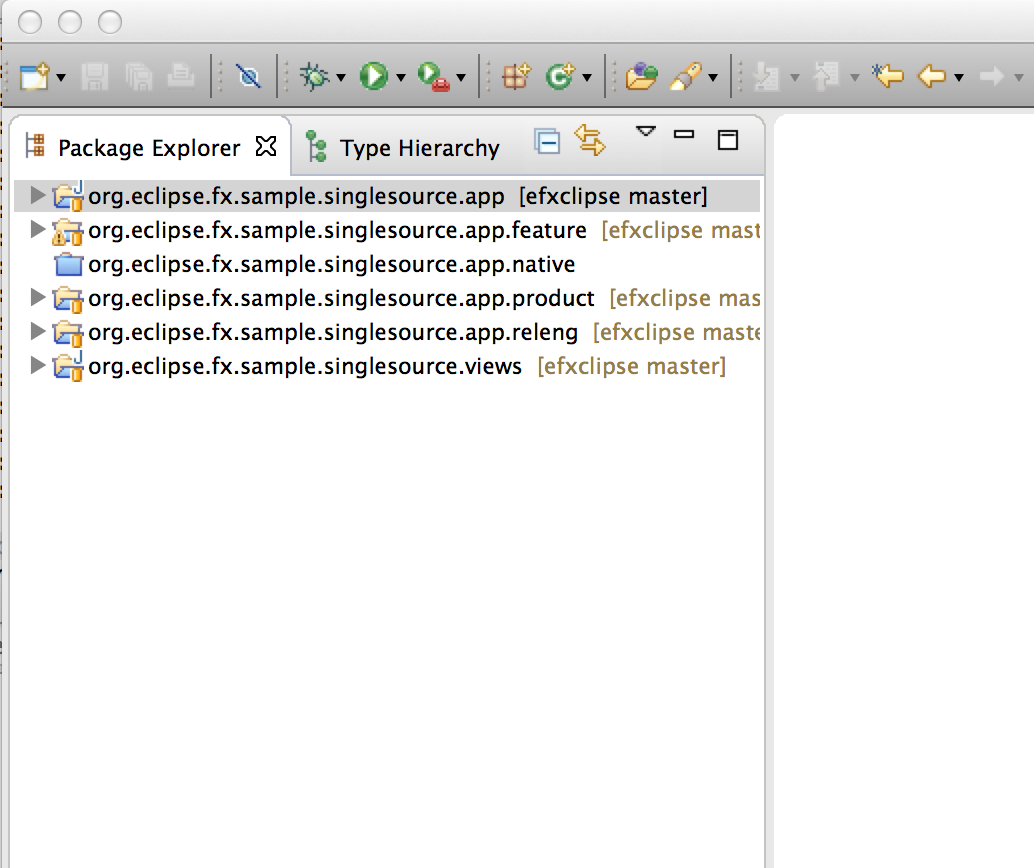
Add SWT on JavaFX dependencies
- Open the feature.xml in
org.eclipse.fx.sample.singlesource.app.feature - Add the following bundles
- org.eclipse.fx.runtime.swt
- org.eclipse.swt
- org.eclipse.fx.sample.singlesource.views
- org.eclipse.fx.runtime.swt.e4
Update the e4xmi & Launch
- Add a dependency to
org.eclipse.fx.sample.singlesource.viewsto the MANIFEST.MF - Open the e4xmi and add a PartStack and 2 Part elements pointing to the Java classes we defined
- Launch the application using the generated Launch Config in the
.productproject
This will give you a UI like this

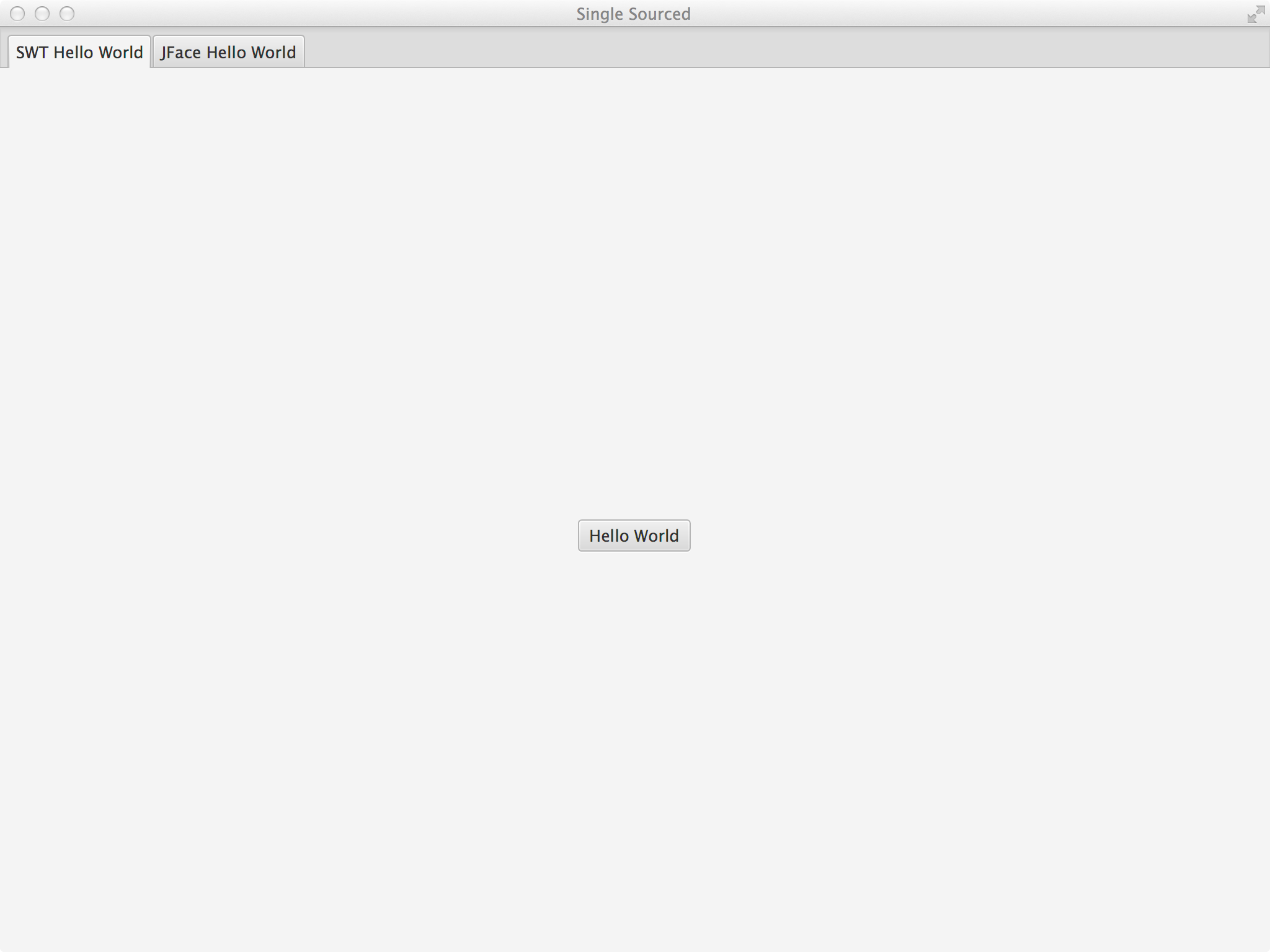
or if you open the default.css in the .app-project and add the following lines
.root {
    -fx-base: rgb(50, 50, 50);
    -fx-background: rgb(50, 50, 50);
    -fx-control-inner-background:  rgb(50, 50, 50);
}
the ui will change to
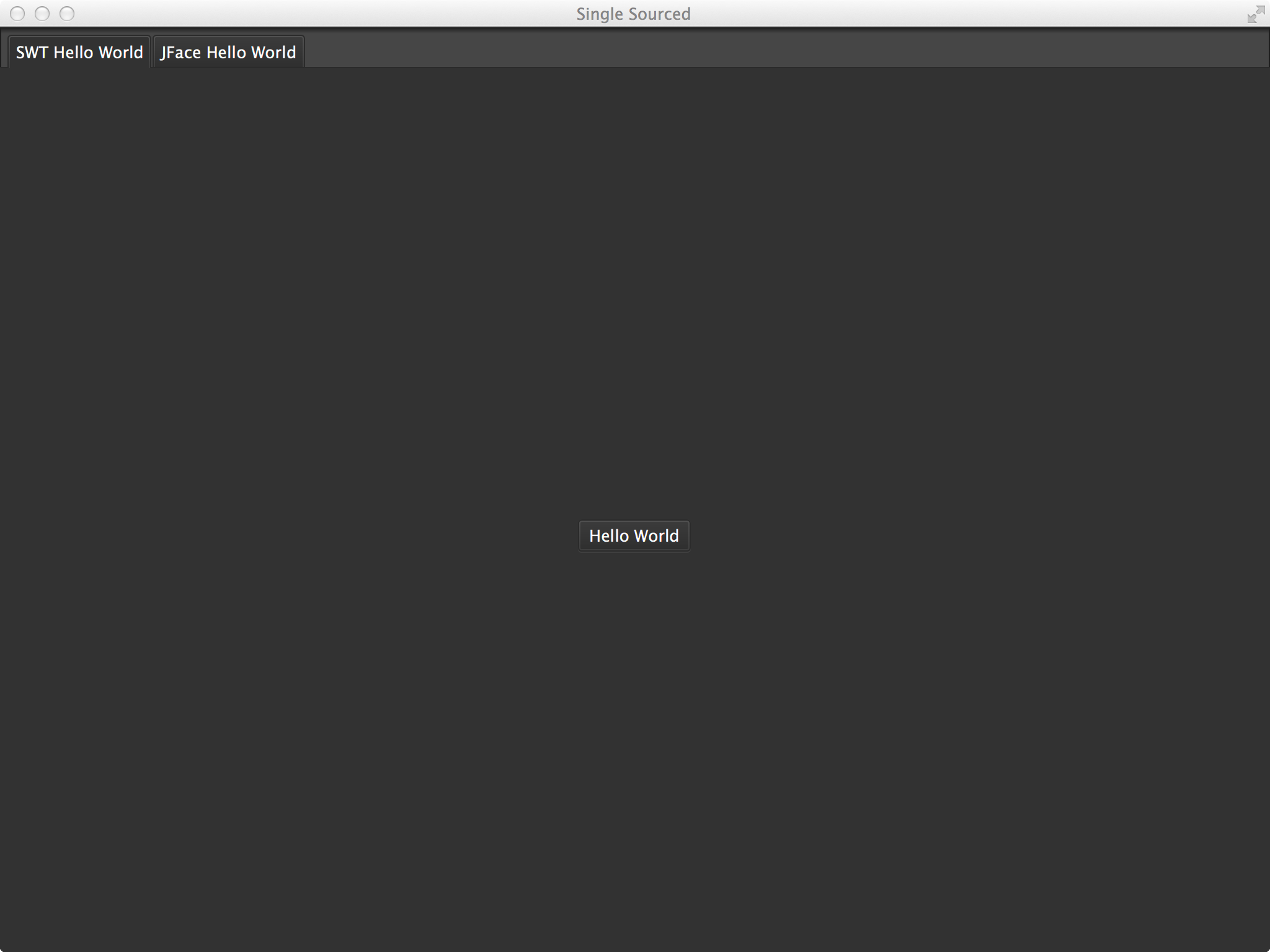
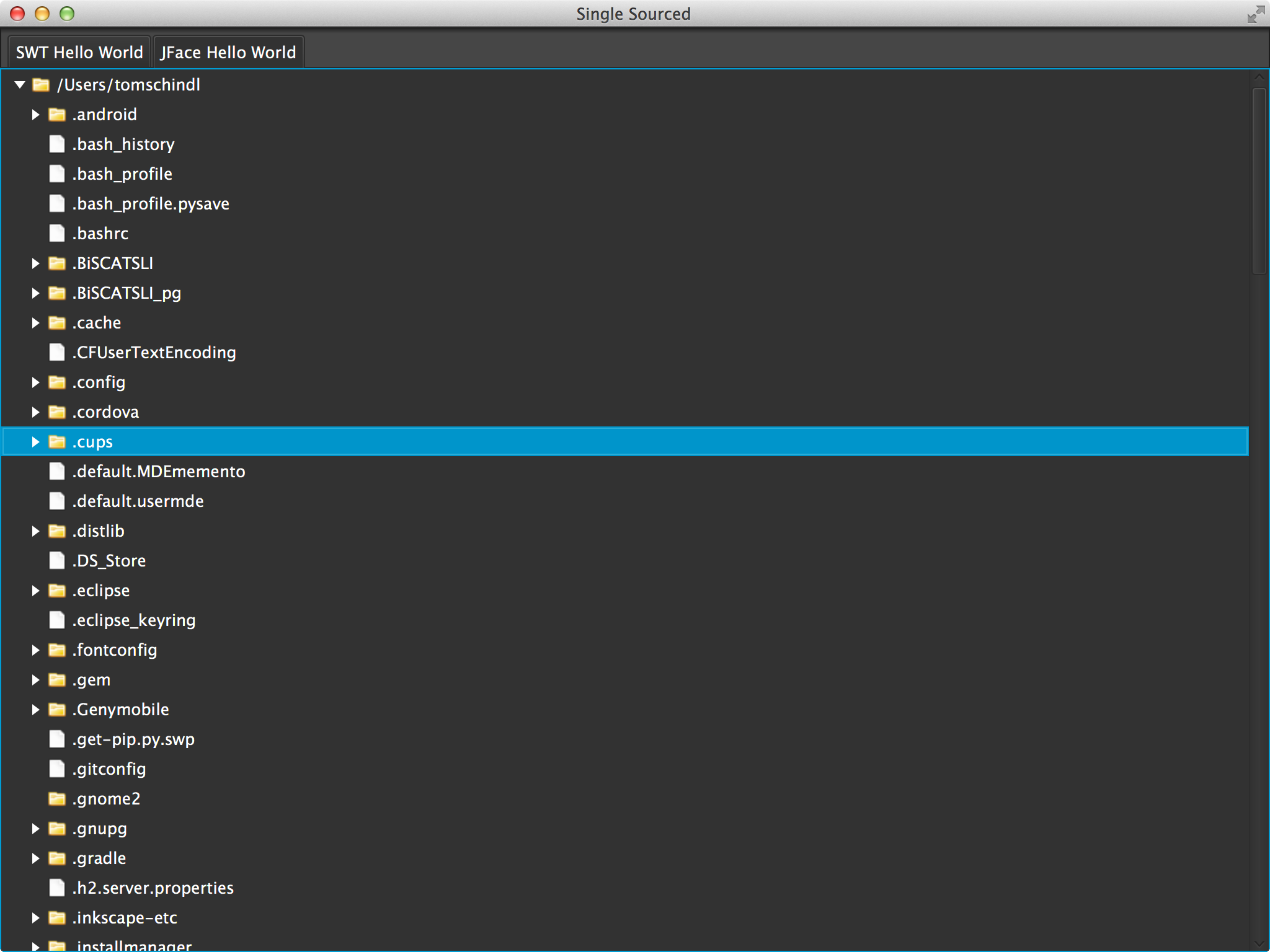
You notice that you can exploit the full power of JavaFX CSS immediately!
Finally a video showing the above in full action
Posted in e(fx)clipse
11 Comments
e(fx)clipse – All-In-One downloads upgraded to Luna M7 – Why care?
I’ve just updated the All-In-One downloads to Luna M7 and there are multiple reasons you should care:
- General improvements and bugfixes
- JDT Java8 improvements
- JDT understand JavaFX-Properties-JavaDoc
For those of you writing JavaFX applications and wondered why no JavaDoc was shown when they hovered e.g. Stage#setOnCloseRequest(), getOnCloseRequest() and onCloseRequest() should take a look at the source code

You notice – NO JavaDoc on the get & set method – strange because the HTML-JavaDoc has them documented

Starting with M7 JDT understands this pattern

Unfortunately the JavaFX team uses the pattern in an inconsistent way so the JavaDoc does not work in all situations. See https://bugs.eclipse.org/bugs/show_bug.cgi?id=434269
Posted in e(fx)clipse
5 Comments
SWT on JavaFX update-site available
Just for those who want to give SWT on JavaFX a try themselves you can now grab the nightly bits from http://download.eclipse.org/efxclipse/experimental-nightly/site_assembly.zip.
To develop a plain SWT/JavaFX app (no OSGi!) you should add the following jars:
- org.eclipse.fx.runtime.swt_1.0.0.$buildtimestamp.jar: this is the real SWT implementation
- org.eclipse.fx.runtime.swtutil_1.0.0.$buildtimestamp.jar: this is a set of utility classes who close the gap between things hard to implement in SWT on JavaFX like e.g. open a blocking shell – it will work on current SWT ports (win32,cocoa,gtk) and SWT on JavaFX
- org.eclipse.fx.ui.controls_1.0.0.$buildtimestamp.jar: JavaFX controls implemented at e(fx)clipse and reused from the SWT port
and add them to your build-path.
A simple hello world application would look like this:
package sample;

import org.eclipse.fx.runtime.swtutil.SWTUtil;
import org.eclipse.fx.runtime.swtutil.SWTUtil.BlockCondition;
import org.eclipse.fx.runtime.swtutil.SWTUtil.SWTAppStart;
import org.eclipse.swt.SWT;
import org.eclipse.swt.layout.GridData;
import org.eclipse.swt.layout.GridLayout;
import org.eclipse.swt.widgets.Button;
import org.eclipse.swt.widgets.Display;
import org.eclipse.swt.widgets.Shell;

public class HelloWorldSWT implements SWTAppStart {

	@Override
	public BlockCondition createApp(Display display) {
		Shell shell = new Shell(display);
		shell.setText("Is it SWT or JavaFX?");
		shell.setLayout(new GridLayout());

		Button button = new Button(shell, SWT.PUSH);
		button.setText("Hello SWT on JavaFX");
		button.addListener(SWT.Selection, (e) -> System.out.println("SWT on JavaFX is great!"));
		button.setLayoutData(new GridData(GridData.CENTER, GridData.CENTER, true, true));

		SWTUtil.getInstance().openBlocking(shell);

		return null;
	}

	public static void main(String[] args) {
		SWTUtil.getInstance().bootstrap(new HelloWorldSWT());
	}
}
(If you only use org.eclipse.fx.runtime.swtutil_1.0.0.$buildtimestamp.jar and the current stable SWT ports the above code will work equally!)
I think there are only 2 things that need explanation:
- The bootstrapping or creation of the Display instance is abstracted because JavaFX requires to bootstrap applications in a very special way so creating a Display yourself is discouraged
- Blocking until a condition is met e.g. a Shell is closed is. JavaFX does not directly expose the event loop. In SWT you stop the workflow of your application with code like this
while(<condition>) {
  if(!display.readAndDispatch()) {
    display.sleep();
  }
}
Event loops are e.g. used to open a Shell and block until it is closed because the SWT-Shell only has a none blocking method named
open(). JavaFX counter part to Shell is Stage and unlike Shell it has 2 methodsshow()andshowAndWait()while SWT on JavaFX can emulate the SWT-Event-Loop spinning with the original API it is much more efficient to call out to showAndWait when you want to open a blocking shell.
Running the above code should open an application like this

Posted in e(fx)clipse
2 Comments
RAP CSS Tooling
While I was working on sample for “Eclipse4 on RAP” I had to use RAP CSS to get a mobile like behavior.
The CSS/Themeing support in RAP is quite powerful but one has to have a web-page opened to see all possible attributes applicable to a certain control which is not how we are used to work in an IDE dominated world.
We want content-assist, error reporting while typing, … but naturally none of the CSS-Editors know about the rap-specific selectors and properties.
Fortunately e(fx)clipse has an CSS extensible editor which is backed by a generic format definition what properties are available on which selector. All that has to be done to teach it additional CSS-Selectors and CSS-Properties is to create a file like this.
If you now:
- Have a recent nightly build of e(fx)clipse tooling installed (You can get an all in one build from http://downloads.efxclipse.bestsolution.at/downloads/nightly/sdk/)
- Install the additional RAP-CSS-Tooling from http://downloads.foss.bestsolution.at/rapcss/nightly/site/
- Make you RAP-CSS file end with .rapcss
you should get an editing feeling like the screencast below.
Posted in Eclipse
Leave a comment
e(fx)clipse 0.9.0 – All-in-one downloads updated to Kepler SR2
Just a very short notice that I’ve updated our All-In-One downloads from e(fx)clipse 0.9.0 are updated to Kepler SR2 + JDT Java8 feature patch.
If you grab the SDK from http://efxclipse.bestsolution.at/install.html you will get:
- Eclipse 4.3.2 SDK
- JDT-Feature-Patch for Java8
- e(fx)clipse 0.9.0
- Xtext 2.5.1
- EGit 3.0.3
- WST-XML 3.5.2
- Subclipse 1.8.22
Getting started with Java8 and JavaFX8 was never easier than with this All-In-One download.
Posted in e(fx)clipse
1 Comment
 Tomsondev Blog