
Although we have a very feature rich FXML-Editor with a live preview many users are using SceneBuilder to define their UIs. In case you have an FXML you want the possibility to generate a controller who references:
- elements marked with
fx:idas fields - event handler properties like
onAction="#login"as methods
e(fx)clipse 1.1.0 added a first version of a wizard who allows you to generate the controller from it (no merging yet!)
Let’s assume you have the following FXML-File
<?xml version="1.0" encoding="UTF-8"?>

<?import javafx.scene.layout.BorderPane?>
<?import javafx.scene.control.Button?>

<BorderPane xmlns:fx="http://javafx.com/fxml/1">
	<Button
		fx:id="loginbutton"
		onAction="#login"></Button>
</BorderPane>
You can bring up the context menu on the editor and inside the Source-Menu you’ll find the “Generate Controller”-Action as showing in the screenshot

It will bring up a dialog like this:
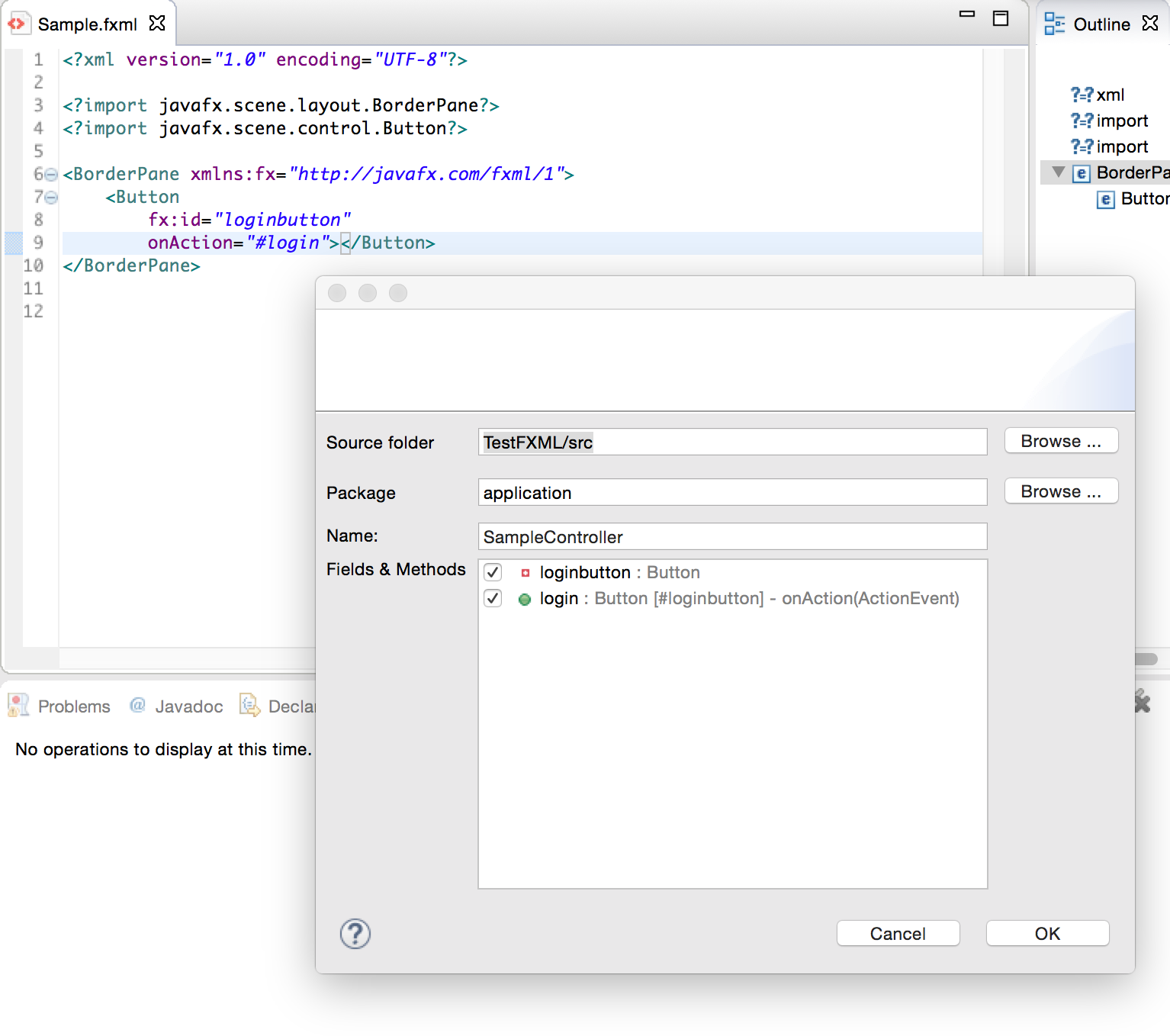
and if you finish it a java class like this gets generated
package application;

import javafx.fxml.FXML;

import javafx.scene.control.Button;

import javafx.event.ActionEvent;

public class SampleController {
	@FXML
	private Button loginbutton;

	// Event Listener on Button[#loginbutton].onAction
	@FXML
	public void login(ActionEvent event) {
		// TODO Autogenerated
	}
}
 Tomsondev Blog
Pingback: e(fx)clipse 1.1.0 released | Tomsondev Blog
When I do this, it generates the controller class, but I notice that public void login(ActionEvent event) {…, it generates public void login(? event) {…
Also, it does “import ?;” Do you know why it might be using a question mark instead of ActionEvent?
No but that sounds like a bug – please file one at https://bugs.eclipse.org/bugs/enter_bug.cgi?product=Efxclipse