JavaFX + xtend a perfect match

So after having used xtend for a while as a pure templating language I thought it’s time to explore how it can be used when programming JavaFX.

JavaFX 2.x API is already designed to be used for lambda expression support which will come with Java 8 so e.g. all event handlers accept a SAM type as their sole parameter. xtend already provides lambda expressions and so one can write less code.

Java:

b.setOnAction(new EventHandler<ActionEvent>() {
  public void handle(ActionEvent arg0) {
    // Some expression goes here
  }
});

xtend:

b.setOnAction [
  // Some expression goes here
]

// or if you have an equal-sign fetish 🙂
b.onAction = [
  // Some expression goes here
]

The same is true for bean properties which look like this:

Java:

Button b = new Button();
b.setText("Say hello");
String v = b.getText();

xtend:

val b = new Button();
b.text = "Say hello"
val v = b.text;

The complete source code looks like this:

I’ve recorded a small video showing how to create a JavaFX project which uses xtend to the final exported application. The video highlights the amazing new feature the itemis guys added to their latest milestones when running your xtend code in debug mode – good job.

I’ll try to explore more xtend features like using the builder support but I need to first understand how this really works (too bad I missed their EclipseCon tutorial)

Posted in e(fx)clipse | 3 Comments

Slides from EclipseCon talks

My talks are done. If you happen to come to here for the slides. Here they are:

  • The Eclipse 4 Application Platform explained – PDF
  • e(fx)clipse – Eclipse Tooling and Runtime for JavaFX – PDF
Posted in Talks & Conferences | 10 Comments

my bags are packed i’m ready to go

… I’m leaving in about an hour to Washington DC for EclipseCon. I’m going to give 3 presentations (on e4 and JavaFX):

Hope to see you at my talks or talk to you in the hallways or the bar about Eclipse, e4, JavaFX, …

Posted in Talks & Conferences | Leave a comment

e(fx)clipse 0.0.13 released

Just right before EclipseCon 2012 I’ve released e(fx)clipse 0.0.13. On the feature side the main focus was on runtime, on the tooling I fixed some bugs which hopefully improves your coding experience (especially with fxml-Files).

All in one downloads

To say the all in one-downloads are well received is an understatement – they are a huge success. The 0.0.12 release has been downloaded 1385 time (windows 1200, linux 110, mac 75) – that linux outperforms OS-X is interesting.

This release provides you the following updates:

  • Updated to Eclipse 3.7.2 and 4.2-M6
  • Update to egit 1.3.0
  • Update to Xtext 2.3.0-M6: I thought long about this update but finally decided its worth it because while we are entering the final release phase for Juno and the fxgraph stuff uses experimental xtext features this step had to be made

Runtime

Deployment/Provisioning

I’ve already teasered this new feature in a blog post. When writing and provisioning equinox based JavaFX applications you can now select a deployment model that suites you best:

  • System installation: This deployment model requires your users to have JavaFX pre-installed on their system
  • Next to your app installation: This deployment model requires you to place javafx next to your RCP/IDEs launcher – similar to how you can deploy a JRE with your Eclipse Application
  • As a bundle installation: Here you place your javafx.jar into an OSGi-Bundle and the e(fx)clipse runtime will take care of extracting and wireing – see the tooling section on how e(fx)clipse helps you create such a bundle

e4 renderers

I’ve invested a lot of time into so called JavaFX-Renderes for the Eclipse 4 Application Platform.

The application in the back is rendered using only JavaFX. The one in the front is using SWT as the rendering technology for the workbench stuff (Tab, Menus, …) and JavaFX for the parts contents (like the list on the left, …) – in fact the classes making up the inner parts are 100% the same for the JavaFX and SWT-Version of the application

Even the Application.e4xmi is the same the only difference is that once the applications starts with the JavaFX-RenderingEngine and once with the SWT one – cool eh 🙂

JavaFX in 3.x Views

For those who simply want to use JavaFX to implement a view for the Eclipse IDE (3.x and 4.x) there’s a new feature which provides you an easy integration. The feature only holds one class named “FXViewPart”.

Tooling

Exporting

I received some mails from Matthias Pieroth – creator of PFRotator.FX which allowed me to track down problems in this area.

The exporting of JavaFX-Projects using the ant-tasks provided by JavaFX has been improved. Siging now works as expected and the Webstart export is now useable

Support for javafx-osgi bundle

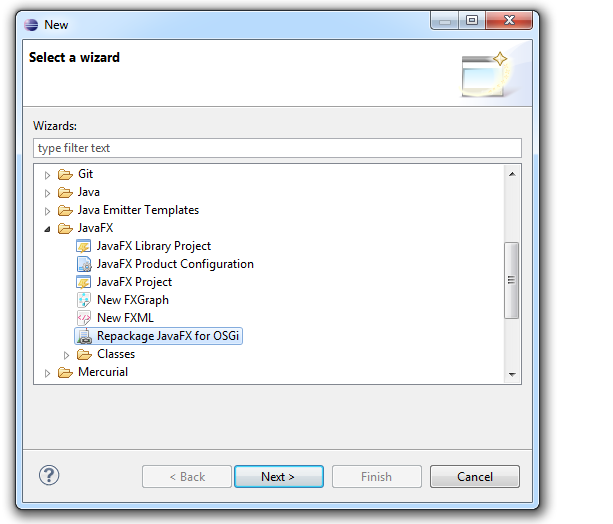
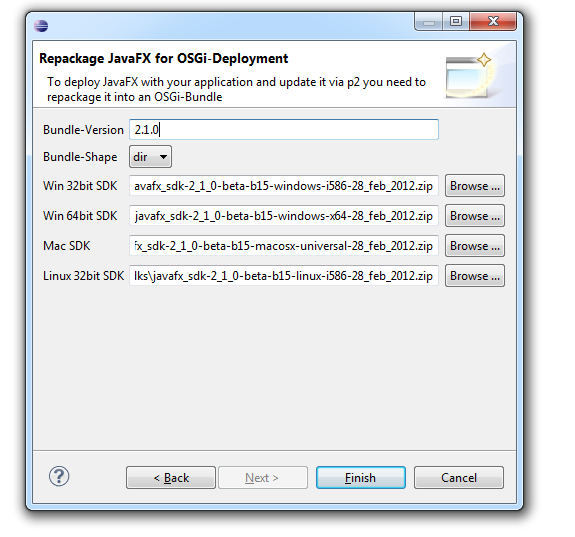
e(fx)clipse will not provide you pre-packaged JavaFX-OSGi bundles because of various reasons (the most important one is that while 2.1 builds are published weekly this doesn’t make a whole lot of sense) but the tooling provides which allows to assemble such a bundle very easily.

Preview

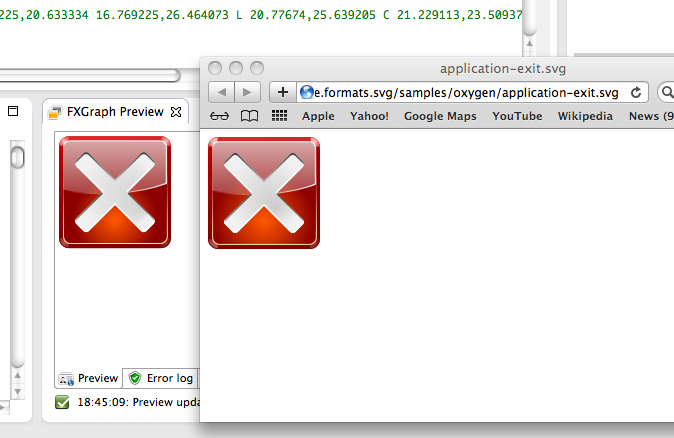
The preview provides you the possibility to scale the previewed content which comes in handy if your UI is to big to be displayed without scrolling.

Like the screenshot depicts it looks like the latest Preview builds for JavaFX have fixed SWT/JavaFX-Embeding problems and so I’ve removed the alpha label from the linux builds.

Bugfixes

A list of bug fixes can be retrieved from our ticket system. I hope they help you get a better developer experience.

EclipseCon

I’m heading to EclipseCon 2012 tomorrow where I’ll take part in various sessions and in all of them e(fx)clipse will play a role:

Posted in e(fx)clipse | 19 Comments

JavaFX 2 and OSGi-Deployment models

It looks like a lot of people are interested in using JavaFX into one of their Eclipse Views. I infer that from the people visiting my blog from a stackoverflow question.

The problem people face is that in Eclipse JavaFX has to run in an OSGi-Environment and JavaFX is not prepared for that leading to all sorts of problems when one applies the standard strategies (e.g. simply repackaging the javafx.jar as an OSGi-Bundle).

I’m happy to announce that the upcoming e(fx)clipse release 0.0.13 will fix your problems and make it very easy to use JavaFX inside your Eclipse Views.

The important changes that went into 0.0.13 is that different deployment models are going to be supported:

  • System installation: This deployment model requires your users to have JavaFX pre-installed on their system
  • Next to your app installation: This deployment model requires you to place javafx next to your RCP/IDEs launcher – similar to how you can deploy a JRE with your Eclipse Application
  • As a bundle installation: Here you place your javafx.jar into an OSGi-Bundle and the e(fx)clipse runtime will take care of extracting and wireing

If you want to see it in action you can download a self-contained win32/32bit version of a RCP using this link which uses the 3rd deployment strategy.

The sources are checked into the e(fx)clipse git-repo.

Once 0.0.13 is released (which is going to be next weekend) I hope I can come up with a tutorial.

Posted in e(fx)clipse | 16 Comments

Having fun with SVG and JavaFX 2.0

Thanks to Jasper Potts – e(fx)clipse has a first logo.

Jasper was nice enough to provide me an SVG-Version of it and so I was able to use my SVG-To-FXML-Converter to make some fun stuff with the logo he provided.

After the conversion I rearranged some parts in the FXML to group them and make them locateable through CSS-Selectors.

Next was to loaded the fxml-File:

Group g = FXMLLoader.load(LogoAnimation.class.getResource("efxclipse2.fxml"));

Use the extremly cool Node.lookup(String) to locate some of the elements in the FXML.

// hide the logo
Group logo = (Group) g.lookup("#logo");
logo.setOpacity(0);

// move the text to the right
Group text2 = (Group) g.lookup("#text_clipse");
text2.setTranslateX(-220);		

Next thing was to make the text move to the right and then make the logo FX-text fade in with this code:

TranslateTransition tt = new TranslateTransition(new Duration(3000), text2);
tt.setFromX(-220);
tt.setToX(0);
		
FadeTransition ft = new FadeTransition(new Duration(2000), logo);
ft.setFromValue(0);
ft.setToValue(1.0);
		
ScaleTransition st = new ScaleTransition(new Duration(2000),logo);
st.setFromX(0);
st.setToX(1);
		
SequentialTransition t = new SequentialTransition(tt,new ParallelTransition(ft,st));
t.setDelay(new Duration(2000));
t.setAutoReverse(true);
t.setCycleCount(Animation.INDEFINITE);
t.play();

Finally I wrapped it up in a transparent stage:

StackPane p = new StackPane();
p.getChildren().add(g);
		
Scene s = new Scene(p);
s.setFill(Color.TRANSPARENT);
		
primaryStage.initStyle(StageStyle.TRANSPARENT);
primaryStage.setWidth(657);
primaryStage.setHeight(237);
primaryStage.setScene(s);
primaryStage.show();

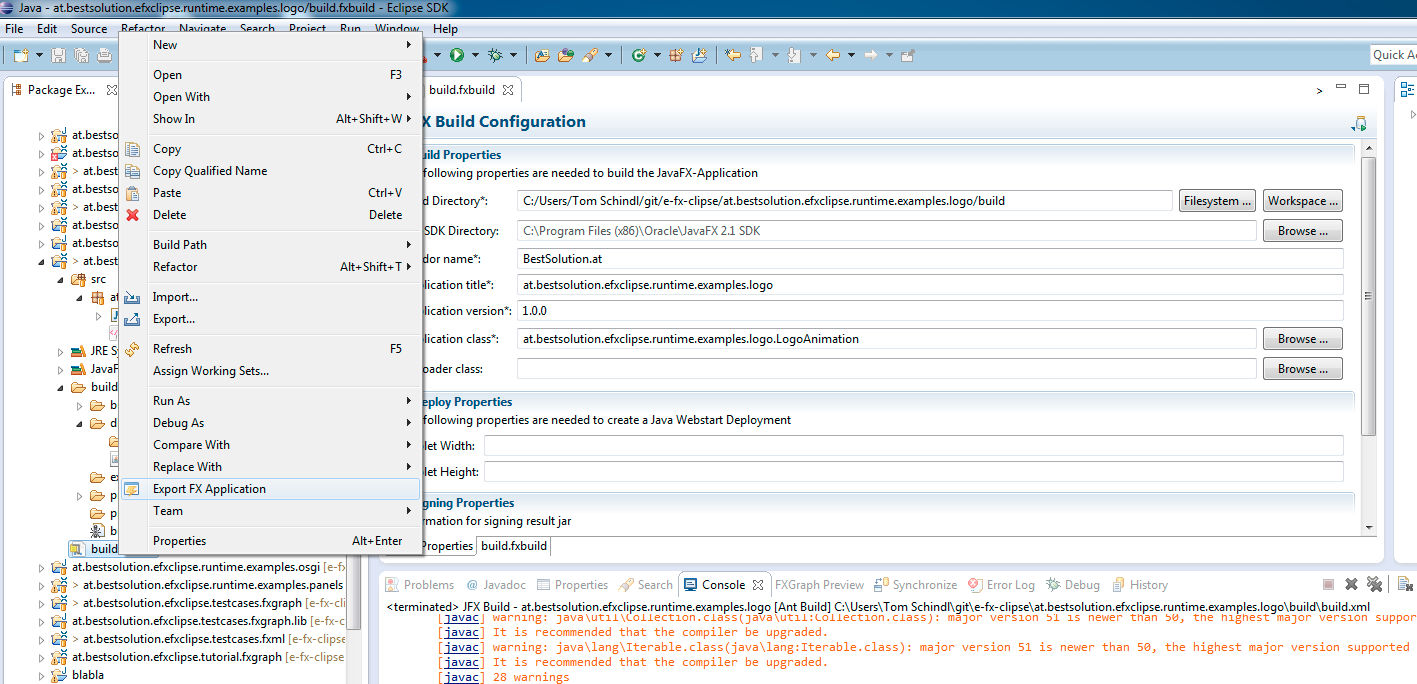
Last step is to use the built-in application export of e(fx)clipse which uses JavaFX’s ant-task to export an application

so that one can launch it on a double click

If you want to take direct look on the sources you can find them in e(fx)clipse’ git-repo.

I know that this is only a small example but it hightlights how easy designers and developers are able to interact with the use of Java, JavaFX, FXML and e(fx)clipse.

Posted in e(fx)clipse | 7 Comments

e(fx)clipse product logo – any designers around?

e(fx)clipse will be shown at EclipseCon 2012 Hot New Product Showcase reception. The problem is that I’m not a designer and don’t yet have a logo. So I’m hoping designers are around who could help me getting a logo for e(fx)clipse.

Ideally it is a mashup of the Eclipse Logo with JavaFX integrated into it. I’d also like to use as a custom splash for the e(fx)clipse all in one downloads who are very well received by the community (~750 downloads of the 0.0.12 release).

I can not offer a lot of money and hope there’s someone around which does it for free or some beers (e.g. at EclipseCon).

If you know a web resource one can ask for something like this I’m naturally also happy to know about.

Posted in e(fx)clipse | 6 Comments

phone like scrollable listview with JavaFX

I guess all users of smartphones (Android, iPhone, …) know the scrollable lists you have there. While working on the example application for EclipseCon North America I thought it might make my example application look cooler if I could have it such an list.

After hacking the whole sunday I have an initial running version. Here’s an example how to use it:

FlingPane pane = new FlingPane();
pane.setFlingDirection(FlingDirection.VERTICAL);
		
VBox box = new VBox();
		
for( int i = 0; i < 30; i++ ) {
  box.getChildren().add(createMailItem("Sender " + i, "Title " + 1, "Lorem ipsum lorem ipsum lorem ipsum lorem ipsum ..."));
}
		
pane.setContent(box);

and I’ve recorder a small video to see it in action:

Posted in e(fx)clipse | 16 Comments

e(fx)clipse 0.0.12 released

A little bit later than scheduled here’s the next release. This time the number of new features is smaller than in previous releases but there still some small nice additions. Let’s look into it.

Update to latest upstream modules

The new release comes with Eclipse 4.2M5. I also looked into up-dating the subclipse integration but at the moment the newest version is only provided for win32/64 and so I’m waiting until I can consume it from upstream. All other components (xtext, egit and mercurial) are unchanged.

Linux Support

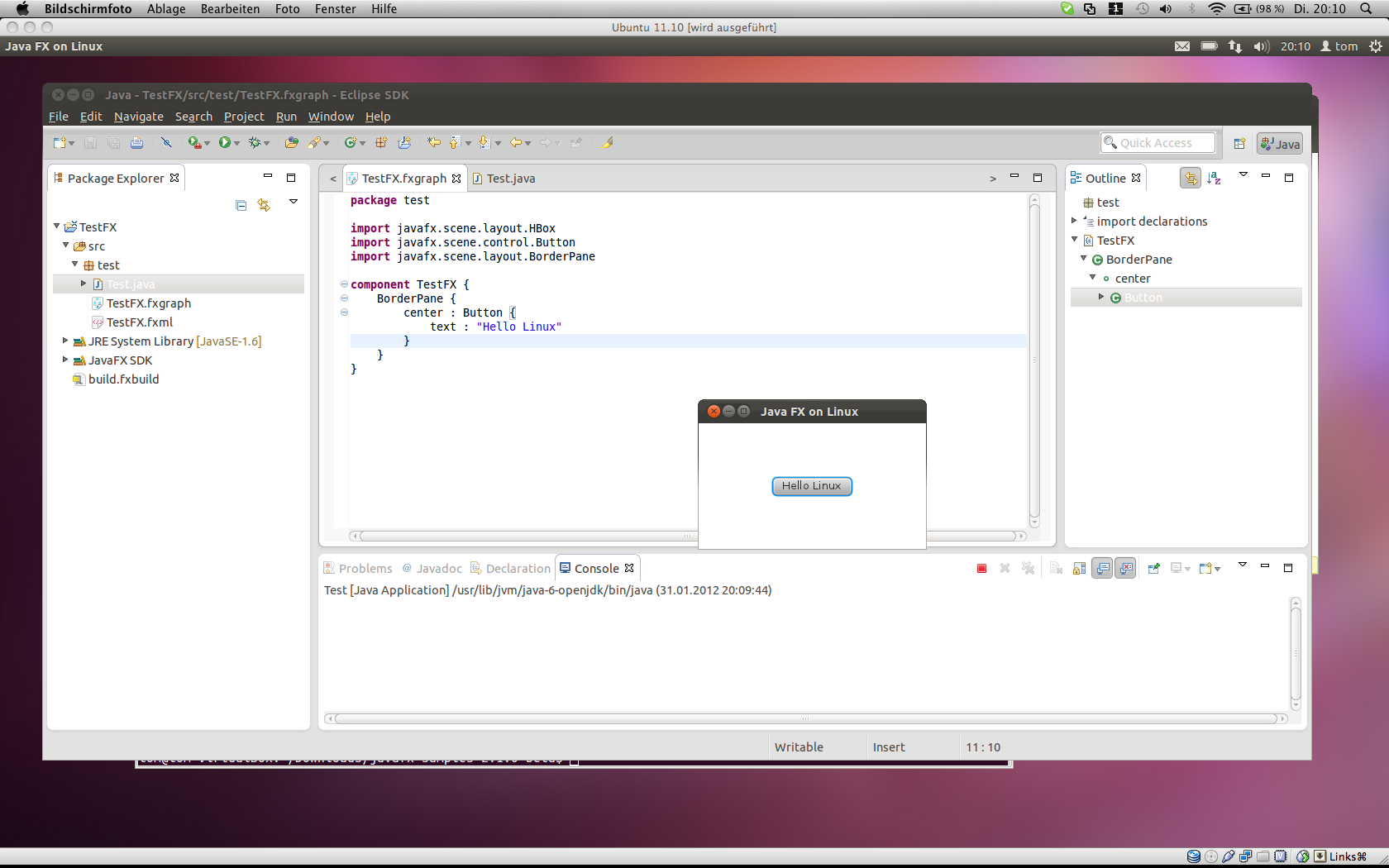
As promised since the beginning. At the very moment the JavaFX 2.0 team provides builds for Linux e(fx)clipse will provide all in one downloads (one was able to install from the p2-site since the beginning). The JavaFX 2.0 Linux build provided is for 32bit and so is the e(fx)clipse all in one version you can download.
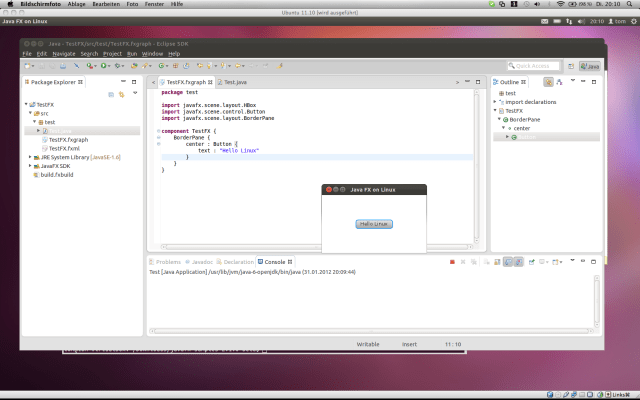
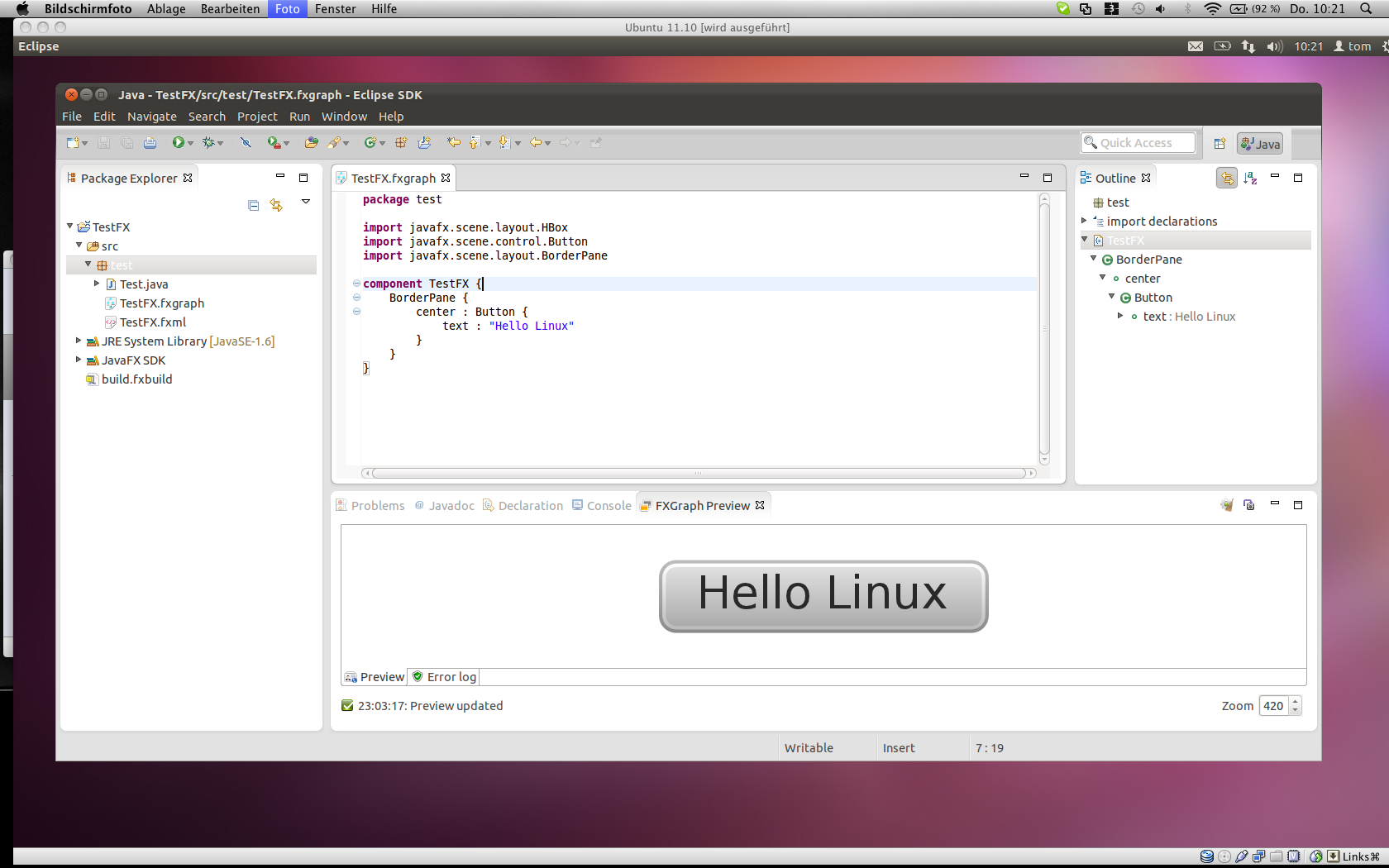
The linux support though is still a bit limited – the live preview (JavaFX-SWT-Integration) crashed my Eclipse instance.

CSS

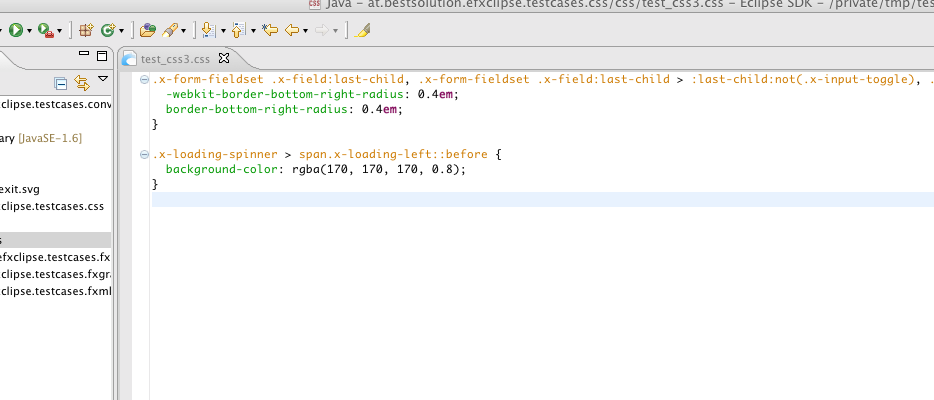
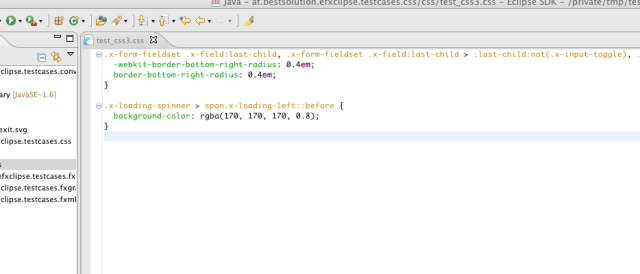
Support for CSS 3 Selectors

I’ve added support for CSS 3 selectors as the screenshot below shows:
Support for LCD Text

I’ve added support for the newly introduced LCD Text support which is done in CSS using “-fx-font-smoothing-type”

It’s not really easy to follow which CSS-Attributes are added and sometimes the docs are not correct so if you encounter an attribute you definately know is working but the CSS-Editor marks it as an error file me a ticket.

Colors in CSS

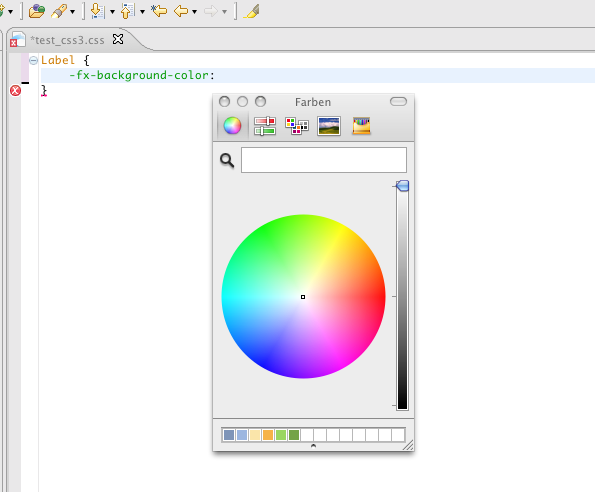
I’ve added 2 things when it comes to colors inside the CSS-Editor. You can use a color picker instead of entering the rgb-value manually:
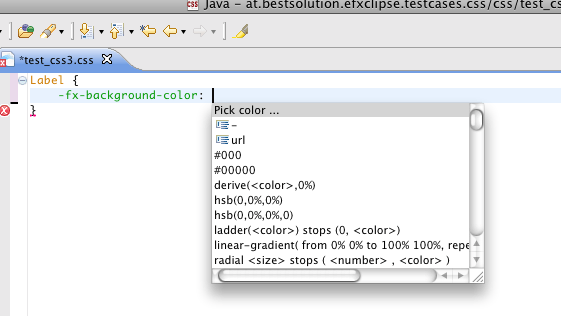
Thanks to Sebastian Zarnekow’s blog this was a piece of cake.

And for already existing colors the hover will display it:
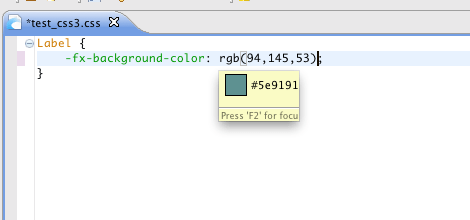
FXGraph

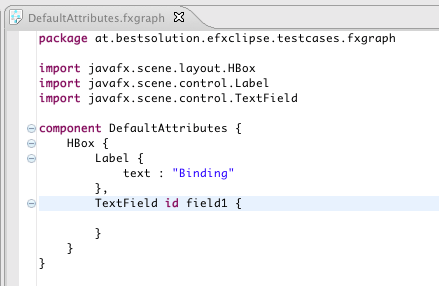
Support for @DefaultProperty

Elements who mark one for their properties as the @DefaultProperty are now respected and you can omit the attribute-name for them making your the file more readable in many situations – whether you make use of this feature is up to you.
Support for Script-Value references

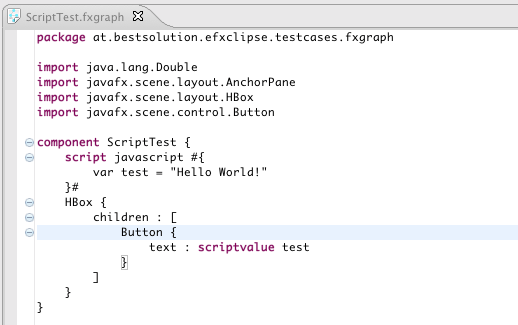
The syntax has been expanded to allow referencing of script values:
FXML

In this release it only received bugfixes. If you want to help with it file bugs, send me patches, … .

Converters

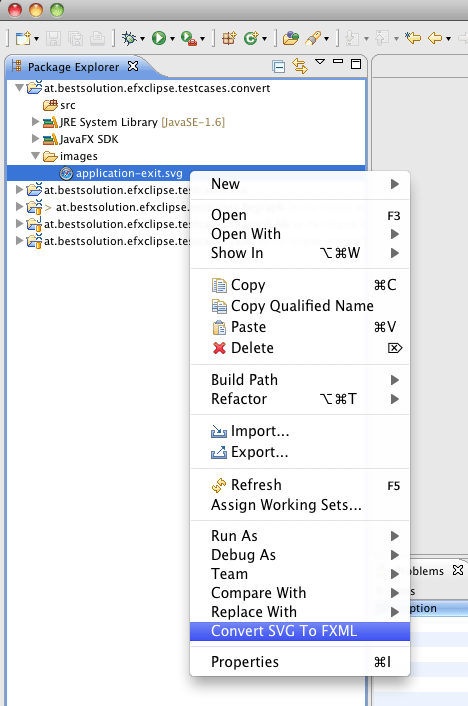
I’ve started working on SVG and FXG to FXML-Converters as I already outline in one my last posts my plan was to add them to e(fx)clipse to allow you converting those external formats to JavaFX 2.0 representations. You should not expect a lot for it as of now because they are in a very very early stage and as outlined in the above post JavaFX 2.0/2.1 (at least for SVG which I looked a bit closer) won’t provide enough API to implement a fully compliant convert as of now.

The main purpose to add them already today into e(fx)clipse is to receive feedback from you on problems you encounter. I hope you share the source SVG and FXG drawings with me or even provide a patch?

An interesting sidenote on this is that technically I’m transforming the source formats into an EMF-Model (there’s a specific one for SVG and one for FXG) and then do the conversion using xtend (a Eclipse and Java-Developer should get started with xtend within 30 minutes because the tooling feels so similar to your JDT-Editor).
Just one final sentence on FXG: Adobe if this is really the spec of a format I’m happy I never had work with your stuff – take a look at SVG-Spec on how I expect someone to define a (graphic) format.

Community Support

I’ve been receiving more and more mails to my private account and I’m always grateful to help but to not only put the burden on me I decided to open a google-group where people can ask questions, others can help too, … . I’ll try to update the fxgraph-reference as well but you know I’m doing this in my spare time and so things take time.

If e.g. you mastered the first steps in fxgraph and want to share your findings, don’t hesitate to send a message to above group. I’ll plan to add an extra page to http://efxclipse.org so that people have a central place to find informations. I’m happy for reviews in blogs (even if there are things you don’t like about e(fx)clipse I want to know them).

You can find the new group at: http://groups.google.com/group/efxclipse. Come, join and bring up ideas to make e(fx)clipse a success.

What’s cooking for the next releases

  • Bugfixes
  • Code improvements (make FXML and FXGraph use the same code base e.g. for content proposals)
  • EclipseCon preperation – If you haven’t seen this. We are going to demonstrate a JavaFX-e4-Application which live snycs with an SWT-e4-Application
  • SVG-Path-Editor based on Xtext naturally (the grammer is already in the git-repo)

Posted in e(fx)clipse | 19 Comments

SVG for FXML-Conversion

So some weeks ago I read Jasper Potts blog on FXG to FXML-Conversion tool (useing simple XSL-Stylesheet). This blog Jasper asked if there’s probably one day someone providing a conversion tool for SVG.

This has been on my list for some time now and because I was traveling a bit in the last 2 weeks I had some time to hack on such a converter. I’ve not used XSL but instead used xtend (svg-parser (java),fxml-converter (xtend)) (because an XML-File comes with a lot of multiline strings). It took some time to wrap my head around SVG and how I could translate this in FXML/JavaFX 2.0 API calls but I finally I’m at a point where I have something to show off:

Please note that the JavaFX 2.0 image on the left is only made up of primitive JavaFX 2.0 elements (Circles, SVGPaths, Rect, Gradients, …) and it by far does not yet handle all the nifty stuff one can do with SVG but it shows me that such a conversion tool is doable to some extend though e.g. when it comes to filtering, … SVG has much more definitions than the JavaFX-API currently provides.

I was not even able to convert the SVG-Gaussian-Blur to JavaFX’ Gaussian-Blur (but that might just me I’m not an expert in graphics stuff), SVG allows to apply multiple filters/effects to a node, … . So to provide full SVG-Support – without residing to libraries like Batik – in JavaFX 2.x we’d need more API (or at least a tutorial how to e.g. write custom effects) but even with the current API one can get quite far as you don’t notice any missing thing in the above screenshot.

I’ve pushed the orignal svg-File (from the KDE oxygen-theme) and the resulting fxml-File to my git repo so that you can compare them.

Posted in e(fx)clipse | 17 Comments