Talks and Democamps (Eclipse 4, e(fx)clipse and JavaFX)

I’m back from a very nice trip to Cluj, Romania where I took part at the DemoCamp on Friday.

For those who are interested here are the slides of my talks:

The Eclipse 4 talk is a similar to the one I did at “EclipseDay Florence” where the organizers recorded a video of my talk and others as well.

For those JavaFX interested folks reading my blog – if you fast forward to minute 21 you see an e4 application running on JavaFX sycned live with a SWT/JavaFX mashup e4 application using CDO.

In the next 2 demo camps this I’ll show e(fx)clipse in action:

I hope you to see you at one of those events – afterwards it’s time for holiday.

Posted in e(fx)clipse, Eclipse | 2 Comments

Almost totally crazy?

So there’s a comment on my JDT and JavaFX blog asking if it is possible to have an SWT-Port which uses JavaFX. So its time to present an even crazier thing than using JavaFX to build an IDE!

You are right I did already explored what the comment requests. I’ve started a proof-of-concept implementation of SWT ontop of JavaFX. Like all SWT-Ports everything starts with the control example.

I’ve only hacked for 1 or 2 days and this is what I have already.

This slideshow requires JavaScript.

Now where to go from here? Frankly, I’m not sure yet. I’ve always pushed hard that e4 is not depending on SWT so for new applications it is not really needed. JavaFX misses some controls (most prominent StyledText) and support things like OwnerDraw in table/trees is extremly hard to implement (read maybe impossible). I think a feasable target is to implement the same level of API, RAP has implemented today.

Anyways such a port needs funding to get implemented so if there are companies out there who want to see such a thing happening:

  • Start with my proof-of-concept and put your engineers on it
  • Hire us (BestSolution.at) to do it for you and the rest of the world

Sources are as always released under EPL.

You can take a look at them in my github repo at https://github.com/tomsontom/e-fx-clipse/tree/master/at.bestsolution.efxclipse.runtime.swt

Posted in Uncategorized | 10 Comments

About mixing and matching JDT and JavaFX

What is the result of mixing JDT and JavaFX into one project? Right you get an Java-IDE 🙂 You don’t believe me? Then watch this short video.

Freaking cool but how did I managed to get this work. First all of the whole thing is not a fake. I used different OpenSource technologies to make this work.

  1. JDT-Core: Correct JDT-Core is the same you use everyday in your eclipse, it provides you the incremental compiler, launch and debug support, …
  2. JavaFX: Right i used FX as the UI technology – it’s an experiment
  3. e4-core: For DI I used e4 stuff
  4. Equinox: Correct the whole thing is mixed together using OSGi
  5. e(fx)clipse-runtime: To make JavaFX run in OSGi, I used stuff from my e(fx)clipse project

Finally the big mystery where the hell is this nice editor coming from? First of JavaFX has no such nice control as SWTs StyledText but what it has is a Webkit-Browser and Java/JavaScript integration. So guess what the the editor you are seeing there is the one developed by the Orion project at Eclipse.org – no joke!

Packaging up the whole thing into a product without JavaFX the size is ~25MB – if packaging JavaFX so that you get a “crossplatform-no-prerequist” product the size would be ~92MB.

Posted in Uncategorized | 16 Comments

Getting started with e(fx)clipse and JavaFX

Together with the 0.0.14 release of e(fx)clipse. I’ve released 3 step by step tutorials to get you started with JavaFX in Eclipse:

  • Configuring e(fx)clipse: In this short tutorial you’ll see how to configure e(fx)clipse to start your JavaFX experience
  • Createing your first JavaFX-App: In this tutorial you’ll learn how to create and export a JavaFX application by using the tools provided by e(fx)clipse.
  • Createing an Eclipse 3.x ViewPart who uses JavaFX: In this tutorial you’ll learn how to use JavaFX to develop Eclipse ViewParts. It guides you step by step from the creation of the View plug-in to the export to a p2-repository you can ship to your customers
Posted in Uncategorized | 5 Comments

JavaFX + xtend an ongoing love

So I’ve already blogged (here and here) about the prefect match between JavaFX and Xtend.

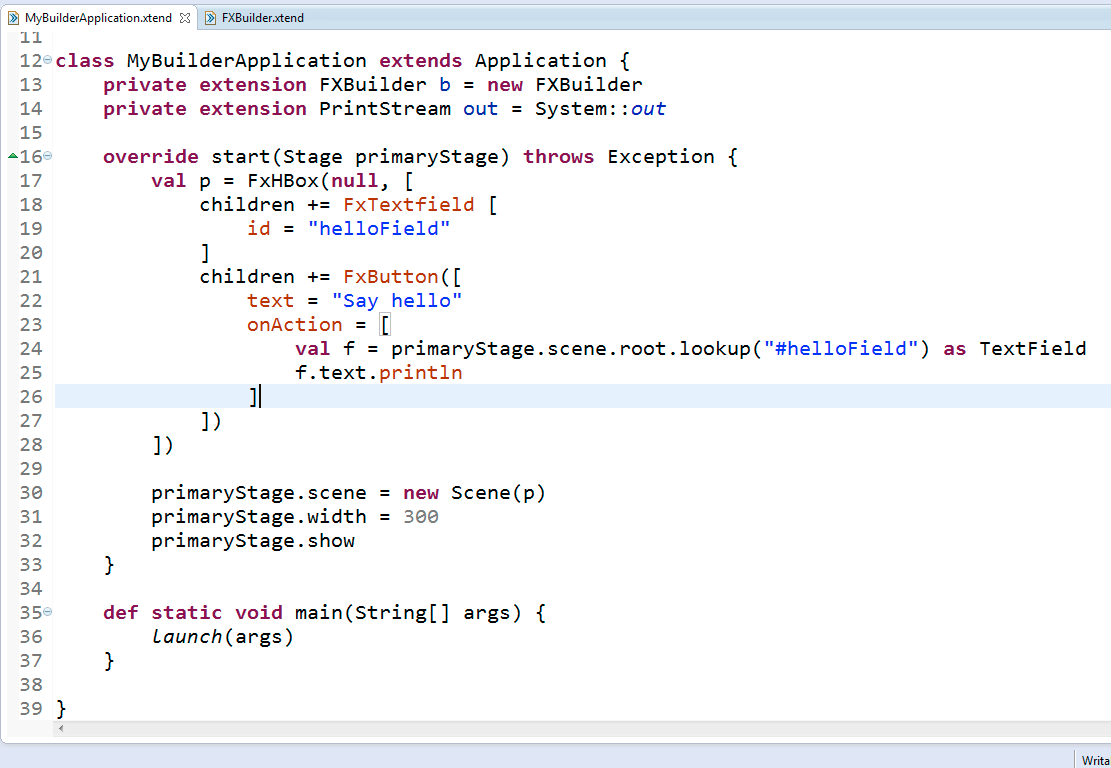
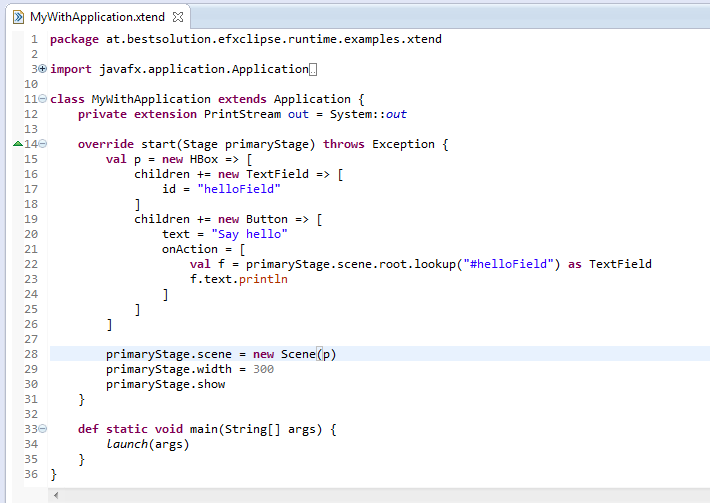
Now that those 2 got to know each other better their love grows even more because Xtend now has a with (=>) operator who frees you from writeing builder classes to create an object tree.

So one can now write my initial example like this:

Isn’t it wonderful if a couple is such a perfect match 😉

The only small problem with the new with operator is that the editor is having difficulties providing sensible autocompletion but I’m sure it’s only a matter of time until the editor catches up (see bug 380537).

Give xtend a try – you’ll learn extremly fast how to use it if you know Java.

Posted in e(fx)clipse | 2 Comments

e(fx)clipse 0.0.14 released

It’s been a long time since 0.0.13 but it’s been very busy with conferences, vacations, … . Anyways I’m happy to announce a new release 0.0.14 of e(fx)clipse. Let’s go straight into the changes and new features.

Some stats for 0.0.13

It looks more and more people use e(fx)clipse for their JavaFX development. Our google group has now 31 members. The all-in-one package of 0.0.13 has been downloaded 2400 times!

Prepackaged Distributions

The prepackaged distributions got an update. They are now shipped with Subclipse 1.8.9, Xtext 2.3.0-RC1 and now include WST-XML-Tools (see below on the reason for it).

Oracle now also started to release Linux-64bit 2.2 builds and so Linux-Gtk-64 joined all-in-one download and because we are approach the final Juno release I’ve the first time also packaged 3.8 downloads for you.

Runtime

JavaFX & OSGi

The OSGi-Classloading is now able to detect the javafxrt.jar on OS-X when running with JDK-7u4 so OS-X developers and users get a seemless experience like Windows user did since the beginning.

I’ve also managed to work around a crash in conjunction with the JavaFX/SWT-embeding where Java crashed because native code tried to load classes through reflection. This is an important fix for everyone who’d like to use JavaFX for Eclipse Plugin development.

Tooling

Most of time I spend rewritting the internals of the tooling code to be enterprise ready – for those of you who looked at 0.0.13 resources will agree with me that this not how reliable and maintainable code should look like.

Still there is new cool stuff available.

fxgraph

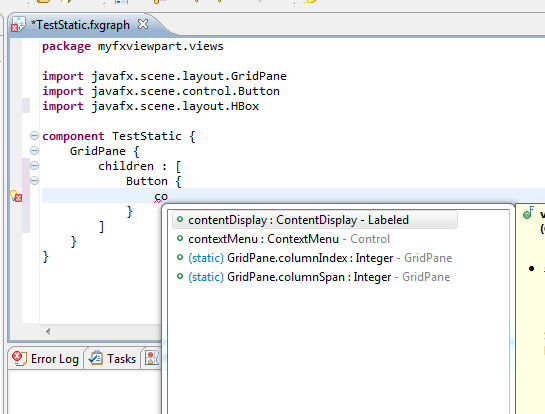
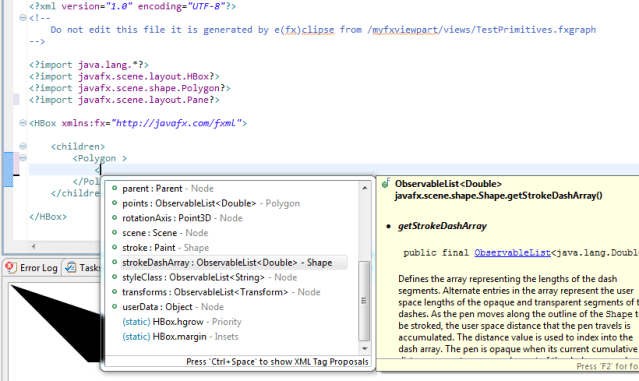
Proposals for static properties

The completion engine now analyzes the container and proposes layout properties based upon this information
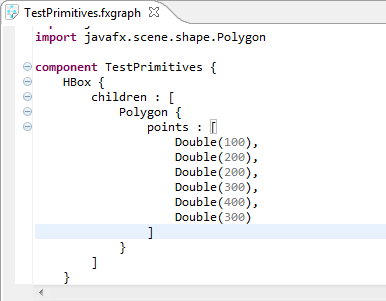
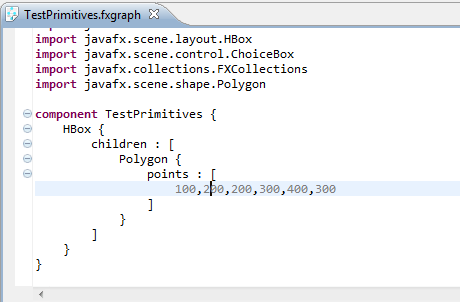
Better syntax for primitive values (String & Numbers)

The syntax for numbers, … has been improved tremendously compared 0.0.13.

0.0.13
0.0.14
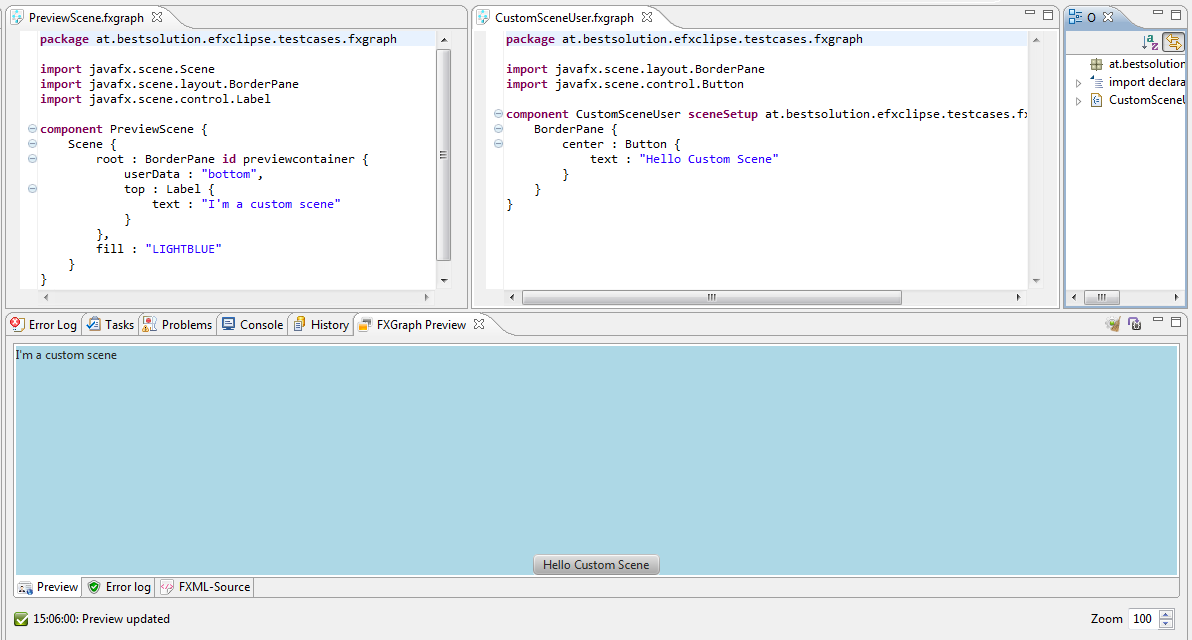
Custom Scene configuration

You can now reference another fxgraph component which defines the scene your current fxgraph file should get embedded when shown in the preview.

This allows you to mimic better the final UI your control is getting embedded into.

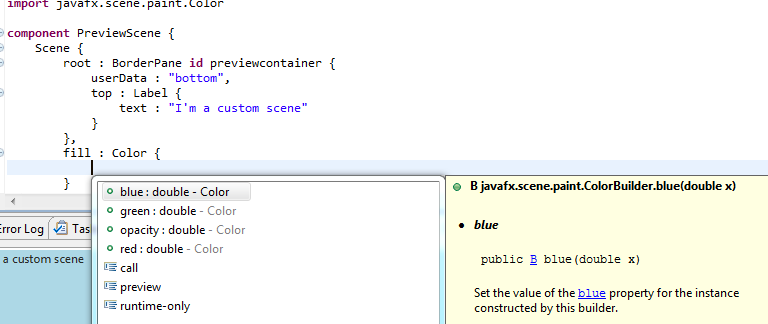
Support for readonly/constructor properties

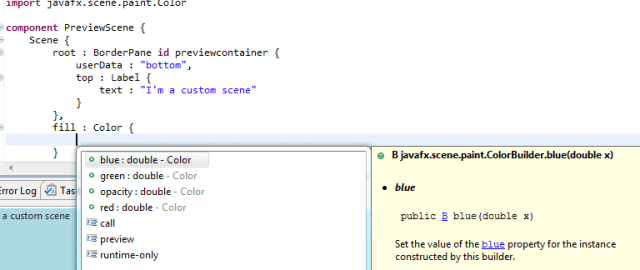
The completion engine now also consults the builder associated with a class and so it shows proposals for properties who have to be defined at construction time. A good example of a class that has readonly properties is the Color-Class.
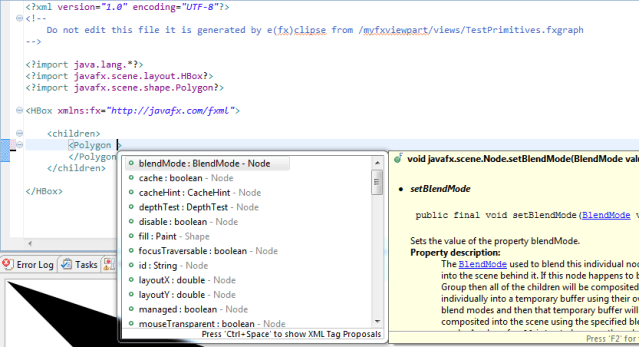
FXML

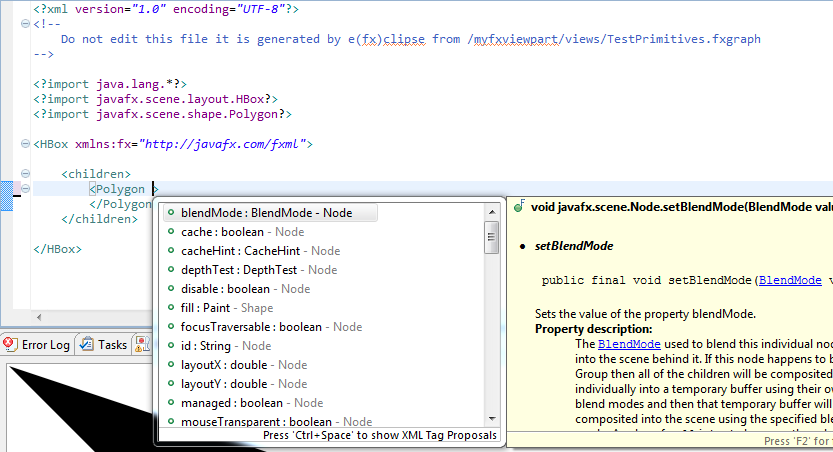
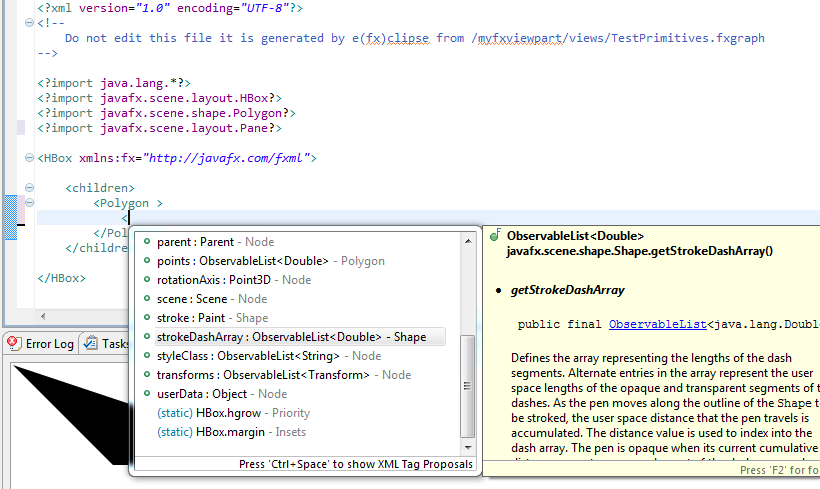
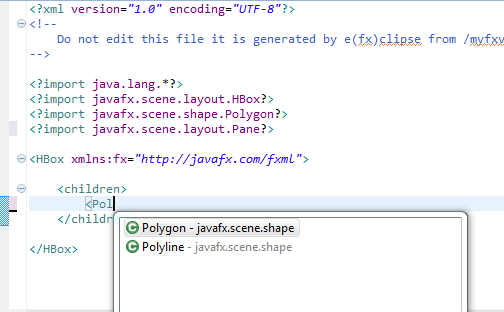
This is where most of my energy went to in this release. I’ve switched the FXML-Editor from Xtext to a customized WST-XML one. Those of you who love FXML have now 99% the same development experience than those using fxgraph! One of the main reason you might use FXML is that Oracles WYSIWYG-FXML-Editor SceneBuilder uses it as the storage format.

Element-Proposals:
Attribute-Proposals:
Static Attribute-Proposals:
The change to WST-XML is the reason why it is now packaged with the all-in-one downloads.

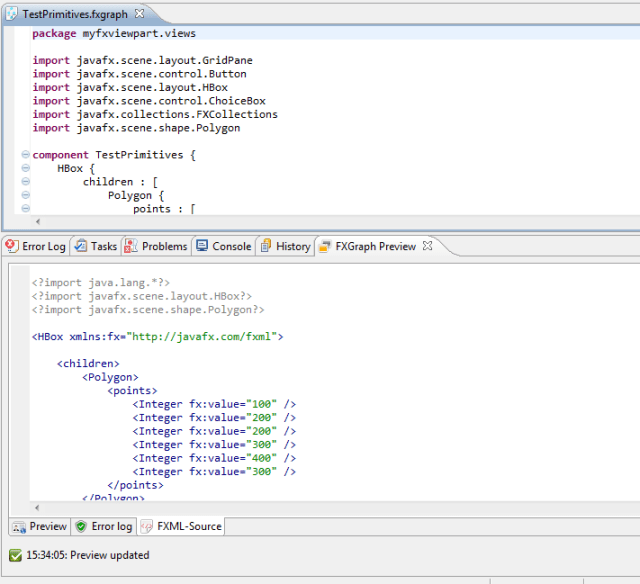
Preview

The preview now has an extra tab showing the FXML-Document renderered which helps sometimes to identify a problem.
Wizards

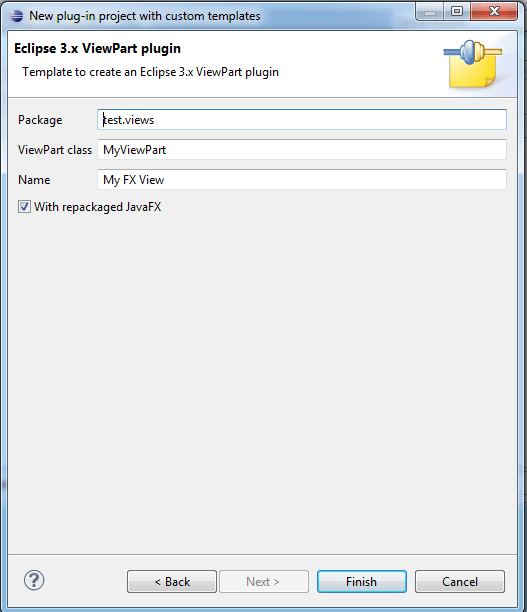
ViewPart Wizard

A new wizard supporting developers to create a JavaFX enabled ViewPart has been added.
JavaFX OSGi wizard

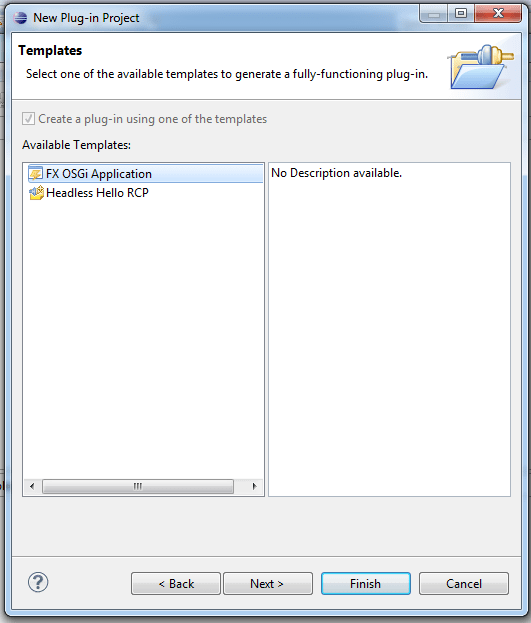
A wizard which creates a complete runnable JavaFX (Equinox) OSGi application has been added.
That’s it for 0.0.14! I hope you find those new features useful! If you happen to have problems, questions, … join our google group.

Posted in e(fx)clipse | 6 Comments

Netbeans nightly catching up with e(fx)clipse with improved JavaFX support

As the author of the eclipse tooling for JavaFX I checkout my competitors (which is the wrong word here because I don’t see us competing) which is Netbeans in my case.

I just download the latest nightly build and voilá they have now:

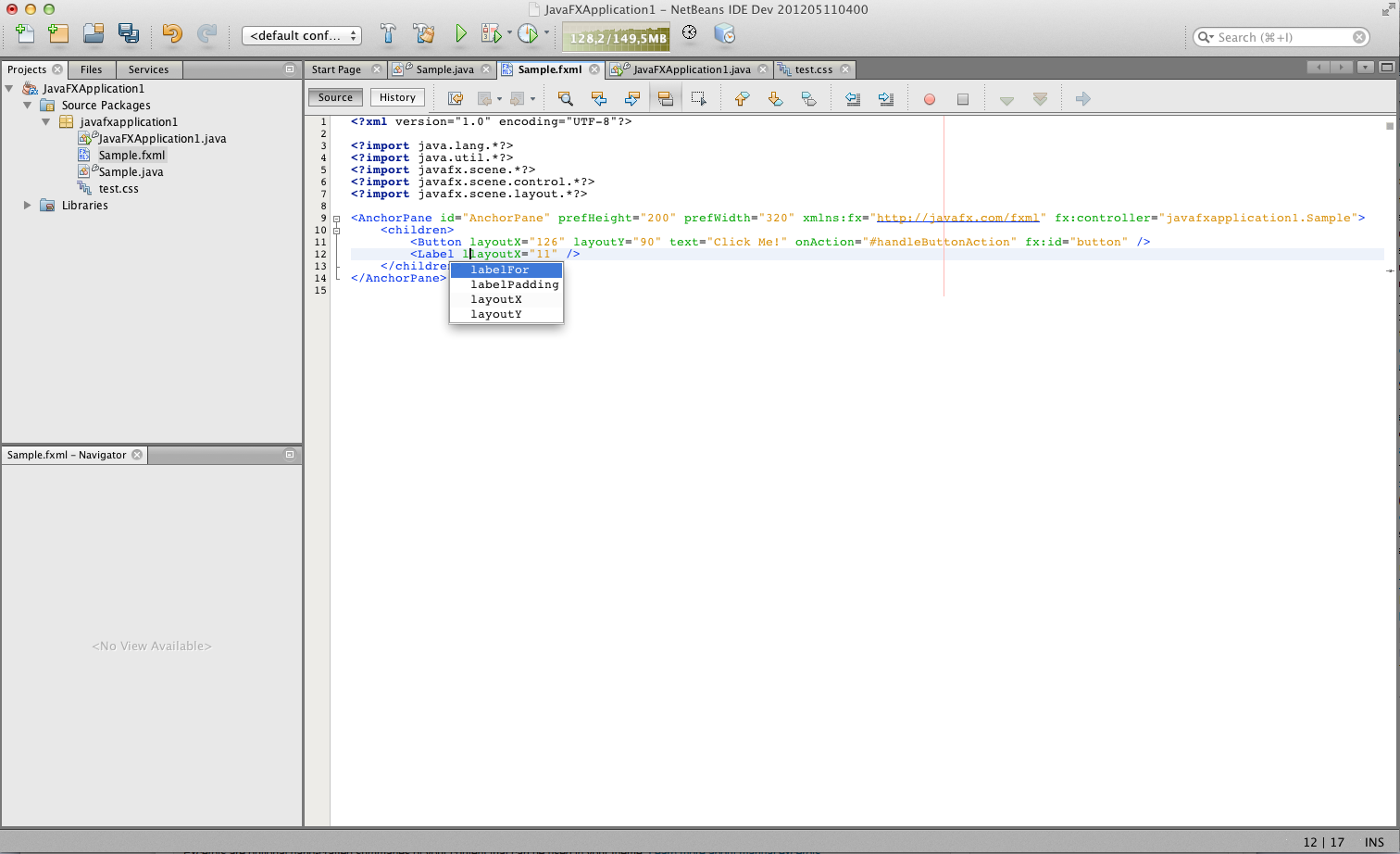
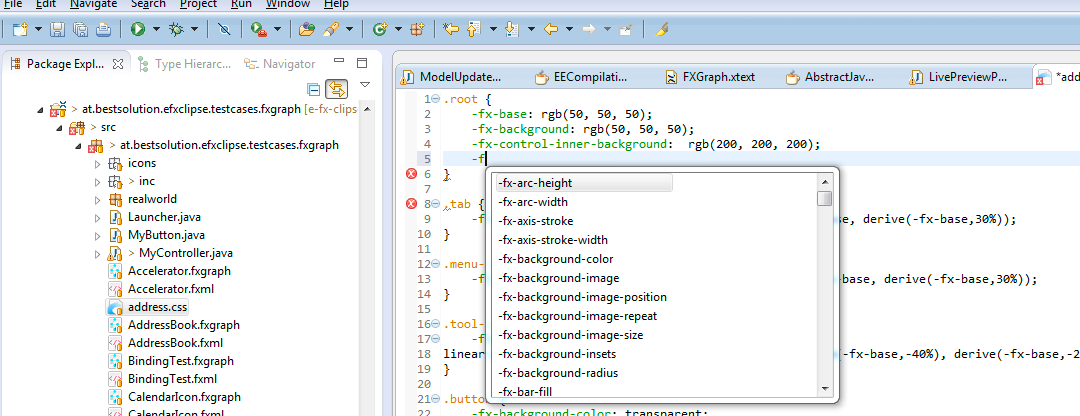
  • Autocompletion in the CSS-Editor for -fx properties
  • Autocompletion in the FXMl-Editor for element properties

Both of those features are also available in e(fx)clipse since a long time.

  • CSS autocompletion
  • FXML autocompletion

I’m currently working on improving the autocompletion for fxgraph and fxml for the upcoming 0.0.14 release. I wish I had more time to work on e(fx)clipse because this tooling stuff is more fun I ever thought it is. I have soooo many ideas and improvements but no time to implement them all.

Posted in e(fx)clipse | 3 Comments

It’s the small things that matter

It was at EclipseCon NA 2012 when I run into Denis Roy and mentionned that there’s a small thing that drives me crazy all time it comes to milestone weeks.

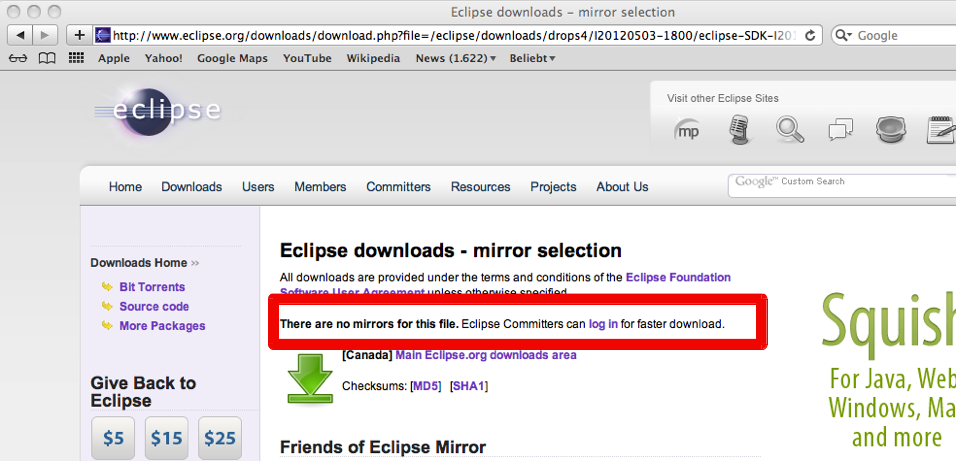
The none release builds are not mirrowed and so downloading a build to verify my bugs is takeing for hours because they are throttled. My suggestion was to provide developers privileged access to downloads from Eclipse.org servers to solve the problem and so Denis asked me to file a bug. It was fixed in less than one week.

So if you are an eclipse committer next time you go to download.eclipse.org pay close attention to the download site:

Yes it is the small things that matter!

Posted in Uncategorized | 1 Comment

Why is Eclipse 4 better than Eclipse 3

So there are many people around asking themselves why the hell did they rewrite the whole foundation of the Eclipse SDK while I as a user of the SDK don’t gain any benefits on first sight.

I’m try to collect some of the reasons why I think Eclipse 4 is superior to Eclipse 3 (and Eclipse 3 RCP) in the next few weeks and cover them in a blog post like this one.

Easier to add features / fix bugs

I’ve just released a feature to Eclipse 4 which took me no more than 5 minutes to implement (Bug 355763). I’ve also worked on the same feature in 3.x and there it took me around 2 days to understand how this whole thing works and another few days coming up with a fix which finally could not be applied because it didn’t worked in some corner cases (Bug 355750).

Advantage 1: Committers can fix bugs much faster

Not every feature is hardcoded in the workbench plugin

Many features like e.g. the collapsing of empty containers is not hard coded into the workbench code itself but implemented with so called addons who listen to the workbench application model and react upon changes in there (e.g. the removal of children in a container, …) but because the thing is an addon and you miss the durable feature (like many people did in 3.x for a long time) and don’t find a committer to implement it for you can now do it your own by replacing only a small discrete piece of code.

Advantage 2: Developers can add features / fix problems themselves without waiting for up-stream committers to implement it for them
Advantage 3: We the platform committers don’t own all the worlds problems because we have to implement it in our code and have to deal with the maintenance

Posted in e4 | 7 Comments

JavaFx + xtend a sensational perfect match

So I couldn’t resist – and just for Chris Aniszczyk 😉 – another blog post on this topic. So I wrapped my head around this builder stuff of xtend and with the sources provided by Sven at github I managed to write a small builder for JavaFX.

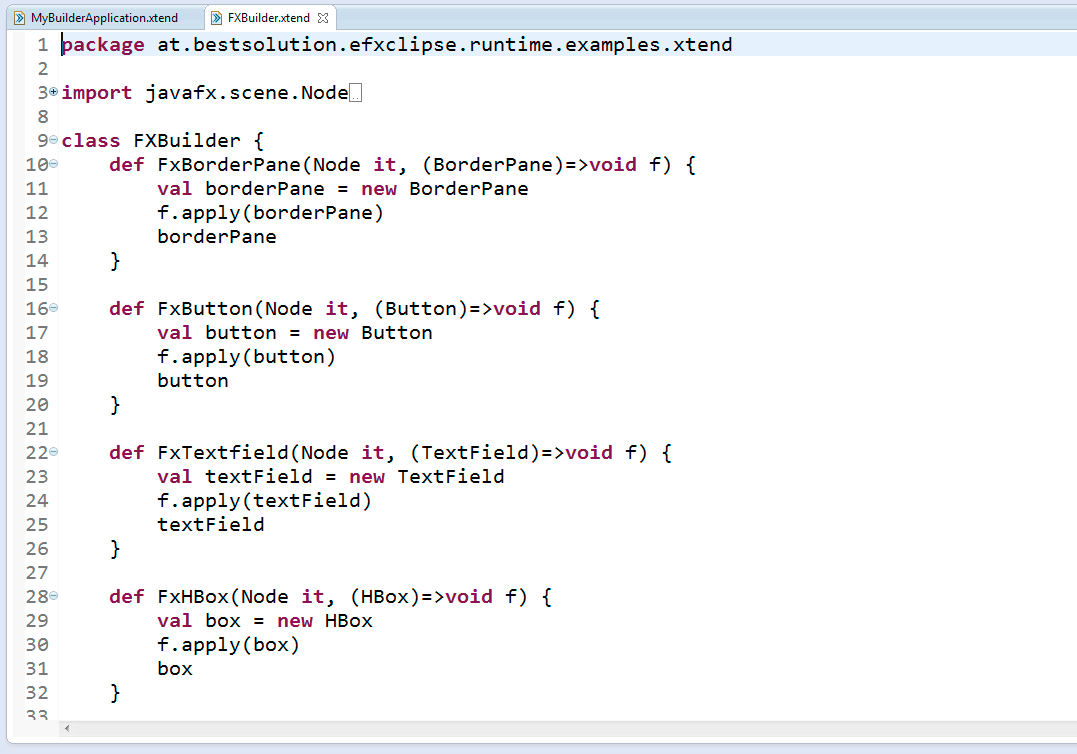
Here’s the builder:

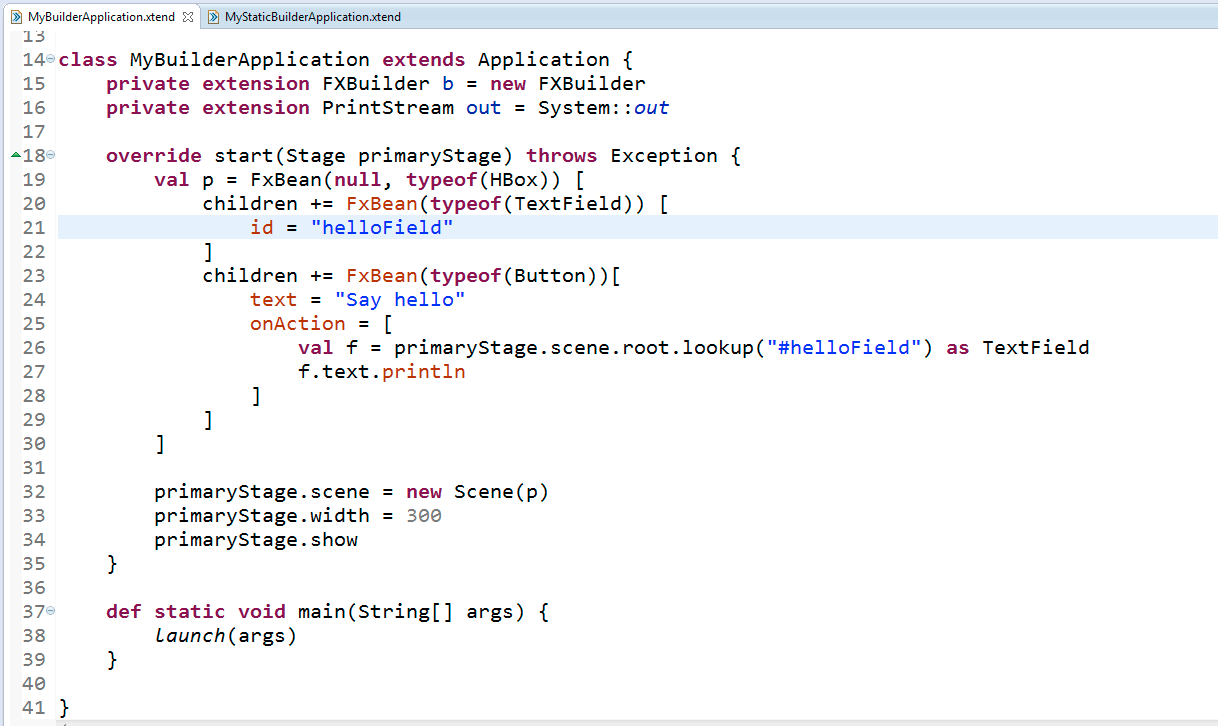
and this an resulting example code:

Now the problem is that make a builder for all FXClasses one uses is not really a practical thing but the nice thing is that most of them are Beans so I added a builder method that accepts a class as the first parameter and uses reflection to create an instance.

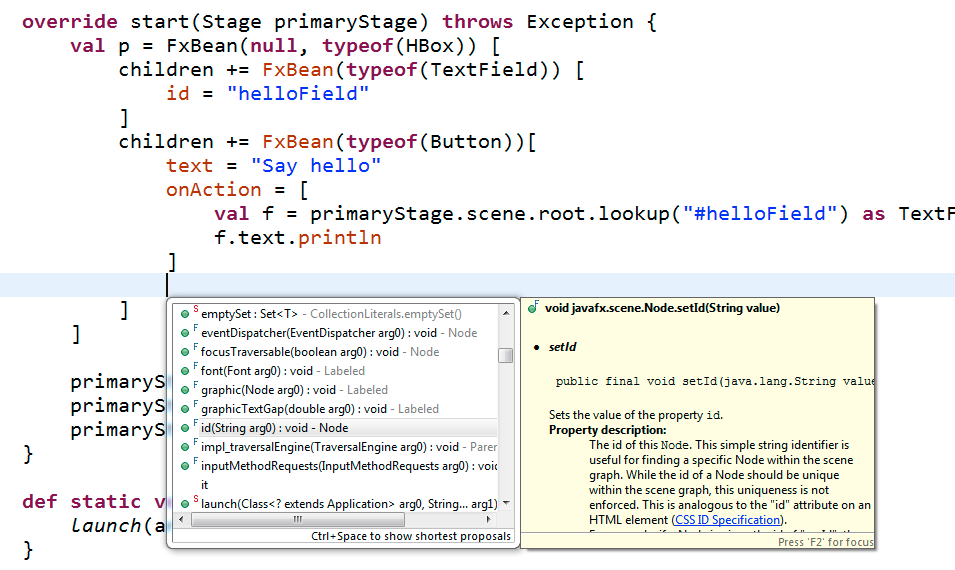
and even autocompleteing still works in this case:

I pushed the sources to my github repo. Maybe there’s a better solution to the reflection workaround I used but currently this looks quite good.

Posted in e(fx)clipse | 1 Comment