CSS Attribute Description and Validation (for JavaFX)

As part of e(fx)clipse we are implementing a custom CSS-Editor based upon Xtext.

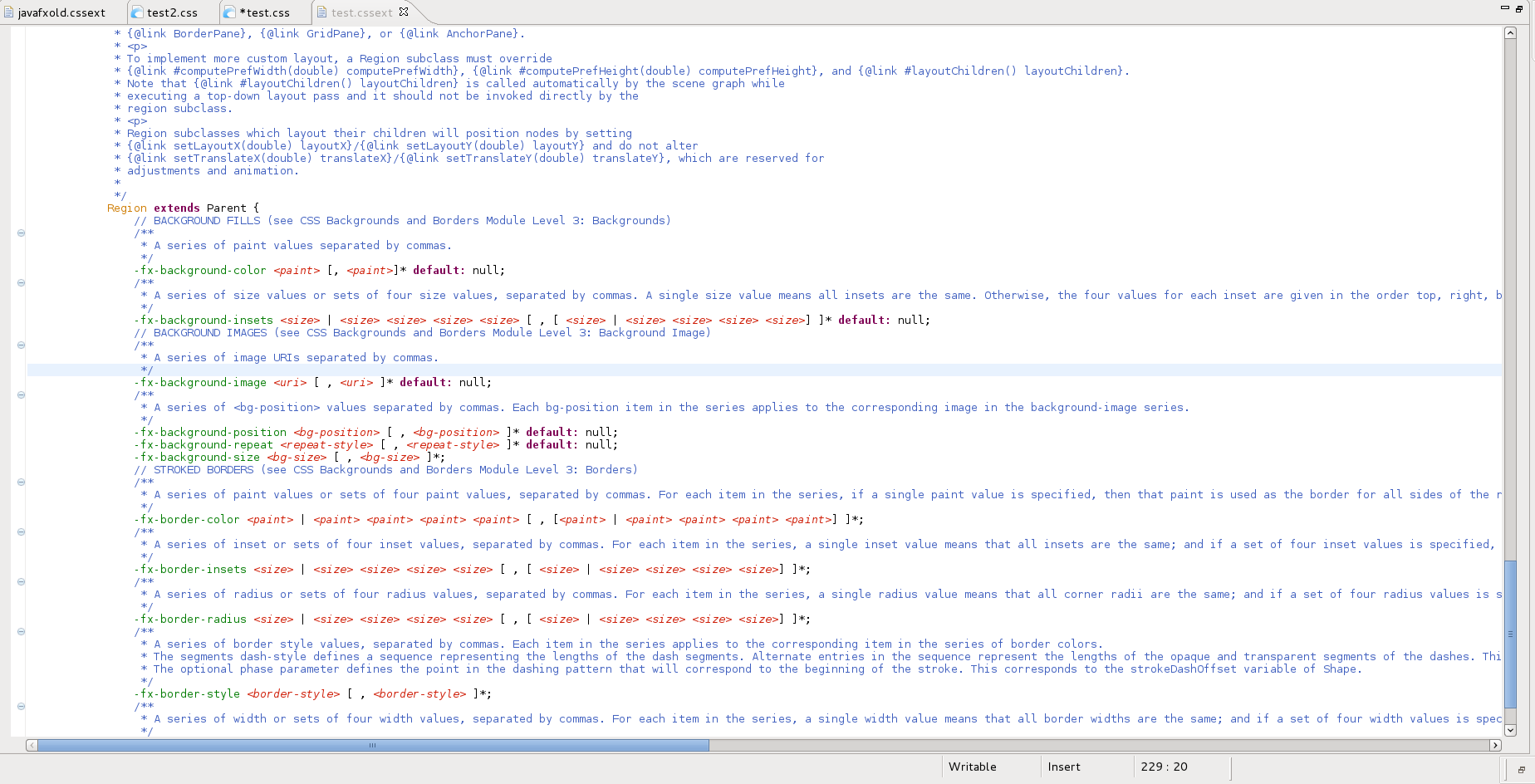
We have a grammer of CSS-Specification so that we can parse CSS-Files, the interesting part though e.g. which properties are available, what values they can have is at least for JavaFX not speced in a machine useable format but as plain HTML.

There are rules in this file but they are not useable for tools so we defined our own small language to store the information in a structured format so that we can make use of them in the CSS-Editor to:

  • Show documentation
  • Provide attribute proposals
  • Provide value proposals
  • Validate attribute values

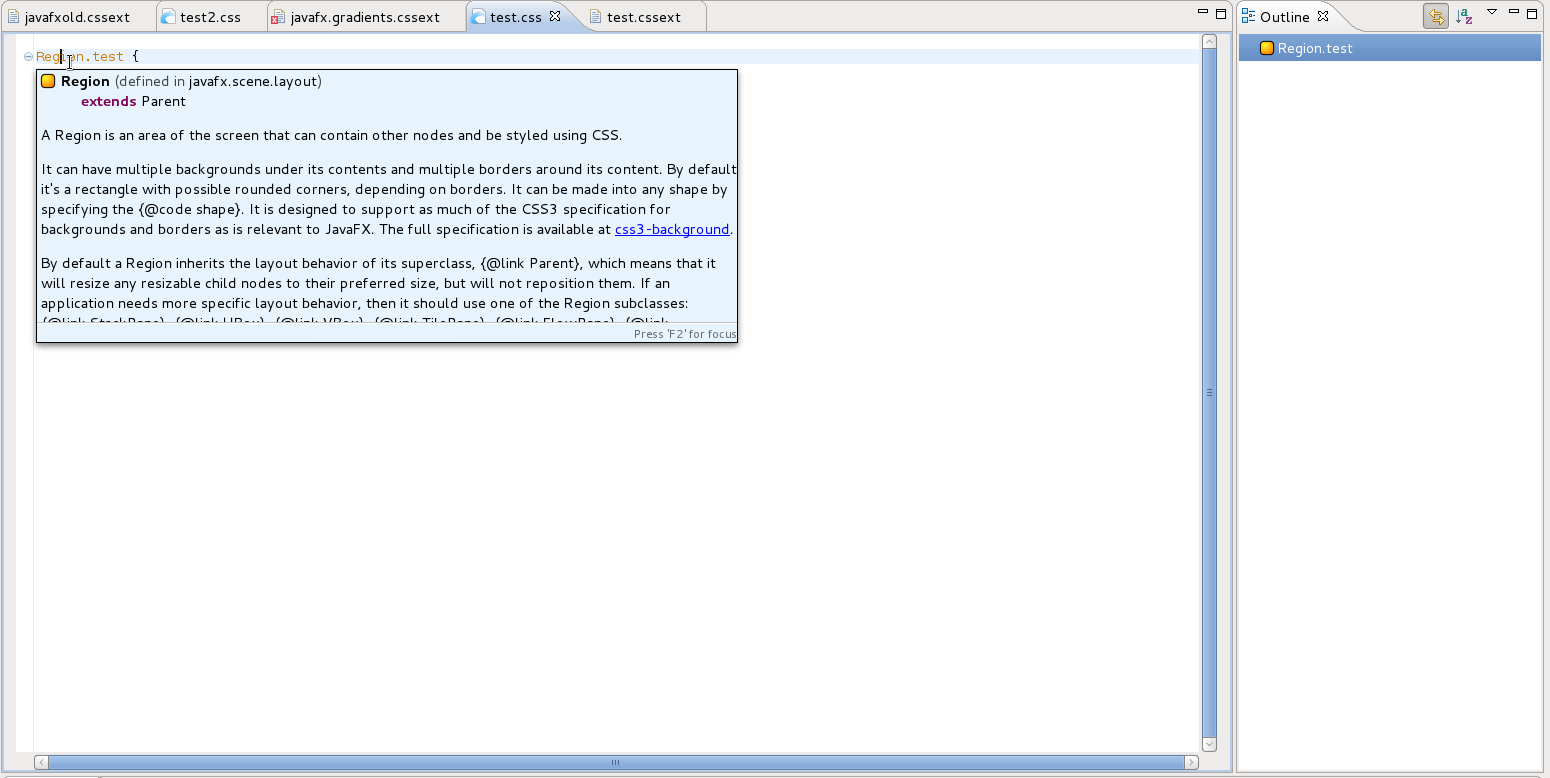
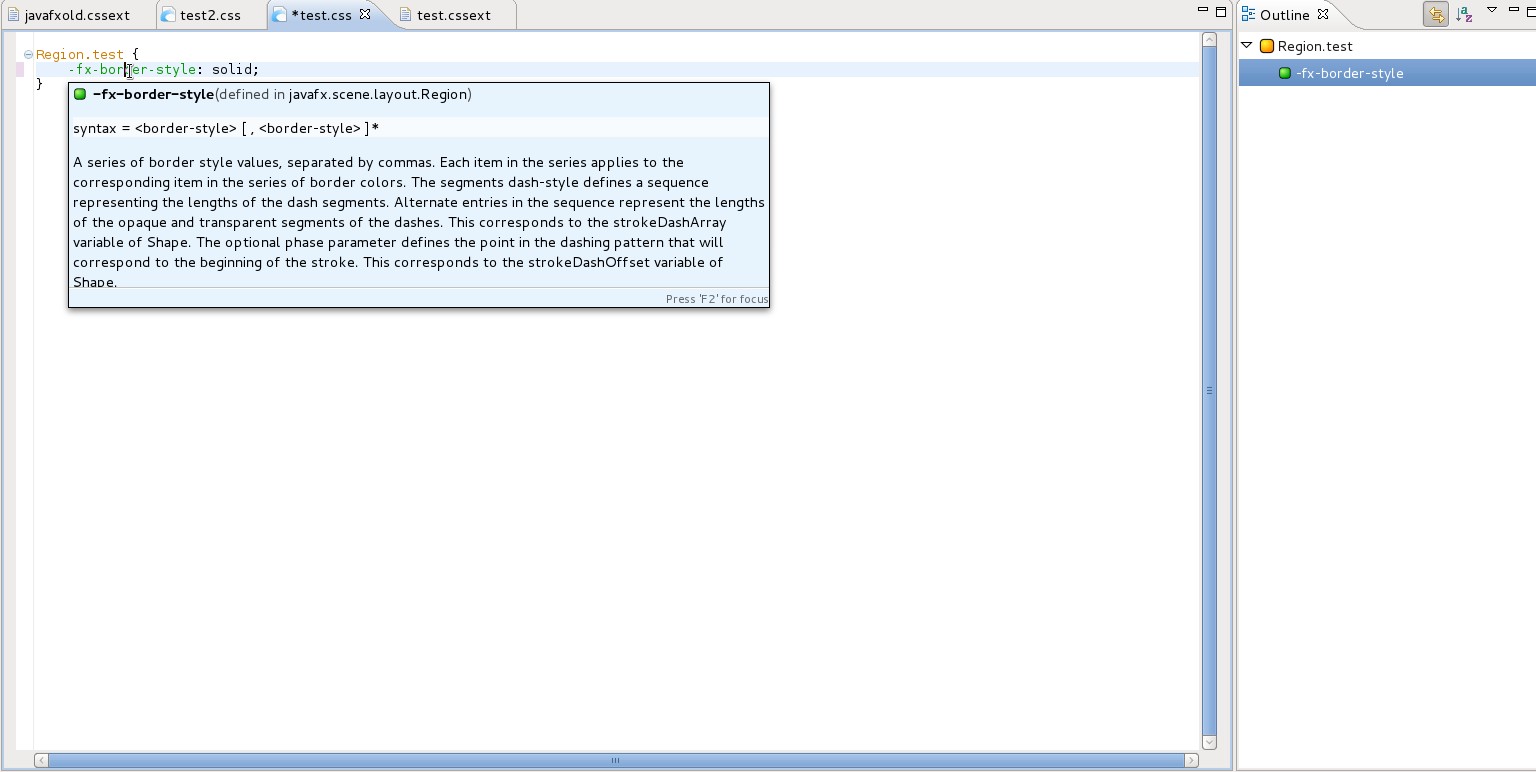
Today we’ve reached an important first milestone by showing the documentation of attributes and elements.

The language definition looks like this:

and results in the following documentation tooltips in our CSS-Xtext-Editor:

If you’d like to follow the implementation or want to take a look at the CSS-Definition-Grammer we’ve developed you can do this by cloning our git-repo and use the cssext-branch

Posted in e(fx)clipse | 5 Comments

SVG To FXML Converter as Commandline util

There’ve been some requests from people to use the SVG to FXML converter outside my e(fx)clipse project. I’m happy to announce that the latest nightly builds provide a standalone version of the converter.

Useage is quite simple:

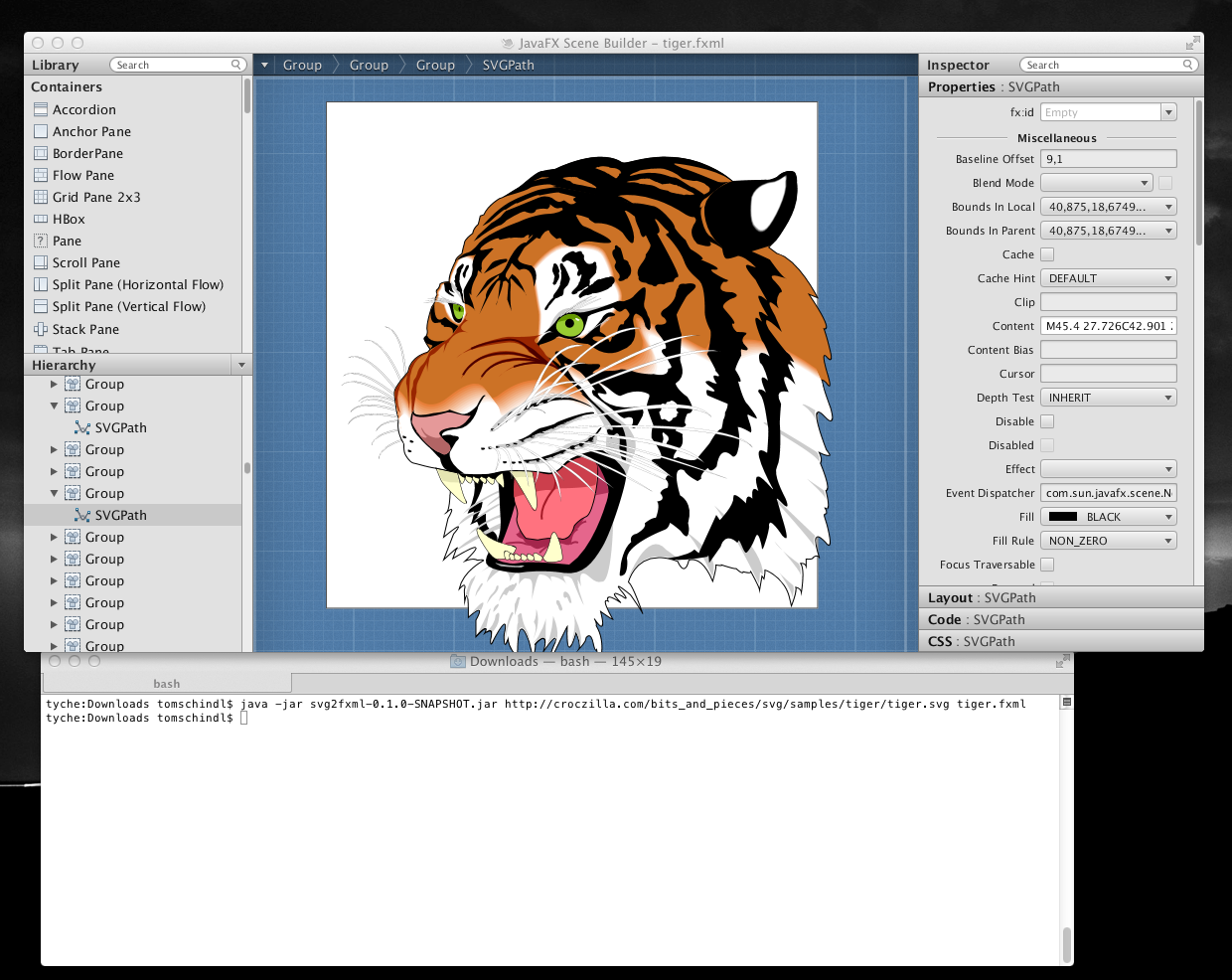
java -jar svg2fxml-0.1.0-SNAPSHOT.jar http://croczilla.com/bits_and_pieces/svg/samples/tiger/tiger.svg tiger.fxml

will produce an FXML which can be loaded into SceneBuilder:

Need to teach myself now how I can provide this as a netbeans module 😉 Any volunteers to provide an implementation and contribute it to e(fx)clipse.org?

Posted in e(fx)clipse | 13 Comments

e(fx)clipse – demo camp video

I almost forgot that a video was recorded at this years Vienna DemoCamp.


(The talk is/was in german!)

You can find my video at http://vimeo.com/47109493 if you read this through a aggregator.

Posted in e(fx)clipse | 2 Comments

JavaFX 2.2 and OSGi

Inspired by a recent thread on e(fx)clipse user forum “Why some things don’t work out-of-the-box when using JavaFX instead of SWT”. I think its time to take a look at the current state of JavaFX 2.2 on OSGi.

The first thing we need to decide is which deployment strategy we want to use.

The 2 possibilities are:

  1. Make JavaFX 2.2 a prerequisit on the target system which requires your OS-X/Windows users to install OpenJDK7u6. For Windows users there’s another option because they can install the JavaFX-Runtime seperately
  2. Ship JavaFX 2.2 with your application as an OSGi-Bundle

The prerequisit deployment

A reason to follow this strategy could be for example that you want to keep your download size as small as possible. If you think this is not a problem then think about the following: If you want to ship only one application “binary” you’d have to package JavaFX 2.2 runtime (Java-Sources+Native libs) 6 times (Mac, Win32_x86, Win32_x86_64, Linux_x86, Linux_x86_64)!

Even even if you require your users to have Java7u6 installed which has the JavaFX-runtime co-installed the JavaFX binaries are not on the bootclasspath, nor are they exported by OSGi by default so your application will fail to start.

The only solution I have found and implemented so far is to Adaptor_Hooks in Equinox to dynamically locate the JavaFX-binaries.

As far as I’ve heard JDK8 will have the javafxrt.jar on the bootclasspath and so that I can be supported by OSGi-Implementations the same way they currently support the usage of swing.

Repackage JavaFX for OSGi deployment

Straight Repackageing

Since 2.0 many problems with JavaFX on OSGi have been solved and so straight repackaging the javafxrt.jar as an OSGi-Bundle should work. One can use the Eclipse wizard to repackage the jar and afterwards only has to add the Bundle-NativeCode-Code header and the native code.

Now on first sight this works but there’s one big problem with this. The code in JavaFX which is detecting the native code follows those steps:

  1. Locate native code relative to javafxrt.jar if that fails
  2. Locate native in the java.library.path if that fails
  3. System.loadLibrary()

The problematic part in the above strategy is the 2nd one.

Let’s suppose with have repackaged JavaFX 2.2 but the user has installed Java7u5 which has JavaFX 2.1 co-bundled your java.library.path looks like this.

C:\Program Files (x86)\Java\jre6\bin;C:\Windows\Sun\Java\bin;C:\Windows\system32;C:\Windows;C:/Program Files (x86)/Java/jre7/bin/client;C:/Program Files (x86)/Java/jre7/bin;....

Your application will not load the native code from your repackaged JavaFX-OSGi-Bundle (step 3.) but the native code inside your Java7u5 install which is the one from 2.1 which means your Java-Code (2.2) and Native-Code (2.1) won’t match.

Repackageing as a “deployment container bundle”

The approach here is that one repackages the javafxrt.jar and the native code as an OSGi-Bundle with a predefined name (e.g. javafx.osgi) but you don’t export any packages from it but see it only as a deployment unit. At runtime you once more use Equinox-Adaptor_Hooks but instead of locating the jar somewhere on the system you resolve your deployment container bundle and extract the DLLs and javafxrt.jar from there. If you used "Eclipse-BundleShape: dir" you only have to detect the install location because the jar is already exploded.

Summary

Although it looks like the default approach to make use of JavaFX in OSGi would work (Straight Repackageing) fails when taking a closer look and this will not change until JavaFX 3.0 (shipped with JDK8).

So currently only the only solution for me as of now is the use Adapter-Hooks which e(fx)clipse uses, promotes and provides tooling for.

Posted in e(fx)clipse | 4 Comments

e(fx)clipse 0.1.0 released

I’m happy to announce release 0.1.0 of e(fx)clipse. This release fixes a lot of bugs discovered and adds new cool features.

Minimum JavaFX version

Like announced with the previous release 0.1.0 drops support for JavaFX 2.0. You need to have at least 2.1.

All in one downloads

I’ve upgrade the download packages to the latest released bits. So you now get downloads for 3.7.2, 3.8.0 and 4.2.0. Naturally all other components like EGit, Xtext got updated to latest and greatest.

New features

JavaFX runtime detection

Since JRE/JDK7u4 on Mac and 7u5 on Windows JavaFX is included into the JRE/JDK, e(fx)clipse will now detect the this and use that as the default. This sounds great news on first sight but it comes with one major drawback: No JavaDoc. e(fx)clipse will fallback to the web-url of the javadoc but if you can’t access the internet for some reason the IDE can’t assist you.

This runtime detection also works for OSGi integration which will fallback to the JRE install if no FX can’t be detected.

Packaging

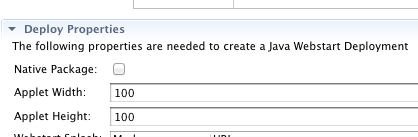
Native packaging

JavaFX 2.2 comes with a new packaging options which creates a deployment package (.dmg, .msi, .rpm) which includes your application and jre.
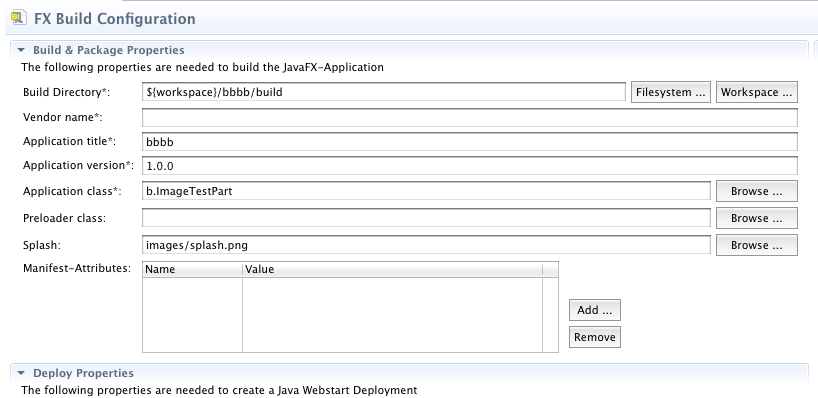
Support for Splash-Screen

The fxbuild-Editor now allows you to specify a splash-screen image which results in the setting of SplashScreen-Image MANIFEST-Header as described here.

Support for custom MANIFEST-Attributes

You can add custom attributes to the MANIFEST-File now

For the next release I plan to revisit the build & packaging tooling and support more stuff. I’ll most likely switch to Sapphire but I’ve not yet decided.

FXML & FXGraph

SceneBuilder interoperation

SceneBuilder uses processing instructions to locate css files and the resource properties file used for translations. FXGraph now encodes its information also in this form so that FXML-Files produced by .fxgraph files can be loaded into SceneBuilder.

Another compability issue with SceneBuilder interaction is solved. SceneBuilder has a bug which makes it unable to parse all types of static attribute definitions supported and document for FXML.

<GridPane>
  <Button>
    <GridPane.columnIndex>0</GridPane.columnIndex>
  </Button>
</GridPane>

is not loaded appropriately by SceneBuilder (see bug http://javafx-jira.kenai.com/browse/DTL-5028), when writing the FXML-Generator I was a bit lazy and encoded all static properties as subelements instead of the deciding upon the type. In 0.1.0 the generator has been made smarter and now generates xml-attributes when possible.

I originally planned to provide the FXML to FXGraph converter also with this release so that there’s a full FXGraph => FXML => SceneBuilder development cycle support but had to defer this to next release.

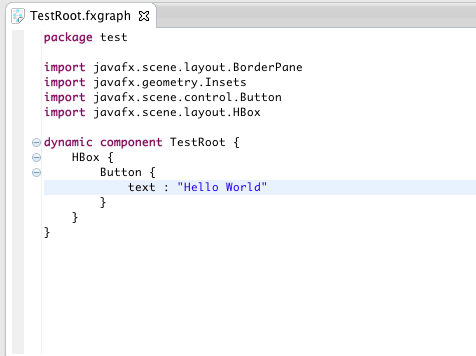
Support for fx:root

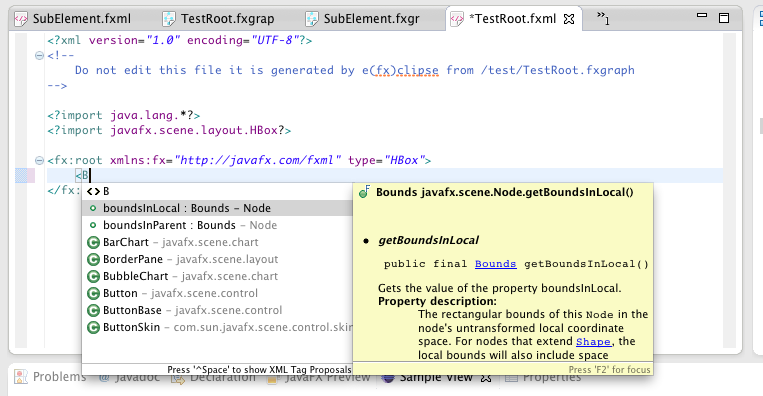
FXML support a new type of root-element named fx:root. The FXML-Editor can now understand it and provide proposals like you used a standard element as the root.

FXGraph naturally also supports this by the addition of a new keyword “dynamic” you can prepend to your “component” definition.
FXGraph: Condensed static properties syntax

I’ve introduced a new syntax to define static properties. In FXML static calls used for layouting look like this:

<HBox>
  <Button HBox.hgrow="ALWAYS" />
</HBox>

In 0.0.14 the FXGraph code looked liked this:

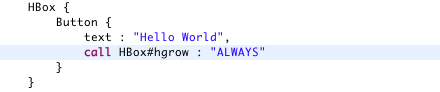
In 0.1.0 one can optionally also use the static keyword:

which infers the target type by walking the parent tree until it finds the layout container of the control when the FXML-File is generated.

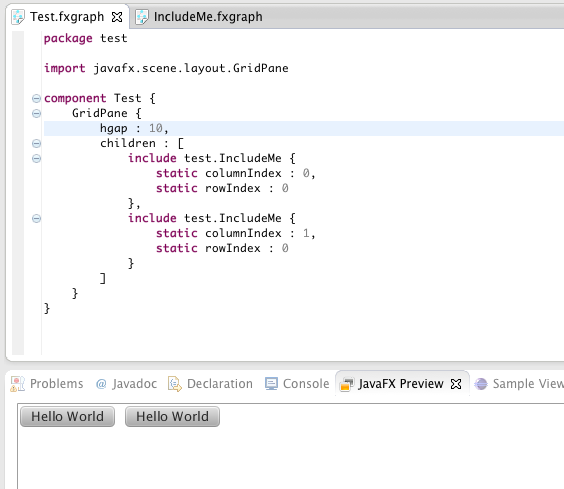
Includes can use static-properties

Utilities

Wizard to create e4 JavaFX application

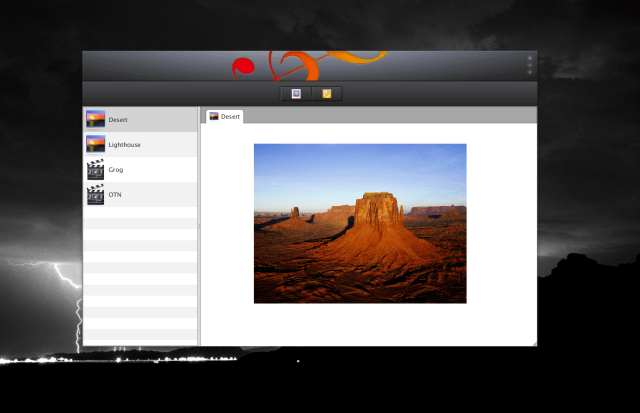
This wizard allows you to bootstrap an e4 JavaFX application. If you execute the wizard you get a simple application like this:
SVG To FXML

The convert now supports to 2 SVG-Element types:

  • polyline
  • image

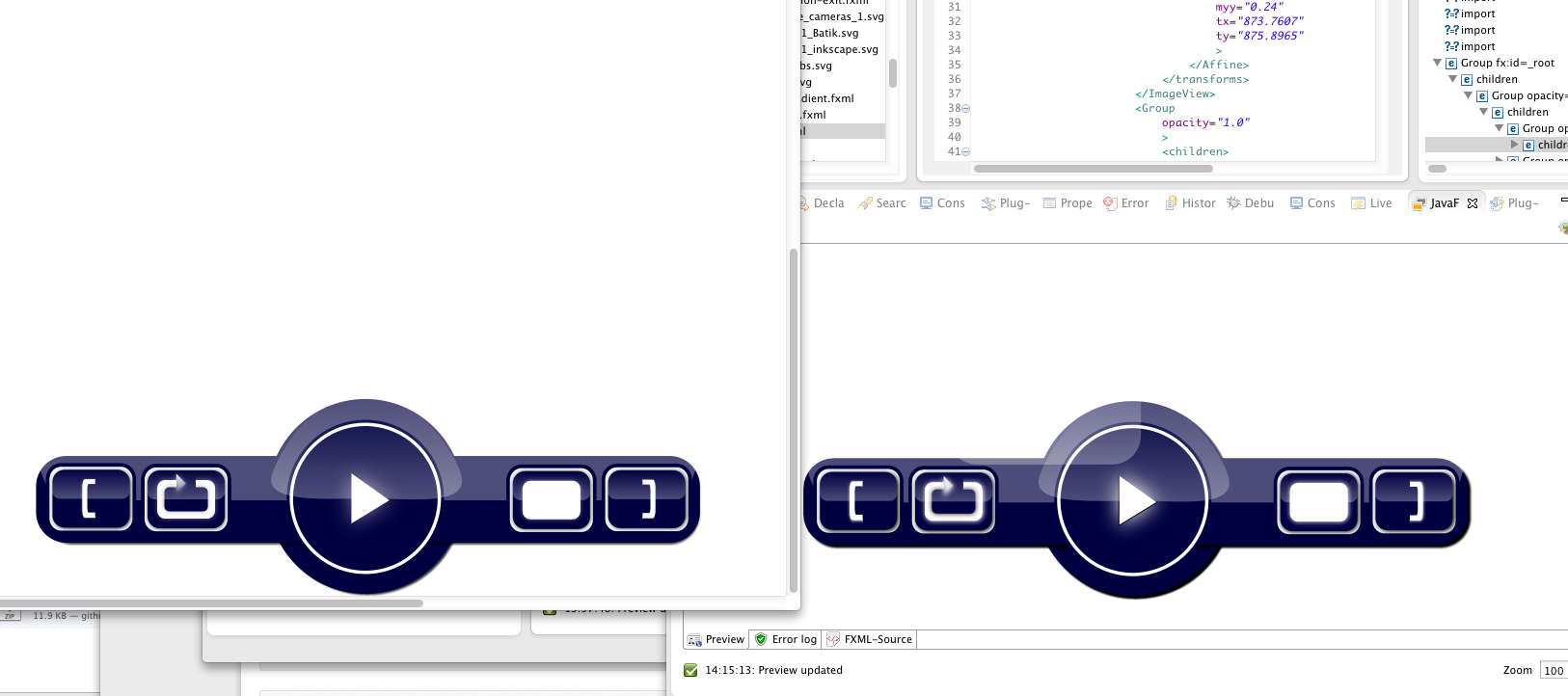
which allows you to import really nice looking JavaFX-Controls

Project Management, …

I’ve invest a lot of time in this release to automate the build and release process using maven-tycho. Like I already announced a few days ago on our forum we are now publishing all our artificats as nightly builds.

To make the creation of eclipse distributions a no brainer for none bash gurus like me, I’ve published a small library which can be used inside ant or java.

Posted in e(fx)clipse | 3 Comments

Eclipse 4 L&F on Linux

I’ve read some reports from people who don’t like the new L&F. I don’t want to discuss this what I’d like to present you is how you can get the old L&F almost back.

The default answer you’ll get is that you should switch to the Classic-Theme in Preferences > General > Appearance – don’t forget to restart because not all css-values are applied correct on the fly. Unfortunately this doesn’t fully fix it because tabs will now be rendered in blue which looks strange on e.g. Ubuntu.

Default-Theme:

Classic-Theme:

The problem is that our CSS-Engine currently can’t access system colors nor derive colors from them (something we’ll address in 4.3). Now to give a solution until then I’ve hacked today a theme which is able to access those native colors in the same way 3.x derived them.

Version 0.1.0 of e(fx)clipse which is going to be released tomorrow is going to have this theme packaged with it! All others can fetch it from my github-repo.

Note for all other theme creators: The e4-e3 theme comes with possibility to register named colors through a DS-Service, so if you want to do complex color calculations based on e.g. some system colors you can contribute named colors.

Here’s how eclipse 4 on ubuntu looks now with a theme who honors the system color settings:

Posted in e4 | 17 Comments

Interview on fxexperience.com

For those not following http://fxexperience.com/.

I’ve been interviewed by Jonathan Giles on my work on e(fx)clipse and my view on JavaFX 2 in general.

Posted in e(fx)clipse | Leave a comment

Create your own Eclipse distro made easy

To foster adoption of your tool it might make sense to provide all-in-one downloads. This makes sense if your product has dependencies on many different 3rd party plugins (and you e.g. need very specific versions) or you want to make it super easy for your users to start using your tool.

Since e(fx)clipse provides such downloads to its users many people who are not yet familiar with eclipse and want to give it a shot use the distros we are providing.

Until today those distros have been created through a shell script provided by Denis Hübner from itemis but because I’m not an bash guru, customizing it to my needs was a bit painful and so I decided to write my own very very simple distro builder using Java.

Our CI-Server now generates distros using this ant-file

<project>
	<property name="efx.version" />
	
	<taskdef name="builder" 
		classpath="/home/jenkins/distbuilder/libs/at.bestsolution.releng.distrobuilder-0.0.1-SNAPSHOT.jar"
		classname="at.bestsolution.releng.distrobuilder.ant.DistroBuilderTaskDef" />
	<target name="build-distros" description="Build distros">
		<echo>Hello World</echo>
		<builder
			builddirectory="/tmp/efx-build"
			p2directorexecutable="/home/jenkins/distbuilder/builder/eclipse"
			targetdirectory="/home/jenkins/distbuilder/targets"
			staticreposdirectory="/home/jenkins/distbuilder/repos"
			distdirectory="/tmp/efx-jbuild/dist"
			version="${efx.version}">
			
			<updatesite url="http://cbes.javaforge.com/update" os="win32"/>
			
			<p2repository url="http://www.efxclipse.org/p2-repos/releases/at.bestsolution.efxclipse.tooling.updatesite-${efx.version}.zip"/>

			<installunit name="org.eclipse.emf.sdk.feature.group"/>
			<installunit name="org.eclipse.xtext.sdk.feature.group"/>
			<installunit name="org.eclipse.emf.mwe2.runtime.sdk.feature.group"/>
			<installunit name="at.bestsolution.efxclipse.tooling.feature.feature.group"/>
			<installunit name="at.bestsolution.efxclipse.runtime.e3.feature.feature.group"/>
			<installunit name="org.eclipse.wst.xml_ui.feature.feature.group"/>
			<installunit name="org.eclipse.egit.feature.group"/>
			<installunit name="org.tigris.subversion.clientadapter.feature.feature.group"/>
			<installunit name="org.tigris.subversion.subclipse.feature.group"/>
			<installunit name="org.tigris.subversion.clientadapter.svnkit.feature.feature.group"/>
			<installunit name="org.eclipse.e4.core.tools.feature.feature.group" />
			<installunit name="org.tigris.subversion.clientadapter.javahl.feature.feature.group" os="win32" arch="x86" />
			<installunit name="mercurialeclipse.feature.group" os="win32" />
			<installunit name="com.intland.hgbinary.win32.feature.group" os="win32" />			
		</builder>
	</target>
	
</project>

Building the distro / platform takes around 30 Seconds. Currently we are building 3.7.2, 3.8.0 and 4.2.0 for linux (x86,x86_64), mac-cocoa (x86_64), win32 (x86,x86_64).

I’ve shared the small utility on https://github.com/tomsontom/distrobuilder. I hope you find this small utility useful.

Posted in Eclipse | 10 Comments

So you used internal API

Inspired by a question that was asked twiced on the newsgroup about internal “API” that is missing in Eclipse 4.x although the feature is still there when interacting with the IDE

The API in question was:

… I needed an ability to allow a user to, upon request, launch a view either attached as a tab in my main window or else detached in its own window … In 3.7, I was able to meet this goal by using the internal APIs to make a call like

((WorkbenchPage)getSite().getPage()).
  getActivePerspective().getPresentation().detachPart(ref);

So somehow the IDE has preserved this feature but the internal API is gone. The reason is that detaching is now part of the low level Eclipse 4 Application Platform (EAP) which means the Eclipse 4 Workbench has no idea of this feature, hence the internal API is gone.

As outlined many times before the EAP does everything through services. The 2 most important ones are:

  • EPartService
  • EModelService

if you inspect them you find out that EModelService has a method named detach(MPartSashContainerElement mPartSashContainerElement, int x, int y,int width, int height) which sounds very promosing.

So now we somehow have to get access to the EModelService and Model-Element (MPart) which represents the ViewPart which if you know it is quite easy because you can access them through getSite().getService(...).

So if we want to detach a ViewPart by clicking on a button within the view the code looks like this:

public class SampleView extends ViewPart {

  public static final String ID = "test.detach.views.SampleView";
  private Button b;

  public void createPartControl(Composite parent) {
    parent.setLayout(new GridLayout());
    b = new Button(parent, SWT.PUSH);
    b.setText("Detach me");
    b.addSelectionListener(new SelectionAdapter() {
			
      @Override
      public void widgetSelected(SelectionEvent e) {
      EModelService s = (EModelService) getSite().getService(EModelService.class);
      MPartSashContainerElement p = (MPart) getSite().getService(MPart.class);
    
      if (p.getCurSharedRef() != null)
        p = p.getCurSharedRef();

        s.detach(p, 100, 100, 300, 300);
      }
    });
  }

  public void setFocus() {
    b.setFocus();
  }
}

The only mystery here is the call to getCurSharedRef() which is needed in eclipse because views are shared between multiple areas (read perspectives).

Posted in e4 | 5 Comments

Xtend, JavaFX-Properties and operator overloading

JavaFX has properties you can bind to each other to keep them insync. Watch this video for a very minimal example which scales a text by dragging a slider.

Now let’s look at the Xtend code used to write this small sample

The important lines are:

// Bidirectional binding between sliders
sl_1.valueProperty .. sl_2.valueProperty;

// Unidirectional binding from slider to scaleX/Y
l.scaleXProperty -> sl_2.valueProperty;
l.scaleYProperty -> sl_2.valueProperty;

The trick here to make this code not as verbose as it’s java counterpart is that Xtend allows to overload operators (+, -, ->, .., …).

What I don’t fully understand is why I can’t define my operator overloading like this:

def static <T> operator_mappedTo(Property<T> x, ObservableValue<? extends T> y) {
  x.bind(y);
}

which should work when looking at the inheritance hierarchy of DoubleProperty, maybe some Xtend guru can explain it to me 😉

Posted in Uncategorized | 2 Comments