
JDK8b115 has a major regression in that it does not hold the SWT-Integration – If you use e(fx)clipse or integrate JavaFX into SWT wait for b116 which brings it back.
e(fx)clipse + SWT + JavaFX JDK8b113
Starting with build 113 of Java8 the FX-Team made the wise decision to move the SWT integration into its own jar which is not on any default classpath.
This is a very wise decision because the javafxrt.jar is on the extension classpath and has been holding classes who depend on swt which is a client library typically found on the application classpath or in OSGi in the Classloader of the SWT-OSGi-Bundle.
I guess you can imagine how hard is was for e(fx)clipse to give OSGi-User the FXCanvas integration. This problem is gone now. The latest nightly build can deal with the changes on the JDK-Level (for FX2 the classloading magic is still in).
In case you are developing with JavaFX and need the SWT-Integration you’ll have to update to the latest bits in case you use JDK8b113 and above.
Posted in e(fx)clipse
Leave a comment
Develop a JavaFX + iOS app with RoboVM + e(fx)clipse tools in 10 minutes
The latest nightly builds include support to easily develop JavaFX applications that run on iOS with the help of RoboVM.
I’ve written a tutorial on our wiki and recorded a video how this is done.
All the pieces (JavaFX, RoboVm) are not yet in a shape to develop production ready applications it’s all more in a pre-alpha state but if you have time give it a shot. It’s really fun!
Posted in e(fx)clipse
4 Comments
JavaFX on iOS with the help of RoboVM
The last few days I’ve preparing:
- myself 🙂

- e(fx)clipse
for EclipseCon Europe where I have a talk in which I show how e(fx)clipse allows you to develop applications for embedded and mobile. The runtime stack is not there yet (animation stutter a bit, sometimes you see screen chees, …) to create production ready apps but a lot of things already work. Check out the screencast.
If you are interested in writing applications with JavaFX for the desktop using e4 (today) or mobile apps (in the future) then I’d suggest you come to my talks:
Posted in e(fx)clipse
2 Comments
e(fx)clipse nightlies include JDT-Beta8
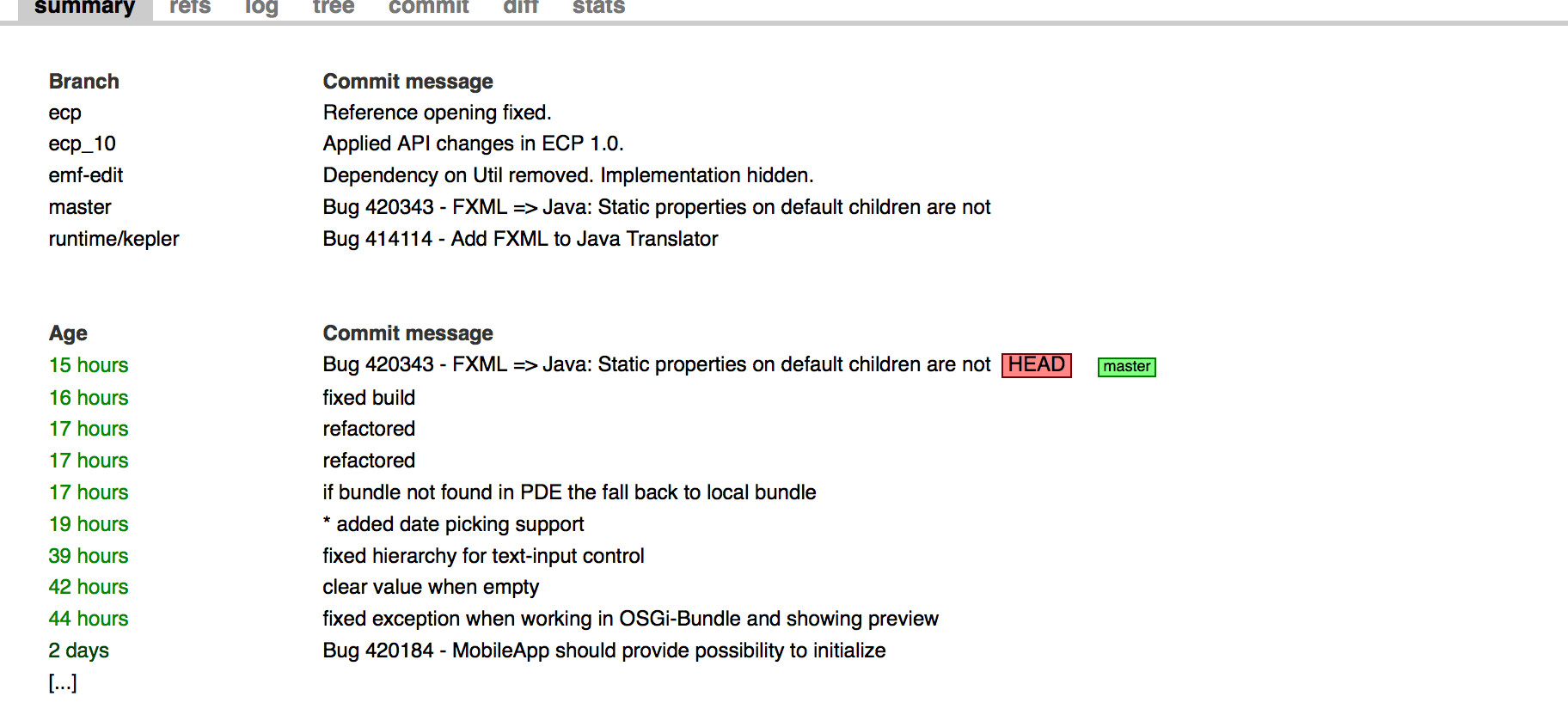
The big news yesterday was that the JDT-Team announced that they are publishing nightly EA builds of their Java8 branch. Many/most people who use JavaFX are useing Java8, so I went a head and packaged it directly into our nightly SDK.
Posted in e(fx)clipse
Leave a comment
e(fx)clipse nightly and >= JDK8b111
JDK8b111 has a small but essential new zip in it:
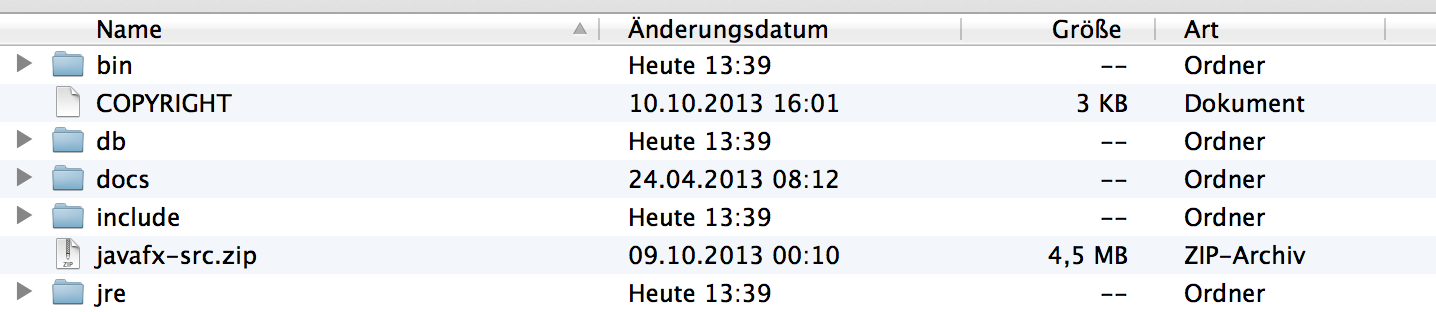
You are right – finally the source-code of JavaFX is shipped with the JDK.
The next nightly builds of e(fx)clipse appropiately detect the source-zip which means you can now inspect the JavaFX source directly in the IDE, step through the JavaFX-Code in the debugger, … if your project uses Java8.
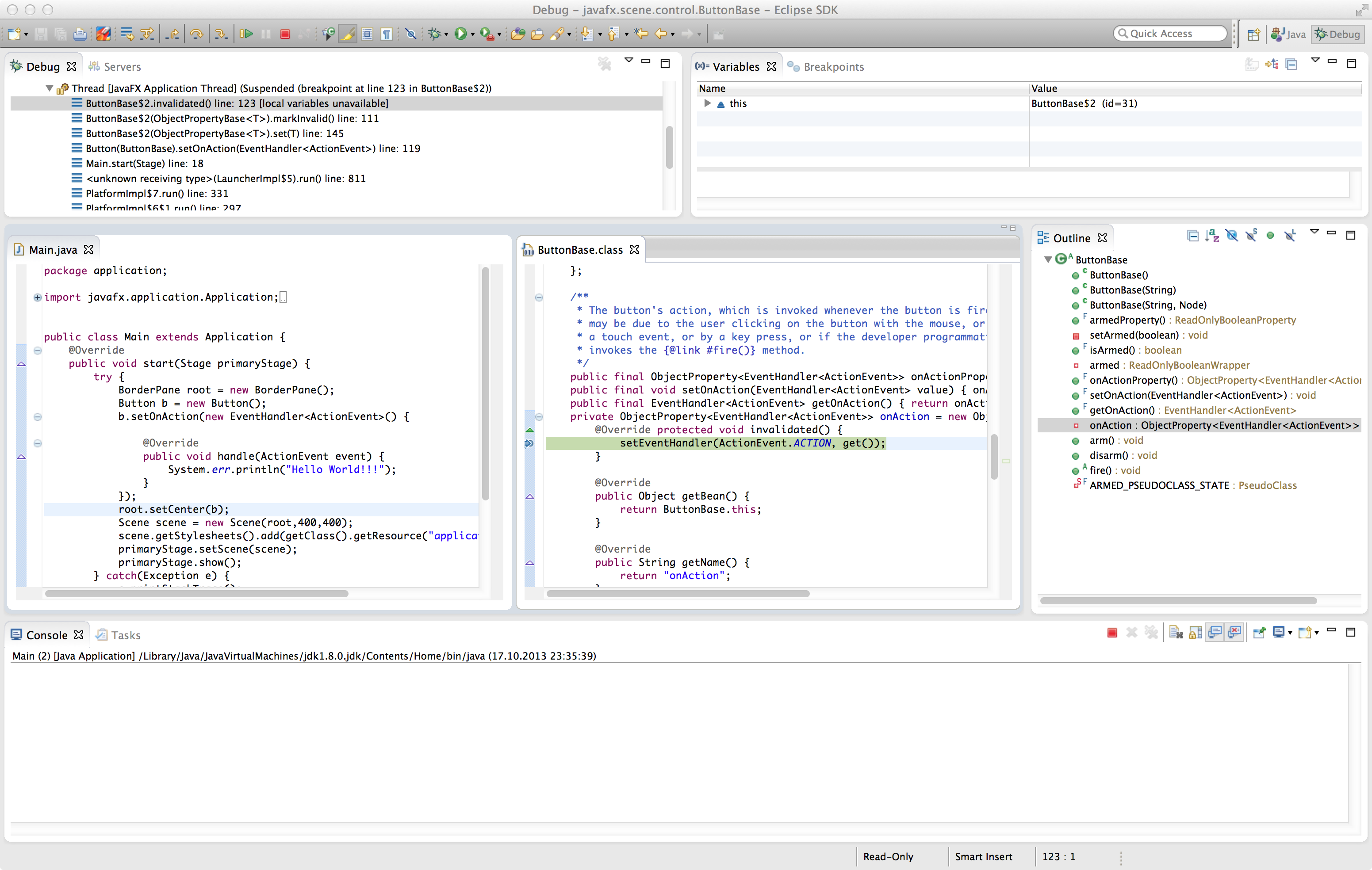
This is a huge forward when developing JavaFX applications.
Posted in e(fx)clipse
Leave a comment
Where’s e(fx)clipse 0.9.0?
So it’s been > 6 months that we did an release of e(fx)clipse where is the first version form Eclipse.org
The short answer is
We have an IP-Problem
The long answer is
To make it super easy for our users to develop JavaFX applications we provide what I think is the most powerful JavaFX-CSS-Editor you get today because it knows all JavaFX-CSS properties, their values and format, is context sensitive … .
We’ve invested a lot of time into a metaformat we named cssext which can be seen as the DTD of a CSS-File where we retrieve the informations from. We did this because Oracle does only provide a handcrafted HTML-Document describing those informations which can not be used by any tool to provide anything meaningful – you are back in the good old days where you have a browser opened next to your IDE to browse the file.
Now the problem is that the license of the above document does not allow us to modify, distribute or display any part.
How can this problem be solved:
- Oracle puts the CSS interface description under a reasonable license
- The JavaFX team offered that we contribute the cssext-File to JavaFX
- It is published on a Web URL
- It is distributed as part of JavaFX
We don’t think 2.a and 2.b are viable solutions because 2.a requires you to have web access which sometimes is not available in companies, on the train, … and 2.b means we are bound to the Java release cycle to push out new features which is not acceptable.
We are grateful for the IP-Team at Eclipse to make us aware of this problem, we are frustated because this is a major step back for the e(fx)clipse functionality.
Oracle and the Eclipse IP-Team are discussing solutions but it will take another couple of weeks (and then another couple of weeks) until this gets resolved (or not resolved). I was holding back the release because I think the loss of this feature is a major loss for e(fx)clipse but I’m fed up now.
It was our best intention to give JavaFX developers a good (Eclipse) IDE experience to make it’s adoption more easy but if we are not allowed we can’t do anything but drop the ball on it (=the css tooling).
So to sum: If you are building applications on top of our runtime modules you are not affected by the above problem, this is only a problem of the JavaFX-CSS Tooling and it sucks!
Posted in e(fx)clipse
12 Comments
Memoryleaks in JavaFX 2.2 TableView and friends
One of the really bad things in JavaFX 2.2 is that it has some serious memoryleaks in conjunction with TableViews.
I’ve filed a bug report against it (RT-32087) to it is fairly uncertain that there’s ever going to be a fix in 2.2 which is a real problem if you need to go GA before March 2014. So together with one of our customers we’ve studied heap dumps to find out where the strong references have been held so that we could go brute force way using reflection and clearing them up.
Daniel has posted our findings at http://www.modellwerkstatt.org/home/javafxtableviewmemoryleak
I hope this helps others having the same troubles
Posted in e(fx)clipse
15 Comments
JavaFX on EclipseCon Europe
I’m going to present 2 sessions on JavaFX, where I’m going to show of all the cool stuff you can do with Java8 & JavaFX8:
Posted in e(fx)clipse
2 Comments
Convert FXML to Java as part of the build
FXML is a declarative way to define you JavaFX UIs, you can edit it by hand e.g. useing e(fx)clipse, use a DSL like FXGraph or use a WYSIWYG-Tool like SceneBuilder.
At runtime a class named FXMLLoader takes the FXML and creates a SceneGraph out of it using reflection. Let’s look at a small sample.
FXML:
<?xml version="1.0" encoding="UTF-8"?>

<?import javafx.scene.layout.BorderPane?>
<?import javafx.scene.control.Button?>

<BorderPane xmlns:fx="http://javafx.com/fxml">
  <center>
    <Button text="Hello World"></Button>
  </center>
</BorderPane>
Loading in Java:
BorderPane p = FXMLLoader.load(getClass().getClassLoader().getResource("Sample.fxml"));
Simple & easy BUT it is slow. On desktop system the slowness might not bother you but on constrainted devices like Raspberry Pi or smartphone reflection it will.
So the idea I had already since some time [Bug] is to move translation from runtime to build time so that one can simply add an instruction to the build script and FXML-Files are translated to Java-Files and compiled by the Java compiler.
While not yet complete I can now share the first version which does at least supports the most basic stuff. To build my JavaFX app which uses FXML I can now use an ant-file like this:
<project default="test">
  <path id="fxcompile">
    <filelist>
      <file name="build/classes"/>
      <file name="build-libs/org.eclipse.fx.fxml.compiler_0.9.0-SNAPSHOT.jar"/>
    </filelist>
  </path>

  <path id="buildpath">
    <filelist>
      <file name="build/classes"/>
      <file name="libs/org.eclipse.fx.core_0.9.0.201308281625.jar"/>
    </filelist>
  </path>

 <target name="test">
   <delete dir="build" />
   <mkdir dir="build/classes"/>

   <taskdef name="fxml-compiler" classpathref="fxcompile" classname="org.eclipse.fx.ide.fxml.compiler.ant.FXMLCompilerTask" />

   <javac srcdir="src" destdir="build/classes" classpathref="buildpath"></javac>

   <fxml-compiler sourcedir="src" destdir="build/gen-src"/>
   <javac srcdir="build/gen-src" destdir="build/classes" classpathref="buildpath"></javac>
  </target>
</project>
The important line is <fxml-compiler… which instructs the build to translate all FXML-Files found below src into .java-Files and place them into build/gen-src.
Generated Java-File:
import javafx.fxml.FXMLLoader;
import javafx.scene.layout.BorderPane;
import javafx.scene.control.Button;

import java.util.Map;
import java.net.URL;
import java.util.ResourceBundle;

import org.eclipse.fx.core.fxml.FXMLDocument;

import java.util.HashMap;

@SuppressWarnings("all")
public class Sample extends FXMLDocument<BorderPane> {
  private Map<String,Object> namespaceMap = new HashMap<>();
  public Object getController() {
    return null;
  }

  public BorderPane load(URL location, ResourceBundle resourceBundle) {
    BorderPane root = new BorderPane();
    {
      Button e_1 = new Button();
      e_1.setText("Hello World");
      root.setCenter(e_1);
    }
    return root;
  }
}
In the original code the only change I have to make is switch from FXMLLoader to a smarter class which first checks if there is a .class-File with the same name and create an instance of it.
ExtendedFXMLLoader loader = new ExtendedFXMLLoader();
loader.load(getClass().getClassLoader(),"Sample.fxml");
You can play with it yourself. I’ve uploaded a sample project to http://downloads.efxclipse.org/fxml-compiler.zip, give it a try on your own FXML-Files and if things fail file bugs against e(fx)clipse.
Posted in e(fx)clipse
48 Comments
 Tomsondev Blog