e(fx)clipse 0.0.11 released

Grrrrr. This now very embarrassing because after i pushed the build to my server and published the release post I found 2 major regressions who make editing fxgraph-Files fairly tedious. I also had a problem with my release script for the 3.7.0 version where I packaged the 0.0.9 version of e(fx)clipse instead of 0.0.10.

So I decided to make another release 0.0.11 which fixes the regression and the packaging. Sorry if this caused trouble to you but this simply slipped through my checks. For those who already downloaded the broken 0.0.10 release I’m sorry but you should redownload version 0.0.11 (it also includes one new feature).

Tooling

FXGraph

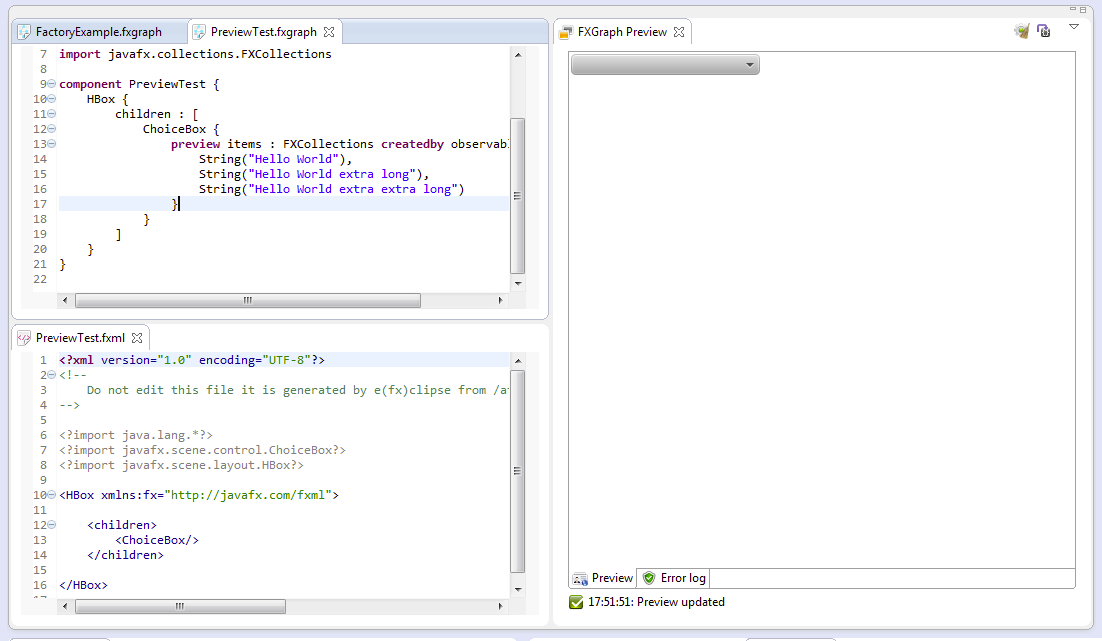
Preview Keyword

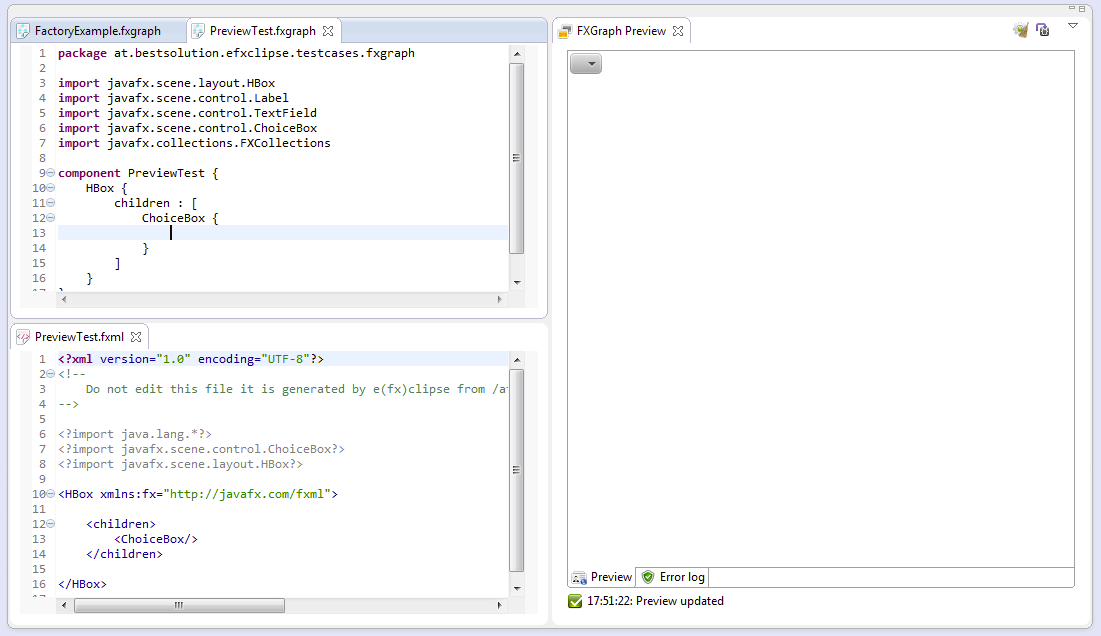
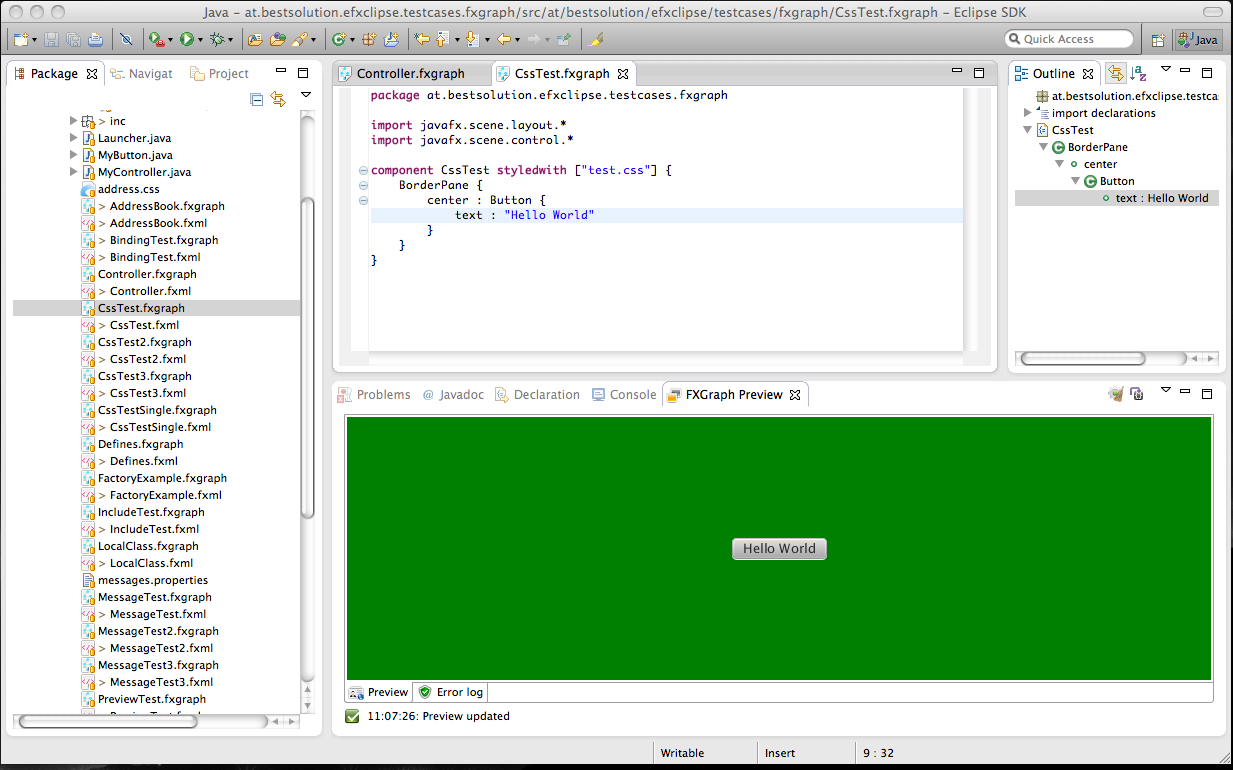
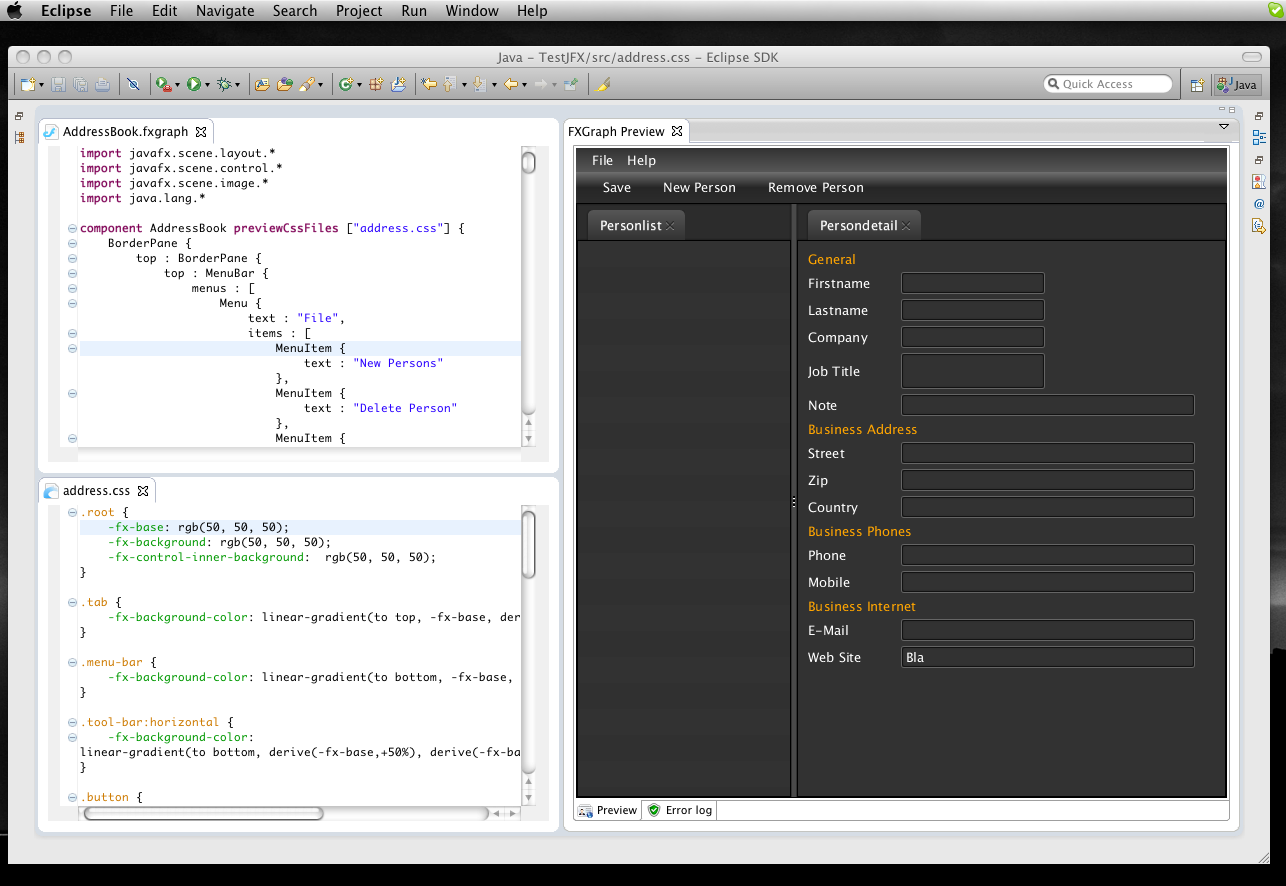
The keyword has been already part of the language but now its semantics are fully implemented. You can now prefix an attribute in your FXGraph-File with preview and so the content is only passed to the preview but not into the serialized file. I added this feature because sometimes it is necessary to fill controls with data to see how their layout changes. A good example in this sense is the ChoiceBox who layouts itself according to its content.

Posted in e(fx)clipse | 14 Comments

e(fx)clipse 0.0.10 released

The 0.0.10 release is broken. Please update to 0.11

3 weeks after 0.0.9 (and one day behind schedule because of New Years day) I just pushed 0.0.10 to http://efxclipse.org/. There are many improvements which will take a look later on and take a look at the provided all in one downloads who’ve been received quite well by the community. In the last 3 weeks I registered the following downloads:

  1. eclipse-SDK-3.7.1-efxclipse-0.0.9-win32.zip: 101
  2. eclipse-SDK-4.2M4-efxclipse-0.0.9-win32.zip: 55
  3. eclipse-SDK-4.2M4-efxclipse-0.0.9-win32-x86_64: 49
  4. eclipse-SDK-3.7.1-efxclipse-0.0.9-win32-x86_64: 41
  5. eclipse-SDK-3.7.1-efxclipse-0.0.9-macosx-cocoa-x86_64: 13

So they are eating up quite some bandwidth (~100GB in December). Let’s now dive into the new features one by one.

All in one downloads

The aim of the all in one downloads has been to give developers an easy way to start writing JavaFX applications. Now that JavaFX is provided as opensource in the openfx-project to give Eclipse users an easy way to contribute I added the mercurial-plugin 1.9.1 to the all in one downloads so that you can access the openjfx-repository without the need to install anything new. I also upgraded to Xtext 2.2.1 and EGit 1.2.0 so that you have the newest bugfixes in your IDE.

Tooling

Internal changes

There are 2 internal changes that happened which you might not directly notice.

SWT-Interop for the LivePreview

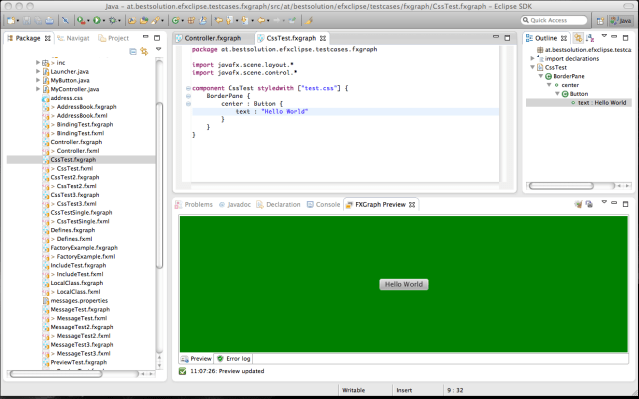
One of the internal things I’ve changed was that since 2.0.2 there’s is direct JavaFX-SWT interop available I switched from my hacky JavaFX – Swing – SWT_Swing_Bridge – SWT to it which has 2 consequences:

  • JavaFX 2.0.2 is hard requirement for e(fx)clipse 0.0.10
  • Mac-Support is working and fully supported
JavaFX library look up for the live preview

Until 0.0.9 the look of the JavaFX library for the Live-Preview was done on win32 by consulting the Windows registry and on Mac OS-X by looking for an ENV-Variable (JAVAFX_HOME).

The approach had a draw back because it could have happened that the SDK you had configured in your IDE and the JavaFX version used for the live preview could have gone out of sync. This has now changed and when running inside the IDE the configured SDK version is used instead. This makes it much easier for OS-X users because they now don’t have to reconfigure their ENV to use the live preview.

FXGraph

FXGraph is my custom DSL used to author FXML-Files. I promised that I’ll provide a FXML to FXGraph roundtrip converted but I’ll have to defer this for 0.0.11 or even later.

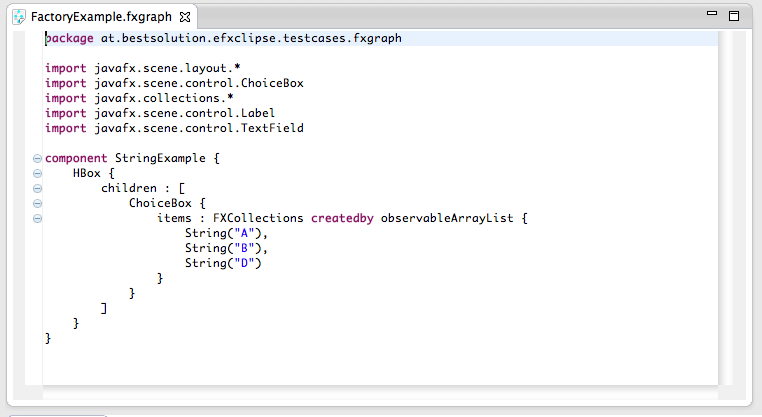
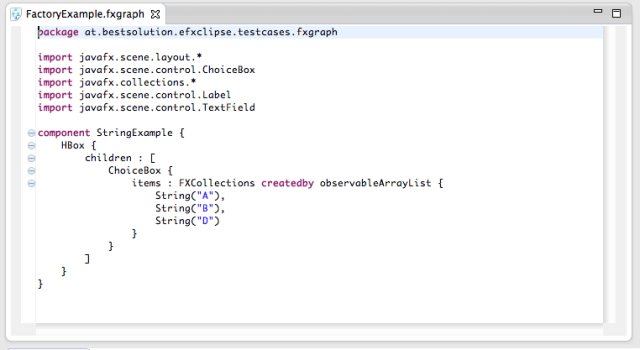
Support for factory methods

I’ve added support for factory-methods and to really support them I had to change the language a bit which is not a problem because noone could have used this feature because though the language had the keyword for it it was not implemented appropiately.

The syntax looks like this:
New Outline

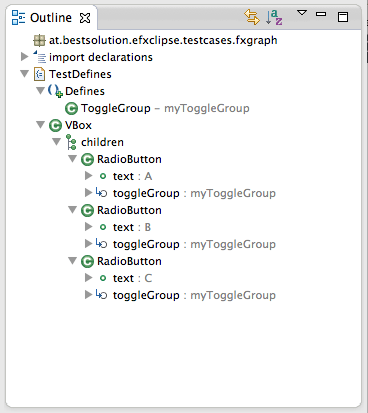
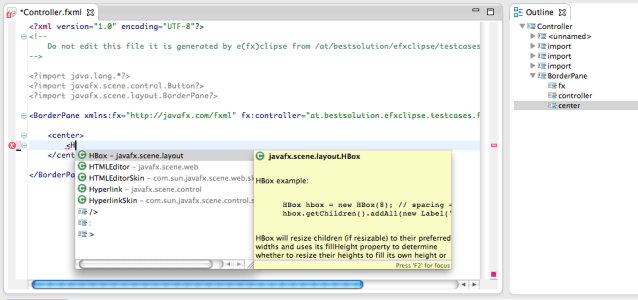
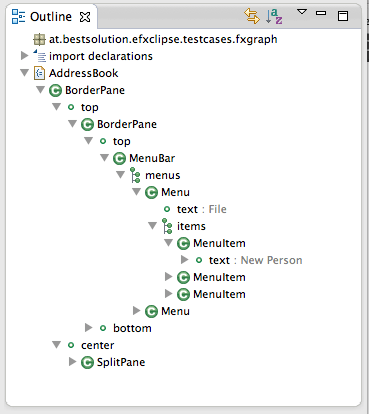
The outline view in 0.0.9 was the default one provided by Xtext. I’ve invested some time in 0.0.10 to customize it and show informations in a similar fashion the JDT-Outline view does.

Here are screenshots of the results:
Content Assist improvements

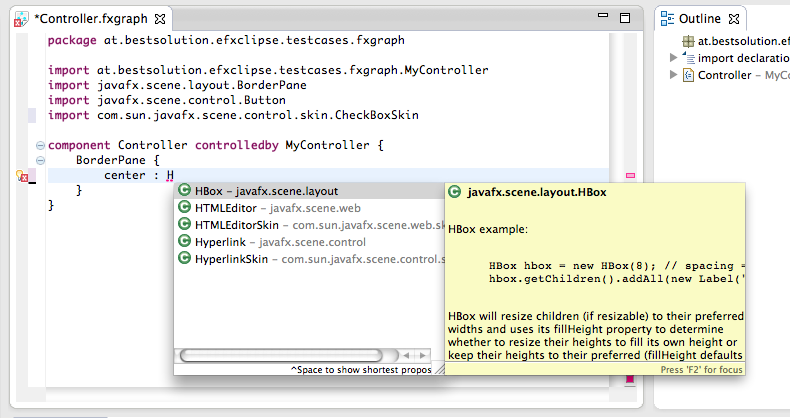
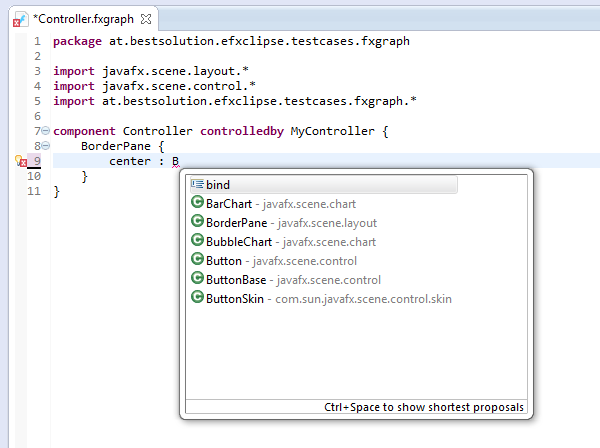
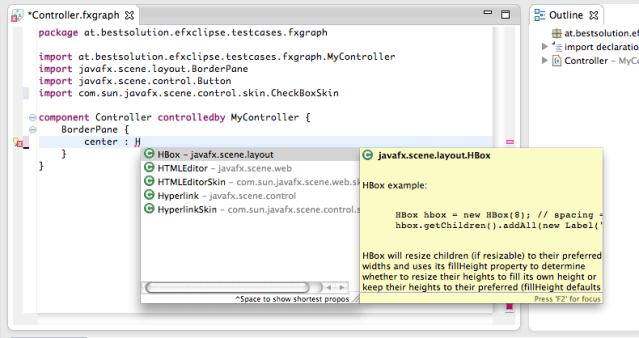
The content assist has been improved tremendously by limiting the results to values assignable to the left.
Formatting

The formatting like idents, spaces, line breaks, … have been customized so that you can now press CTRL+SHIFT+F like you are used to in Java-Files and the your source gets formatted nicely.

JavaDoc everywhere

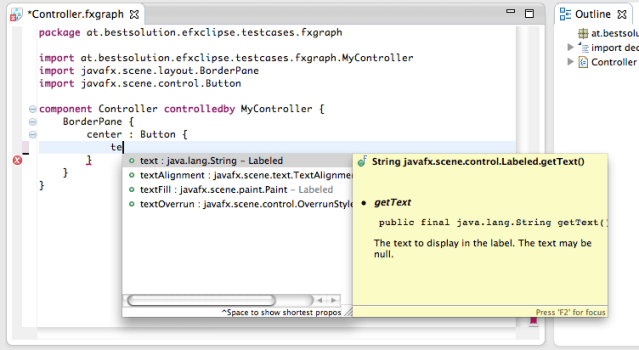
The JavaDoc is now shown everywhere like you are used to it in Java-Files as well. For example when showing the content assist for properties the JavaDoc is displayed next to the proposal.
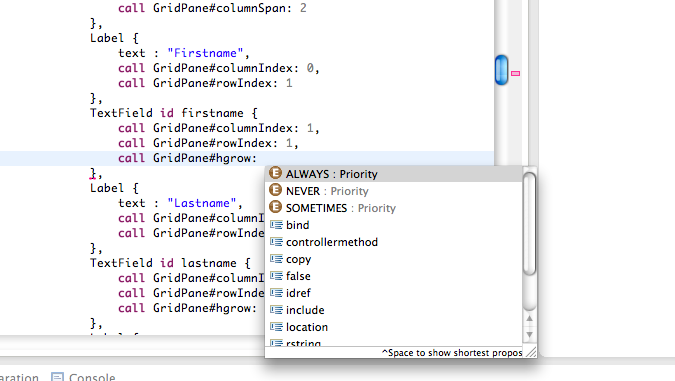
Autocompleteion for Enum values

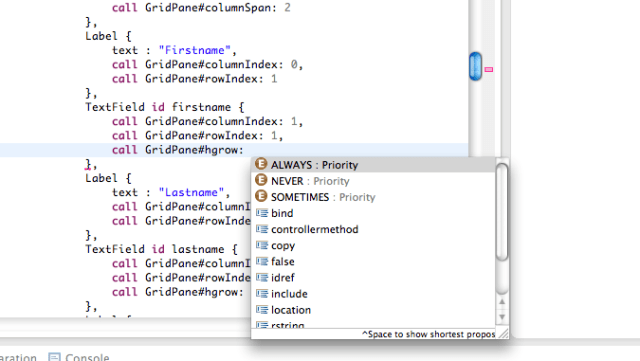
Attributes who are represented as enum-Values now provide a content proposal.
Wizard improvements

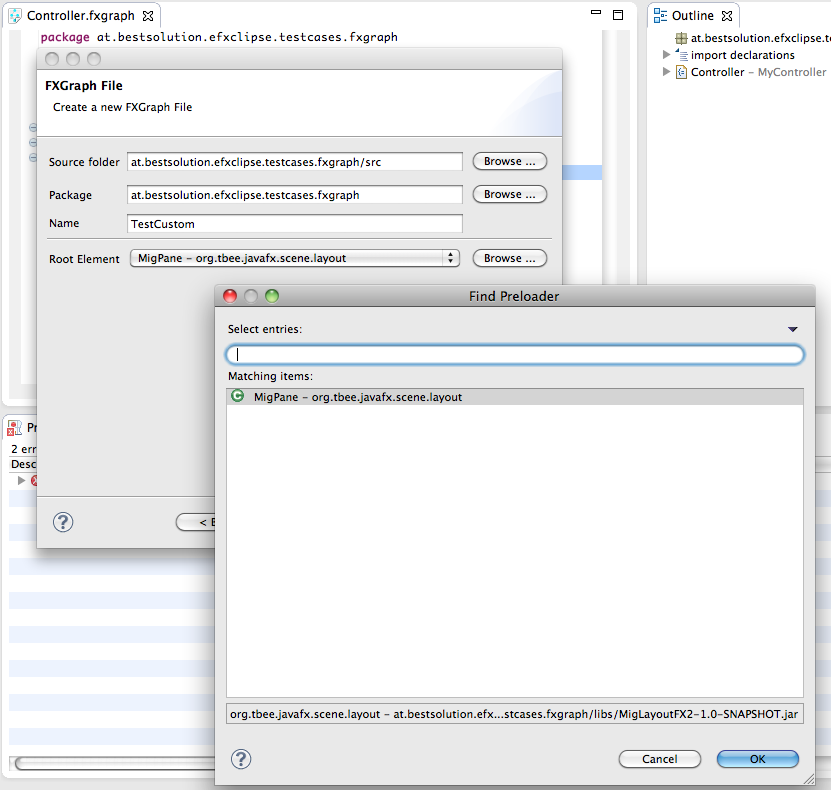
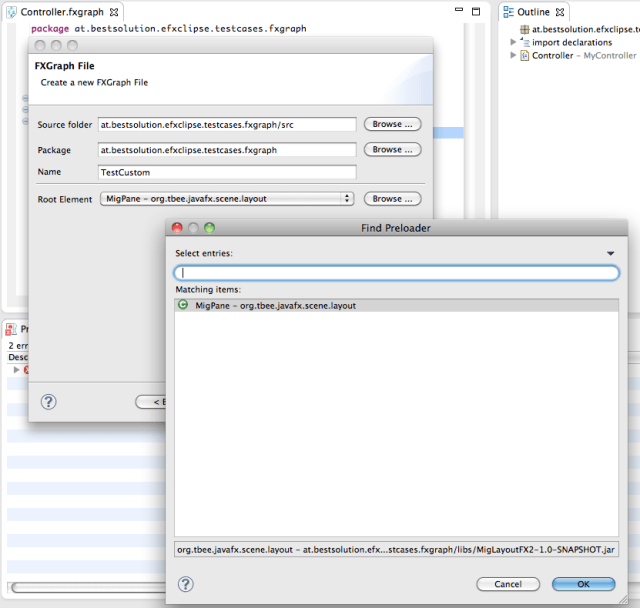
The wizard has been improved to add support for custom root elements (and remembers them for the next time).
FXML

So in 0.0.9 I switched the FXML-Editor from a custom written to an Xtext backed one (the only feature I had by then was to provide attribute proposals).

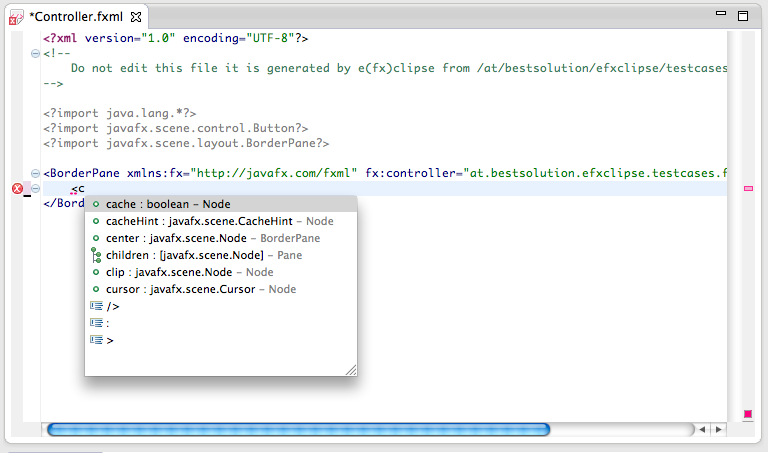
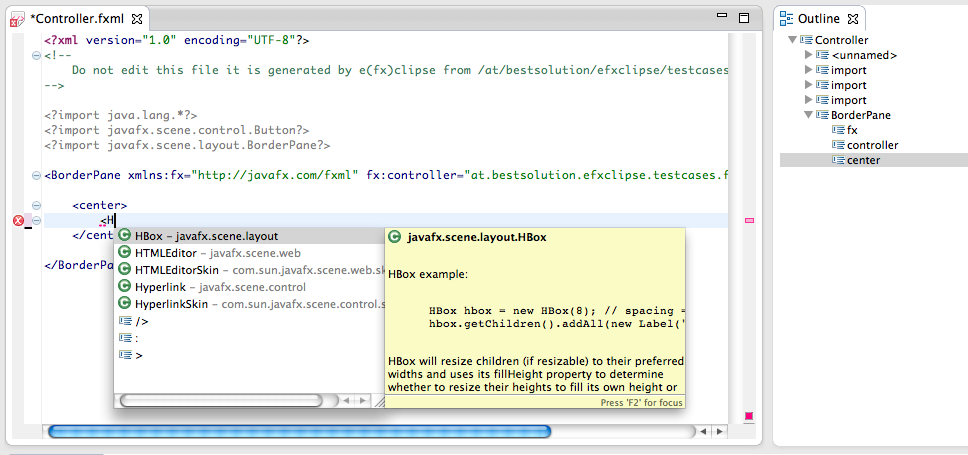
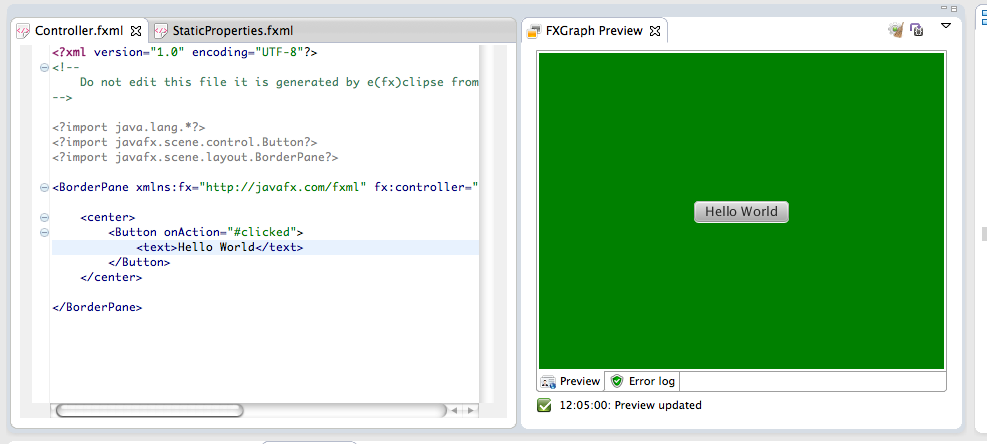
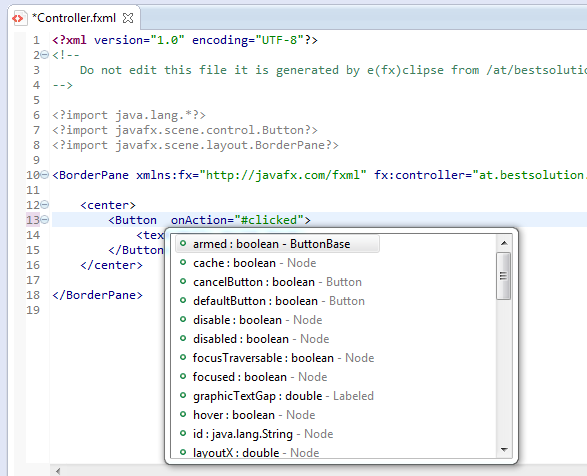
So while I also added new features to FXGraph most of the time I spend in this release cycle was on the FXML-Editor front which now has decent sub-element proposals, JavaDoc support, … . The features are yet not as advanced as they are in fxgraph but they are coming along nicely.

Subelement proposals
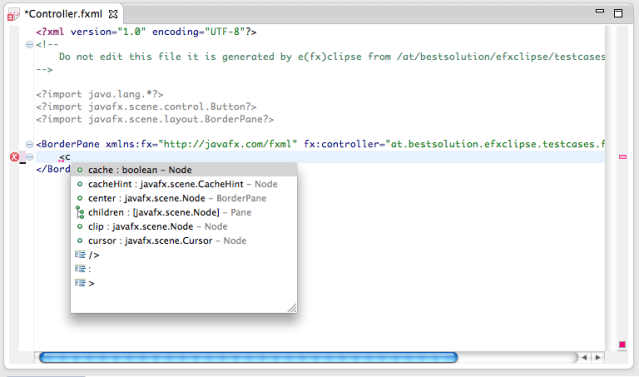
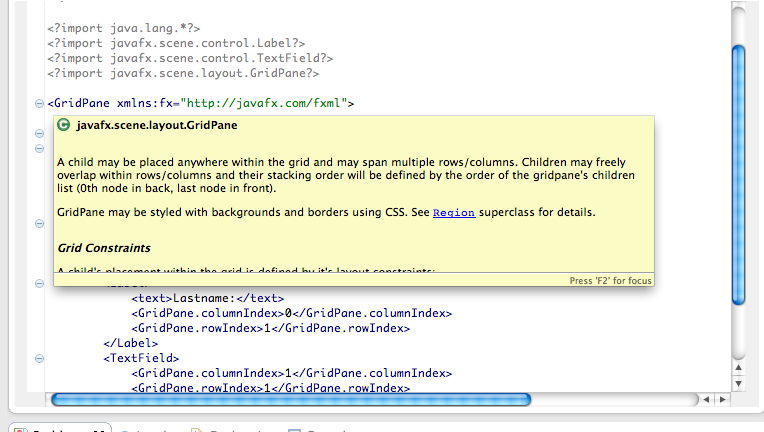
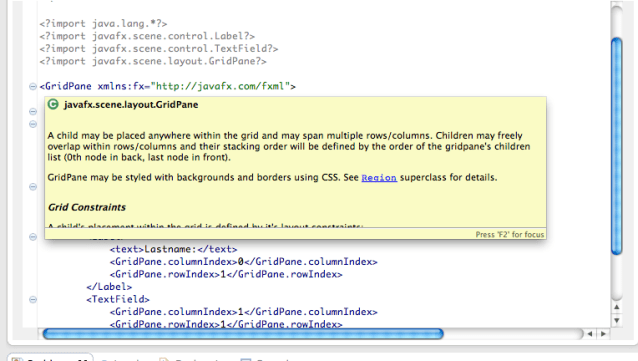
JavaDoc

Not all elements yet show the JavaDoc appropriate for them but the most important ones already do.
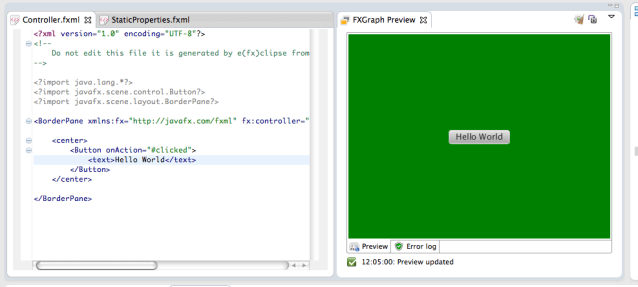
Live Preview

I think that this is the most interesting feature of the FXML-Tooling because it allows you see the resulting UI while you are authoring the FXML-File.
FXML currently does not support to encode custom informations into it because it does not allow one to use itsown XML-Namespace. To make the live preview load the CSS-Files and message.properties one has to add a mapping file in the root directory of the project. The FXML-Wizard will create one for you, if you already have fxml-Files and want to add the configuration-file your own simply create a file named “fxml-preview.properties” in your project (at the toplevel, not inside the src-Folder) and add the following content:

# -------------------------------------
# Configuration setting for FXML-Files
# -------------------------------------

# -------------------------------------
# Values applicable to all FXML-Files
# -------------------------------------

# fxmlpreview.all.stylesheets=test.css            # Comma seperated list of css-styles
# fxmlpreview.all.messagefile=messages.properties # Properties file

# -------------------------------------
# Values applicable to a specific FXML-File 
# (replace ${fxmlfilename} with your filename WITHOUT the fxml-suffix)
# -------------------------------------

# fxmlpreview.file.${fxmlfilename}.stylesheets=test.css              # Comma seperated list of css-styles merged with default styles
# fxmlpreview.file.${fxmlfilename}.messagefile=messages.properties   # Properties file overrules default properties

I think the file is self-explanatory.

Posted in e(fx)clipse | 7 Comments

2011 in review

The WordPress.com stats helper monkeys prepared a 2011 annual report for this blog.

Here’s an excerpt:

The Louvre Museum has 8.5 million visitors per year. This blog was viewed about 100,000 times in 2011. If it were an exhibit at the Louvre Museum, it would take about 4 days for that many people to see it.

Click here to see the complete report.

Posted in Uncategorized | Leave a comment

e(fx)clipse 0.0.9 released

I’ve just pushed the bits for 0.0.9 into the git-repo and the uploaded the p2-repo and all-in-one downloads to efxclipse.org. This release comes with new features and as always bug fixes.

Tooling

New Wizards

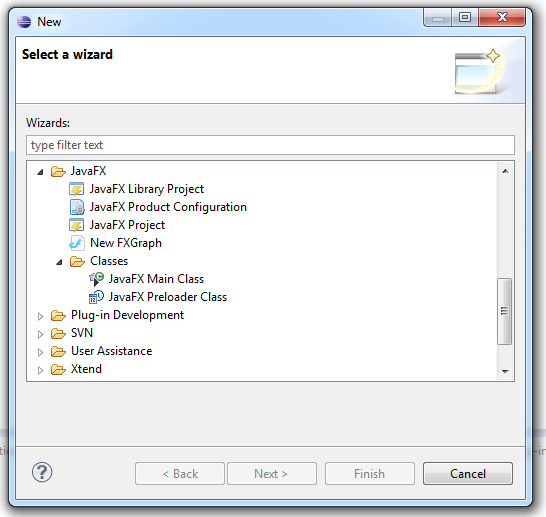
We’ve added new wizards to create a JavaFX Library Project in contrast to JavaFX Project which is the main application project. There are new wizards to create an Preloader and Application class.

Preview improvements

The Preview control can be put into a mode where it loads the associated controller and creates an instance of it, including all bindings defined, … . The foundation for this feature was to provide the whole projects classpath to the FXMLLoader which is needed to reference e.g. custom controls developped in your project as well as other none JavaFX components like the MigLayout port for JavaFX.

FXGraph features

I’ve started documenting the DSL at http://efclipse.org/fxgraph.html.

Language changes

I decided to redefine some keywords (previewCssFiles is now called styledwith, previewResourceFile is now called resourcefile, previewClasspathEntries is not needed anymore because the projects classpath available in the preview).

New features

Namespaces

I’ve added the (optional) concept of namespaces to the DSL which makes sense once you want to reference other FXGraph components inside your FXGraph-Definition.

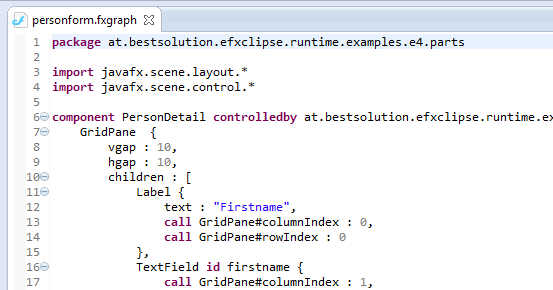
So your DSL file can now start with something like this:

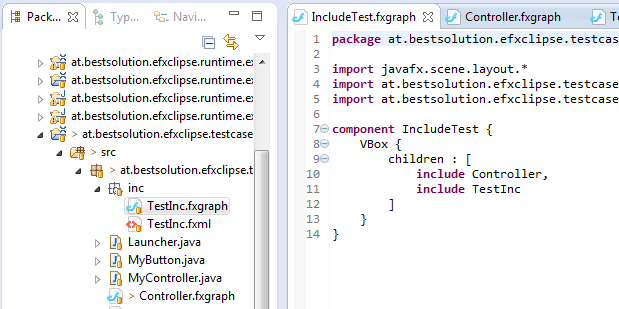
Including other components

At the language level this feature was already present since the start but it was not implemented until now.

The Preview currently does not support loading those subcomponents but I’ll try to make this work in 0.0.10.

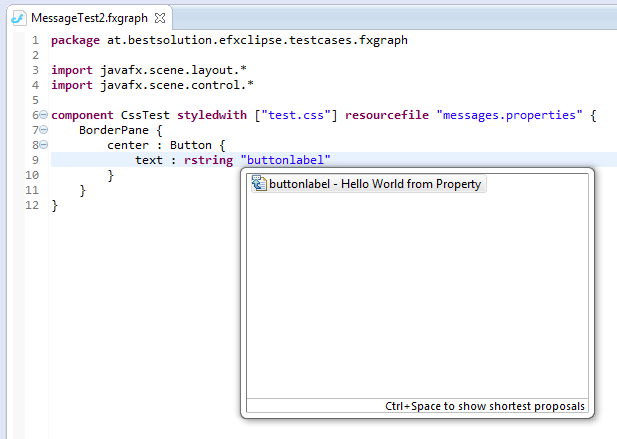
Support for translations from resource files

There’s a new keyword rstring which allows you to mark that a given string should be looked up in the given resource file instead of used as is.

Improved (singlevalued) attribute content proposals

The class proposal displayed for single valued attributes now take the accepted object type into account which reduces the number of proposals tremendously in most cases.

FXML

Reading the above paragraphs one might think e(fx)clipse is only about my custom DSL but to demostrate this is not I’ve started – as promised – on an FXML-Tooling support. Please note the support is currently really rudimentary (only simple attributes on elements) but what I have now is a foundation to build on in the next release.

I’ve experimented a lot in the last days (e.g. building an in memory logical model using SAX) but I finally once more used Xtext to built up an in memory model of the XML-File because there would have been so many things I’d have had to write my own when doing the parsing myself.

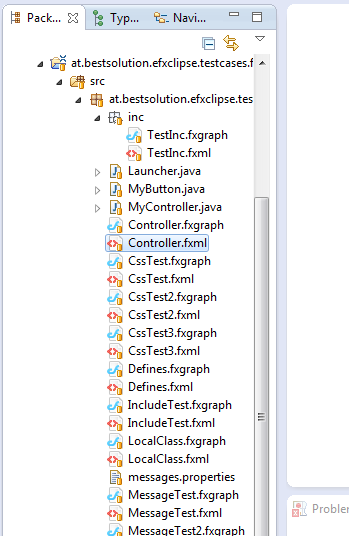
The Preview component does not yet support the FXML-Files but is scheduled to get supported with 0.0.10 with many more FXML improvements as well as bidirectional FXGraph to FXML conversion. Because of this planned feature the fxml-Document created from FXGraph-Files is now written next to the FXGraph-File.

Runtime

No new features have been released in the runtime components but Kai is busy working on the e4 front and we hope to provide new features with 0.0.10.

Other soft facts

Up-to-date components

I’ve updated to Xtext and Xtend 2.2 which are now a prerequisit because I’m using some of their bleeding edge features in the DSL. The All-In-One downloads are now built on top of Eclipse 3.7.1 (For the cowards) and 4.2M4 (For the adventurous) and naturally also include Xtext and Xtend 2.2.

Bugtracking and contributing

We now have a bugtracker at http://efxclipse.org/trac if you are seeking for a feature, discover bugs (which is very likely), … I can only hope you’ll find the time to report them.

Release Schedule

I plan to release a new version every 3 weeks which is half the time of an Eclipse Milestone cycle. So every time the Eclipse SDK releases a new version so does e(fx)clipse. The only exception might be support for 3.7.2 where an All-In-One build with the latest e(fx)clipse version at time will be provided.

Posted in e(fx)clipse | 17 Comments

Slides from Google Talk

I had the possibility to join an amazing group of people to deliver talks at EclipseDay at the Googleplex.

I have to admit it feels extremly cool getting to the google campus. Thanks to Lars Vogel accepting me as a co-speaker and the Eclipse Foundation and Google Open Source Program Office organizing the event.

I hope I get once more the possibility to show up at this amazing event and talk about Eclipse Technologies, meet old friends and make some new ones.

Here is a link to the slides.

Posted in Talks & Conferences | 1 Comment

Relation between fxgraph and fxml

I just saw some people coming to my blog from an article published on The Register where the author referenced e(fx)clipse.

The author there talks about FXGraph and that it limits the appeal of e(fx)clipse which is think is not correct because nobody is forced to use the DSL I’ve been working on (use what ever you want – Java, GrooveFX, ScalaFX, …). It’s true that I currently don’t provide good tooling support for FXML but I plan to work on an FXML tooling so that people who want to directly edit them get decent support for it.

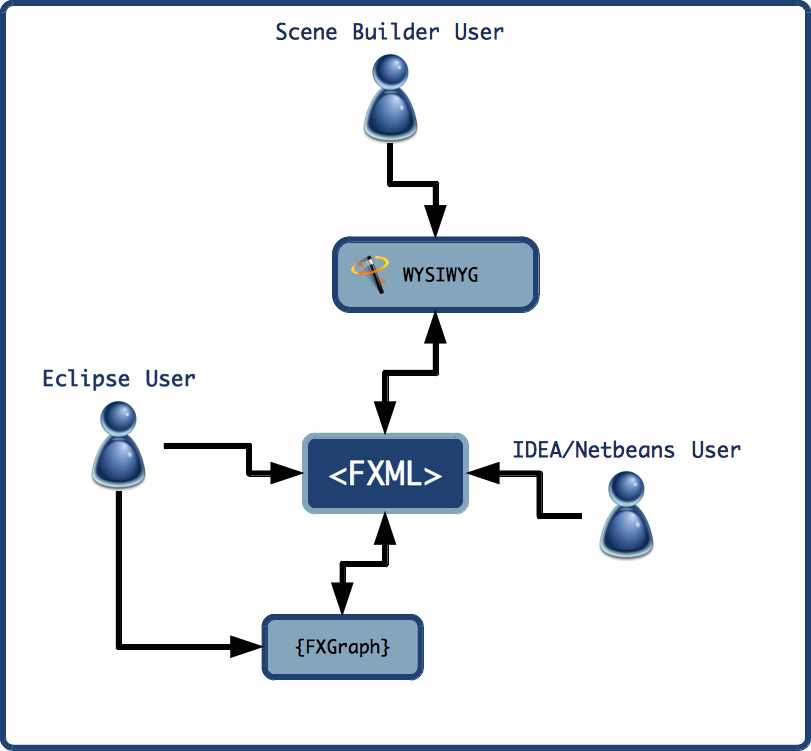
I think an important fact when it comes to FXGraph is that the DSL is not translated into Java or JavaByte code but into FXML so you can think of FXGraph-Files as a nicer textual representation of the FXML files content. The advantage of spitting out FXML are in my opinion:

  • No lock in – you are not forced to work with FXGraph for ever because the generated FXML-File should be supported by e.g. Netbeans, IDEA, … you can switch to another IDE and continue with the work there
  • Tool exchange – My opinion is that FXML is designed as an interchange format between different tools and not really designed to be authored directly so all upcoming tools (e.g. Scene Builder) will use it as interchange format
  • No runtime layer – FXGraph-Files get translated automatically in FXML while coding and so you don’t need an extra library to make things work

Here’s a small diagram how I think FXML is designed to be used:

What’s missing at the moment is an FXML to FXGraph translator but this is something not really hard to implement so it’s already on my TODO-List for 0.0.10.

Posted in e(fx)clipse | 6 Comments

All-in-one download of e(fx)clipse

To make it as easy as possible to get started with JavaFX 2.0 development with Eclipse I’ve just uploaded prepackaged SDKs for Windows and OS-X to efxclipse.org.

This makes it super easy for you to take e(fx)clipse for a spin – just grab the package appropriate for your platfrom, unpack and start writing your first JavaFX 2.0 application (after you configured the SDK-Location in Window > Preferences > JavaFX).

Posted in e(fx)clipse | 10 Comments

Videos from my EclipseCon Europe 2011 Talks

The great people from FOSSLC have recorded all EclipseCon Europe Talks. If you’ve not been able to attend here the direct links to my talks:

Posted in Talks & Conferences | 2 Comments

Democamp slides

For those interested here are the slides from the talk I gave yesterdays Democamp Munich. Thanks to Jonas and Maximilian for organizing and providing me a platform to talk a bit about e(fx)clipse.

Posted in Talks & Conferences | 1 Comment

e(fx)clipse 0.0.8 released

Another few weeks have passed and here is a new release of e(fx)clipse. There are not many new features but the stuff available already has been improved. Let’s look at the most important things one by one:

  • e(fx)clipse now has reached a point where I think it deserves itsown homepage with informations on the project, … so I’ve created one which you can find at efxclipse.org

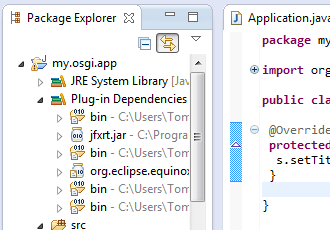
  • Enhanced PDE-Classpath container. e(fx)clipse comes with a patched PDE-Classpath container which automatically recoginzes that you import javafx-packages to your project and so adds them to your classpath.

    To make exporting work one still needs the javafx.jar in the build.properties for now but we are looking into this problem and can hopefully fix it with an upcoming release.

  • The fxgraph-DSL and its Live-Preview got some more love:
    • Preview shows error information in an extra tab
    • Preview is still visible if one switches to the CSS-Editor
    • Preview updates itself on CSS changes
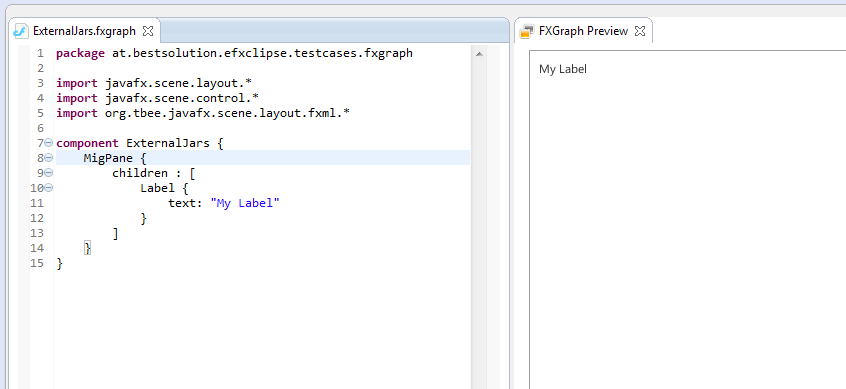
    • The DSL allows to reference external jars needed by the preview to build up the UI (e.g. external controls, layout-panels,..)

    I’ve recorded a video for you to see it in action:

  • OS-X support: I’ve added support for Mac OS X. The CSS and FXGraph editors are working smoothly but I’m having some issues with the Live-Preview which though it works there are many things that need to be fixed.
  • JavaFX on the Eclipse 4 Application Platform got improved by Kai Tödter and is now able to render menus, … . He also improved the themeing support to allow switching of themes at runtime.

    Once more I’ve recorded you a small video showing all in action:

  • Switched to Xtext 2.1 which is a prerequist now
  • Supported platforms are going to be 3.7.1 and Eclipse 4.2
  • You can now install and keep e(fx)clipse up-to-date by configuring the following p2-repository url: http://www.efxclipse.org/p2-repos/releases/latest/.

    Please take a look at the Install-page to see how to set things up

The source is released under EPL and available from our git-repository https://github.com/tomsontom/e-fx-clipse.

Special note to all people who had installed a previous version because I’ve switched to Xtext 2.1 you’ll have to follow the installation guide lines outlined on the Install-page else you’ll get dependency errors when trying to install or even worse some things are not working like the fxgraph editor

Posted in e(fx)clipse, e4 | 10 Comments